Energy Blast Icon

Energy Blast APK for Android

2M+
Free
Mar 2, 2020

Destroy meteorites with one touch using energy force

Download Energy Blast APK 1.0.2 51MB

What is Energy Blast?

Energy Blast – the defender of the planet alone fights against the threat of deadly meteorites, ready to break through the atmosphere and cause irreparable harm to the world. The hero fights with the help of energy projectiles sent straight towards a potential threat. Success depends on the abilities of the character, and it is in their improvement that the general goals of the user are hidden within the framework of a casual novelty.

Shortfall and flight, insufficient power of the energy charge, unfortunate misses – in order to avoid the catastrophically low efficiency of the planet’s defender, you need to pump available abilities in time. These include strength, speed, endurance and offline earnings – shoot down celestial bodies, earn money and increase the level of the listed parameters.

Features:

  • protecting the planet in a casual format from outside attacks;
  • golden keys to access prize containers;
  • earn money to level up the hero;
  • effective defense at your fingertips;
  • increase income offline;
  • colorful design and spectacular sounds.

Soon, the user’s business will reach a positive level, Energy Blast will have free funds on his account to invest in customizing the appearance of the main character. Buy new skins and movements demonstrated by the character in the process of launching energy projectiles.
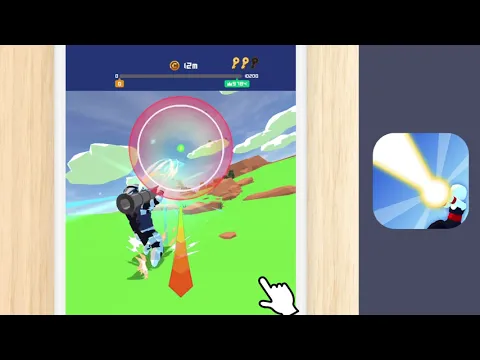
Video of Energy Blast
Screenshot Energy Blast 1
Screenshot Energy Blast 2
Screenshot Energy Blast 3
Screenshot Energy Blast 4
Screenshot Energy Blast 5

Download Energy Blast APK for Android

What's New in Version 1.0.2

Update SDK

Available Files

  • 1.0.2 51MB Android 4.3+ arm64-v8aarmeabi-v7a Download

System Requirements

OS Version
Android 4.3 (Jelly Bean) or higher
Architecture
Varies by file (Which one do I need?)
Disk Space
~80 MB free space required
RAM
2 GB
Internet
Not required (Offline playable)
Permissions (8)
  • Internet
  • Access Network State
  • Read External Storage
  • Write External Storage
  • Wake Lock

APK File Details

Package ID com.DCGEntertainment.EnergyBlast
Developer Tokyo Smart Games
License Free
Monetization Contains Ads  
Interface Language
English +75

English, Japanese, Indonesian, German, Bulgarian, Thai, Hindi, Vietnamese, Ukrainian, Polish, Korean, Romanian, Arabic, French, Turkish, Czech, Spanish, Italian, Portuguese, Hungarian, Russian, Chinese, + 54 localizations

APK Verification & Virus Scan Results

No Virus Signature Verified Safe & Original

Virus scan: Clean (0/63) View report. The APK file is digitally signed.

Show File Details (SHA-256, SHA-1, MD5)

SHA-1 Signature:

e629563e46addb4dbad0920ef03018022b122034

SHA-256 Hash:

d083dd4475f4b5d4c90d5496b45fcb67425c1acdde9498833fcd60c32d0c2fc9

MD5 Checksum:

704e71a9f0c1156c8189b7498e41aa0c

Frequently Asked Questions

Is Energy Blast safe to download?

Yes, Energy Blast is safe to download. The APK is scanned on every update — no malware or viruses detected. You can verify the full scan report in the Security section above.

How to install Energy Blast APK on Android?

Download the APK using the button above. Then open the file and tap Install. If prompted, enable "Install from unknown sources" in Settings → Security. The process takes under a minute. Read more

Why does installation fail on newer Android versions (14 - 16)?

Newer Android versions strictly block the installation of apps built for older Android versions (API < 23) for security reasons. Standard installation is not possible. Read our step-by-step guide on how to bypass this restriction using ADB or Shizuku.

What Android version does Energy Blast require?

Energy Blast requires Android 4.3 (API 18) or higher. Optimized for Android 9.0 (API 28).

Is Energy Blast free?

Yes, it is free to use, but it is ad-supported.

What processor architecture does Energy Blast support?

Energy Blast supports arm64-v8a, armeabi-v7a. This build does not support x86/x86_64 processors, so it will not run on most PC emulators. If you are unsure about your device architecture, check the Device Info section on this page.

How to enable installation from unknown sources on Android?

Go to Settings → Security (or Settings → Apps → Special access on Android 8+) and enable "Install unknown apps" for your browser or file manager. On Android 8 and above this setting is per-app, not global. Read more

If you have found any issue or are having difficulty with this page, please .

User Reviews & Ratings

Global rating(Play Store): 3.6(5.2K)
Rate this app

0.00

12345

not yet rated

Share your experience with other users.