Fire Balls 3D game cover art for Android
Fire Balls 3D Icon

Fire Balls 3D APK for Android

VOODOO Original
62M+
Free
Feb 2, 2024

Hit the stack!

Download Fire Balls 3D APK 2.4 113MB

What is Fire Balls 3D?

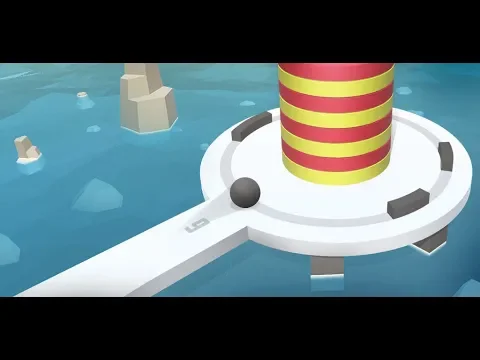
Fire Balls 3D is an artillery-themed timekiller. The game consists in the fact that the player shoots cannonballs at a makeshift tower consisting of floors. Each hit of the core in the tower destroys one floor – this brings the player winning points. The more cores hit the target, the more floors are destroyed, and the more points the player wins.

The complexity of the game lies in the fact that the tower is protected by dynamic obstacles – barriers that move around the tower, and reflecting the core, protect the tower from destruction. The latter circumstance poses a task for the player – having calculated the flight time of the core, it is necessary to shoot it in such a way that it flies between the barriers and reaching the target, completely destroying the tower in the least number of hits.

The game is implemented in the arcade genre. This means that the gameplay is divided into levels, each of which presents the player with progressively more difficult tasks. The best players, the gunners, become leaders in the game’s global ranking hothouse.

3D graphics will help you navigate the game space.
Also known as: FireBalls 3D
Video of Fire Balls 3D
Screenshot Fire Balls 3D 1
Screenshot Fire Balls 3D 2
Screenshot Fire Balls 3D 3
Screenshot Fire Balls 3D 4
Screenshot Fire Balls 3D 5
Screenshot Fire Balls 3D 6
Screenshot Fire Balls 3D 7
Screenshot Fire Balls 3D 8

Download Fire Balls 3D APK for Android

What's New in Version 2.4

No official changelog provided for Fire Balls 3D version 2.4. This update likely includes general stability improvements and bug fixes.

Available Files

System Requirements

OS Version
Android 7.0 (Nougat) or higher
Architecture
Varies by file (Which one do I need?)
Disk Space
~200 MB free space required
RAM
2 GB
Internet
Not required (Offline playable)
Permissions (12)
  • Internet
  • Access Network State
  • Vibrate
  • Wake Lock
  • Access Wifi State

APK File Details

Package ID com.NikSanTech.FireDots3D
Available on Google Play
Developer VOODOO
License Free
Monetization Contains Ads   In-App Purchases
Age Rating Everyone
Interface Language
English +1

English, + 1 localization

APK Verification & Virus Scan Results

No Virus Signature Verified Safe & Original

Virus scan: Clean (0/51) View report. This APK is free of malware and its signature matches the official developer release.

Show File Details (SHA-256, SHA-1, MD5)

SHA-1 Signature:

1c8c73dd7653a3afbb9ce65a563daa4391fd1786

SHA-256 Hash:

1a757006310395a247535e57c7010323ef445878fd21411901e59115dfee94f6

MD5 Checksum:

2eb47b1c56fefd8db71675c245074ba9

Frequently Asked Questions

Is Fire Balls 3D safe to download?

Yes, Fire Balls 3D is safe to download. The APK is scanned on every update — no malware or viruses detected. You can verify the full scan report in the Security section above.

How to install Fire Balls 3D APK on Android?

Download the APK using the button above. Then open the file and tap Install. If prompted, enable "Install from unknown sources" in Settings → Security. The process takes under a minute. Read more

What Android version does Fire Balls 3D require?

Fire Balls 3D requires Android 7.0 (API 24) or higher. Optimized for Android 13 (API 33).

Is Fire Balls 3D free?

Yes, it is free to download and use, but it contains ads and offers in-app purchases.

How to update Fire Balls 3D to the latest version?

Download the latest APK from this page and install it over your existing version — no need to uninstall first. Your data and settings will be preserved. We update the file as soon as a new version is released.

What processor architecture does Fire Balls 3D support?

Fire Balls 3D supports arm64-v8a, armeabi-v7a. This build does not support x86/x86_64 processors, so it will not run on most PC emulators. If you are unsure about your device architecture, check the Device Info section on this page.

How to enable installation from unknown sources on Android?

Go to Settings → Security (or Settings → Apps → Special access on Android 8+) and enable "Install unknown apps" for your browser or file manager. On Android 8 and above this setting is per-app, not global. Read more

If you have found any issue or are having difficulty with this page, please .

User Reviews & Ratings

Global rating(Play Store): 4.45(390.6K)
Site Rating: 1(1)
Rate this app

1.00

12345

1

Share your experience with other users.