Gems of War game cover art for Android
Gems of War Icon

Gems of War APK for Android

- Match 3 RPG
3M+
Free
Oct 7, 2024

The classic "three-row", supplemented with elements of role-playing development

Download Gems of War APK 8.0.0 580MB Old versions

What is Gems of War?

Noble knights in armor shimmering in the sun, orcs terrible in their pressure, rustic but numerous barbarians, frightening-looking wild animals, angry masters of the elements. A puzzle with RPG elements Gems of War – Match 3 RPG already at the stage of introduction to the game story introduces the gamer to a motley company of enemies that he will meet in the process of completing story missions. For each species, you need to choose your own winning strategy, and this only comes with experience.

Some of the opponents are terribly afraid of elemental spells, some can’t care less about magic, only a sharply sharpened sword can lead them into awe. But that’s all later, and on the first chords Gems of War – Match 3 RPG the gamer is offered to delve into and understand the causes and consequences of the plot narrative. In the format of video inserts and through a system of dialogues, they will tell about the fantasy universe, the creatures inhabiting it and brave heroes, and then they will introduce you to the combat system based on the principles of “three in a row”.

The Gems of War – Match 3 RPG game elements are colorful magic spheres and frightening skulls. The main task is to inflict devastating damage to enemies through the masterful formation of long chains of identical elements. Each color in the game corresponds to a representative of a certain element, and by filling in a special scale for each character, the gamer allows him to deliver a powerful blow to the enemy. As you progress through the story, both the experience and the abilities of the characters grow, and this gives even more potential to crush the most powerful enemies.
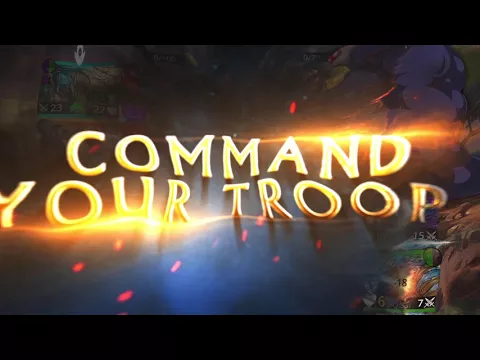
Also known as: Gems of War - Match 3 RPG
Video of Gems of War
Screenshot Gems of War 1
Screenshot Gems of War 2
Screenshot Gems of War 3
Screenshot Gems of War 4
Screenshot Gems of War 5

Download Gems of War - Match 3 RPG APK for Android

What's New in Version 8.0.0

The latest update for Gems of War has arrived!

Discover a variety of improvements to the game's Underspire mode, including:
- New Trap Rooms
- Additional Reward Rooms
- Menu and UI Enhancements
And much more!

For a full breakdown, visit our forums at community.gemsofwar.com

Other versions

  • 8.0.0 (latest) 580MB Android 5.0+ arm64-v8aarmeabi-v7ax86x86_64 Download
  • 7.4.0 582MB Android 5.0+ arm64-v8aarmeabi-v7ax86x86_64 Download
  • 5.0.0 53MB Android 4.1+ arm64-v8a Download
  • 3.5.009 60MB Android 4.1+ armeabi-v7ax86 Download

System Requirements

OS Version
Android 5.0 (Lollipop) or higher
Architecture
Varies by file (Which one do I need?)
Disk Space
~900 MB free space required
RAM
4 GB
Internet
Required
Permissions (27)
  • Internet
  • Access Network State
  • Vibrate
  • Wake Lock
  • Broadcast Badge

APK File Details

Package ID air.com.and.games505.gemsofwar
Available on Google Play
Developer 505 Games Srl
License Free ( No Ads)
Monetization In-App Purchases
Interface Language
English +76

English, Japanese, German, Bulgarian, Thai, Hindi, Vietnamese, Ukrainian, Polish, Korean, Romanian, Arabic, French, Turkish, Czech, Spanish, Italian, Portuguese, Hungarian, Russian, Chinese, Indonesian, + 55 localizations

APK Verification & Virus Scan Results

No Virus Signature Verified Safe & Original

Virus scan: Clean (0/67) View report. This APK is free of malware and its signature matches the official developer release.

Show File Details (SHA-256, SHA-1, MD5)

SHA-1 Signature:

de580e5216d0c28782de1308648f563b981cd71d

SHA-256 Hash:

dea9ab1c3a459a4400feca215ac9805f74af6527679d7e7e3f62263e8362eb28

MD5 Checksum:

e208529231de3d6a251a29530e7a0cc0

Frequently Asked Questions

Is Gems of War safe to download?

Yes, Gems of War is safe to download. The APK is scanned on every update — no malware or viruses detected. You can verify the full scan report in the Security section above.

How to install Gems of War APK on Android?

Download the APK using the button above. Then open the file and tap Install. If prompted, enable "Install from unknown sources" in Settings → Security. The process takes under a minute. Read more

Why is Gems of War such a large file?

Gems of War is 580 MB because it includes high-resolution assets and offline content. We recommend downloading over Wi-Fi. Make sure you have enough free storage before installing.

What Android version does Gems of War require?

Gems of War requires Android 5.0 (API 21) or higher. Optimized for Android 13 (API 33).

Is Gems of War free?

Yes, the app is free to download, but it contains in-app purchases for additional content.

How to update Gems of War to the latest version?

Download the latest APK from this page and install it over your existing version — no need to uninstall first. Your data and settings will be preserved. We update the file as soon as a new version is released.

What processor architecture does Gems of War support?

Gems of War supports arm64-v8a, armeabi-v7a, x86, x86_64. If you are unsure about your device architecture, check the Device Info section on this page.

If you have found any issue or are having difficulty with this page, please .

User Reviews & Ratings

Global rating(Play Store): 4.5(140.5K)
Site Rating: 4.5(2)
Rate this app

3.00

12345

2

Share your experience with other users.