Kitty Letter Icon

Kitty Letter APK for Android

263K+
Free
Apr 2, 2022

The battle of intellects, designed in the setting of a cat confrontation

Download Kitty Letter APK 1.09.05 102MB

What is Kitty Letter?

Kitty Letter – online intellectual battles for users who have an extensive vocabulary. If you are not ready to compete with real players yet, then test your abilities in single player mode. The game is stylishly designed, replete with funny situations and some semblance of a plot, while entertaining and has educational potential.

Take part in a great confrontation – with the help of an army of seals, destroy the enemy building. Naturally, the opponent will also attack your home, only by making more words than the opponent you will be able to complete the mission victoriously. It is necessary to compose new units of speech from the set of letters issued for each level. Just combine alphabetic characters into independent words, replenishing the squad of fighting cats. In addition to vocabulary, learn how to correctly use bonuses and amplifiers, deftly picking them up on the playing field directly during the battle.

Features:

  • stylish design and funny character models;
  • high-speed compilation of words for victory;
  • auxiliary boosters and bonuses.

Compete in intelligence and erudition with a random opponent or invite friends to the game, go through a single player campaign in story or arcade mode. Kitty Letter is a revolution in the sector of word puzzles that will not leave indifferent adults or children.
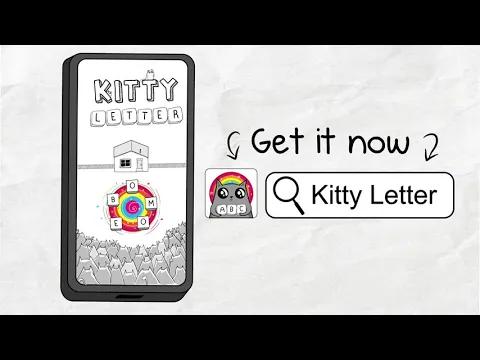
Video of Kitty Letter
Screenshot Kitty Letter 1
Screenshot Kitty Letter 2
Screenshot Kitty Letter 3
Screenshot Kitty Letter 4

Download Kitty Letter APK for Android

What's New in Version 1.09.05

* Earn ranks and status in multiplayer games! Each level comes with its own adorable mascot badge.
* Improved saving for player progression and profile

Available Files

  • 1.09.05 102MB Android 4.4+ arm64-v8a Download

System Requirements

OS Version
Android 4.4 (Kit Kat) or higher
Architecture
Varies by file (Which one do I need?)
Disk Space
~200 MB free space required
RAM
2 GB
Internet
Required
Permissions (4)
  • Internet
  • Access Network State
  • Vibrate
  • Billing

APK File Details

Package ID com.ExplodingKittensInc.KittyLetter
Developer Exploding Kittens, Inc
License Free ( No Ads)
Monetization In-App Purchases
Interface Language
1 language

+ 1 localization

APK Verification & Virus Scan Results

No Virus Signature Verified Safe & Original

Virus scan: Clean (0/62) View report. The APK file is digitally signed.

Show File Details (SHA-256, SHA-1, MD5)

SHA-1 Signature:

97bfc4945ff6dd3f9ea88639e171abba42d65607

SHA-256 Hash:

10f0585a74753b3816dad23f5e0fe2dfa12ecb72476377e40090553bc378ea56

MD5 Checksum:

858be188b42a5de64473dc746e13e553

Frequently Asked Questions

Is Kitty Letter safe to download?

Yes, Kitty Letter is safe to download. The APK is scanned on every update — no malware or viruses detected. You can verify the full scan report in the Security section above.

How to install Kitty Letter APK on Android?

Download the APK using the button above. Then open the file and tap Install. If prompted, enable "Install from unknown sources" in Settings → Security. The process takes under a minute. Read more

Why does installation fail on newer Android versions (14 - 16)?

Newer Android versions strictly block the installation of apps built for older Android versions (API < 23) for security reasons. Standard installation is not possible. Read our step-by-step guide on how to bypass this restriction using ADB or Shizuku.

What Android version does Kitty Letter require?

Kitty Letter requires Android 4.4 (API 19) or higher. Optimized for Android 10 (API 29).

Is Kitty Letter free?

Yes, the app is free to download, but it contains in-app purchases for additional content.

What processor architecture does Kitty Letter support?

Kitty Letter supports arm64-v8a. This build does not support x86/x86_64 processors, so it will not run on most PC emulators. If you are unsure about your device architecture, check the Device Info section on this page.

How to enable installation from unknown sources on Android?

Go to Settings → Security (or Settings → Apps → Special access on Android 8+) and enable "Install unknown apps" for your browser or file manager. On Android 8 and above this setting is per-app, not global. Read more

If you have found any issue or are having difficulty with this page, please .

User Reviews & Ratings

Global rating(Play Store): 3.89(2.5K)
Rate this app

0.00

12345

not yet rated

Share your experience with other users.