Save Simbachka Icon

Save Simbachka APK for Android

9M+
Free
Feb 16, 2023

Colorful casual game for kids with cute characters

Download Save Simbachka APK 1.0.6 120MB

What is Save Simbachka?

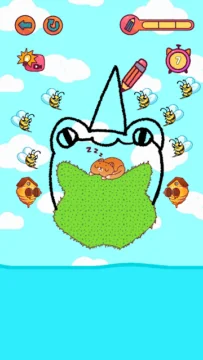
Save Simbachka is a wonderful puzzle game. Cheerful, colorful, entertaining, with cute and cute characters. With its help, everyone can have great fun, relax, experience a surge of positive and cheer up.

Simba is in trouble. Only you can help her. Act soon! Save her and help her overcome all difficulties, obstacles and dangers. Think and find a way that will definitely help her get out and be saved.

You need to draw a line on the screen that will show Simba the right path to salvation.

At the same time, you need to think, but do it as quickly as possible, because time is limited. It is necessary to have time to figure out what exactly will help and draw what will save Simbochka.

Features of the game:

  • colorful, bright, cheerful;
  • helps develop logical thinking and learn how to quickly navigate by solving logical tasks;
  • contains different levels;
  • pleases with all sorts of ways to stimulate the player (you can buy hats or collect posters to get special hats, etc.);
  • is a great entertainment and at the same time a “simulator” for the brain and logic.

Download the game is free. It is suitable for players over 3 years old. Please note that Save Simba! is a game that requires access to the Internet.

Screenshot Save Simbachka 1
Screenshot Save Simbachka 2
Screenshot Save Simbachka 3
Screenshot Save Simbachka 4
Screenshot Save Simbachka 5

Download Save Simbachka APK for Android

What's New in Version 1.0.6

Technical fixes

Available Files

System Requirements

OS Version
Android 5.1 (Lollipop MR1) or higher
Architecture
Varies by file (Which one do I need?)
Disk Space
~200 MB free space required
RAM
2 GB
Internet
Not required (Offline playable)
Permissions (9)
  • Internet
  • Access Network State
  • Vibrate
  • Wake Lock
  • Ad Id

APK File Details

Package ID com.PimpochkaGames.SaveSimbachka
Available on Google Play
Developer Pimpochka Games
License Free
Monetization Contains Ads   In-App Purchases
Age Rating Everyone
Interface Language
English +74

English, Japanese, German, Bulgarian, Thai, Hindi, Vietnamese, Ukrainian, Polish, Korean, Romanian, Arabic, French, Turkish, Czech, Spanish, Italian, Portuguese, Hungarian, Russian, Chinese, + 54 localizations

APK Verification & Virus Scan Results

No Virus Signature Verified Safe & Original

Virus scan: Clean (0/66) View report. This APK is free of malware and its signature matches the official developer release.

Show File Details (SHA-256, SHA-1, MD5)

SHA-1 Signature:

145acb3cc59df2fbc00514f7fb14f26f1895e5a6

SHA-256 Hash:

da48fc72f007ab2eeab9a846941981ec5d4de430c0e9261ea7ac1103a1aa745d

MD5 Checksum:

81374c196346fb8236a806b5f42fb1ee

Frequently Asked Questions

Is Save Simbachka safe to download?

Yes, Save Simbachka is safe to download. The APK is scanned on every update — no malware or viruses detected. You can verify the full scan report in the Security section above.

How to install Save Simbachka APK on Android?

Download the APK using the button above. Then open the file and tap Install. If prompted, enable "Install from unknown sources" in Settings → Security. The process takes under a minute. Read more

What Android version does Save Simbachka require?

Save Simbachka requires Android 5.1 (API 22) or higher. Optimized for Android 13 (API 33).

Is Save Simbachka free?

Yes, it is free to download and use, but it contains ads and offers in-app purchases.

How to update Save Simbachka to the latest version?

Download the latest APK from this page and install it over your existing version — no need to uninstall first. Your data and settings will be preserved. We update the file as soon as a new version is released.

What processor architecture does Save Simbachka support?

Save Simbachka supports arm64-v8a, armeabi-v7a. This build does not support x86/x86_64 processors, so it will not run on most PC emulators. If you are unsure about your device architecture, check the Device Info section on this page.

How to enable installation from unknown sources on Android?

Go to Settings → Security (or Settings → Apps → Special access on Android 8+) and enable "Install unknown apps" for your browser or file manager. On Android 8 and above this setting is per-app, not global. Read more

If you have found any issue or are having difficulty with this page, please .

User Reviews & Ratings

Global rating(Play Store): 4.72(246.4K)
Site Rating: 4.5(2)
Rate this app

4.50

12345

2

Share your experience with other users.