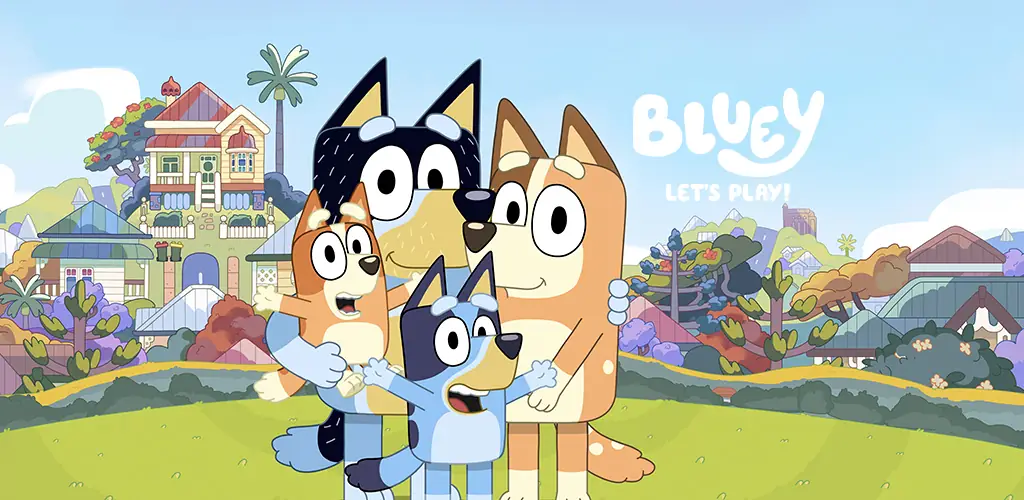
Bluey: Let's Play! game cover art for Android
Bluey: Let's Play! Icon

Bluey: Let's Play! APK for Android

59M+
Free
May 29, 2026

A kind playground where every object comes alive and helps to unleash children's imagination.

Download Bluey: Let's Play! APK 2026.5.0 484MB Old versions

What is Bluey: Let's Play!?

Bluey: Let's Play! is a colorful and safe mobile game for kids based on the popular Bluey cartoon series. Exploring the Heeler house is the foundation of all interaction with the game’s characters. You can freely move around the kitchen, yard, and other rooms and participate in mini-games, staying active. Children build their own stories and create scenarios in the game with their imagination. Prepare pizza, have tea parties, throw parties, or simply feed the family using all the content.

  • Play, read, and learn in Bluey’s house! There’s so much to do!
  • Join Bluey, her family, and friends!
  • A fun, enjoyable, and calm educational game for toddlers and preschoolers: for boys and girls aged 2-9!
  • Parents and children, welcome to the game!

Bluey is an adorable six-year-old puppy who loves to play, dream, and is always ready for adventure. She is also the main character of the award-winning cartoon series about family and positive parenting.

The game provides an opportunity to show your imagination. Each room offers specific opportunities for fantasy and games. Anything is possible here if you turn on your imagination along with Bluey. This is your virtual playground: fun and new knowledge, all in your hands. Click and drag everything that catches your eye, interact with every object.

Try preparing your favorite dishes in the kitchen, help build a pizza oven in the backyard, or have a tea party; there are many game options here. Have fun playing ball, jumping on the trampoline, bathing in a bubble bath, or swinging on the backyard swing – the possibilities are endless. This is a completely safe children’s game for preschoolers, kindergarteners, boys, and girls, created based on the beloved cartoon series available on YouTube, YouTube Kids & Disney+.

Bluey: Let's Play! is a good-natured and bright game for the family, perfect for toddlers who love role-playing and meeting their favorite characters. It’s worth downloading to appreciate the atmosphere – and a subscription will be useful for those who want more room for creativity.
Also known as: Bluey: Let’s Play!
Video of Bluey: Let's Play!
Screenshot Bluey: Let's Play! 1
Screenshot Bluey: Let's Play! 2
Screenshot Bluey: Let's Play! 3
Screenshot Bluey: Let's Play! 4
Screenshot Bluey: Let's Play! 5
Screenshot Bluey: Let's Play! 6

Download Bluey: Let's Play! APK for Android

What's New in Version 2026.5.0

Pool coloring with Bluey! Summer is around the corner! Beat the heat and color new cool Bluey scenes! Color fun pages including Bluey and her family!

Other versions

System Requirements

OS Version
Android 5.1 (Lollipop MR1) or higher
Architecture
Varies by file (Which one do I need?)
Disk Space
~600 MB free space required
RAM
2 GB
Internet
Not required (Offline playable)
Permissions (5)
  • Internet
  • Access Network State
  • In-app billing
  • Googleplay.blueyblu.dynamic Receiver Not Exported Permission
  • Install Referrer Access

APK File Details

Package ID com.budgestudios.googleplay.BlueyBLU
Available on Google Play
Developer Budge Studios
License Free
Monetization Contains Ads   In-App Purchases
Age Rating Everyone
Interface Language
2 languages

+ 2 localizations

APK Verification & Virus Scan Results

No Virus Signature Verified Safe & Original

Virus scan: Clean (0/61) View report. This APK is free of malware and its signature matches the official developer release.

Show File Details (SHA-256, SHA-1, MD5)

SHA-1 Signature:

8b1bdf4e6316b3b5f5d72352d99fb53044162cea

SHA-256 Hash:

d259d4b3f431a1ba087d68e0ae07ab7d939e7efedcb56723a7aadc2cbbd379b1

MD5 Checksum:

1e3c5f1944ecc94fbbdcc962fe66fb5e

Frequently Asked Questions

Is Bluey: Let's Play! safe to download?

Yes, Bluey: Let's Play! is safe to download. The APK is scanned on every update — no malware or viruses detected. You can verify the full scan report in the Security section above.

How to install XAPK file?

XAPK is a split APK package. Standard Android installer cannot open it directly. Use 'SAI' or 'XAPK Installer' — they handle XAPK files automatically. Download the installer, open the XAPK file with it, and follow the on-screen steps. Read more

What Android version does Bluey: Let's Play! require?

Bluey: Let's Play! requires Android 5.1 (API 22) or higher. Optimized for Android 15 (API 35).

Is Bluey: Let's Play! free?

Yes, it is free to download and use, but it contains ads and offers in-app purchases.

How to update Bluey: Let's Play! to the latest version?

Download the latest APK from this page and install it over your existing version — no need to uninstall first. Your data and settings will be preserved. We update the file as soon as a new version is released.

What processor architecture does Bluey: Let's Play! support?

Bluey: Let's Play! supports arm64-v8a, armeabi-v7a. This build does not support x86/x86_64 processors, so it will not run on most PC emulators. If you are unsure about your device architecture, check the Device Info section on this page.

How to enable installation from unknown sources on Android?

Go to Settings → Security (or Settings → Apps → Special access on Android 8+) and enable "Install unknown apps" for your browser or file manager. On Android 8 and above this setting is per-app, not global. Read more

If you have found any issue or are having difficulty with this page, please .

User Reviews & Ratings

Global rating(Play Store): 4.22(128.4K)
Site Rating: 5(1)
Rate this app

5.00

12345

1

Share your experience with other users.