Stick Ninja Icon

Stick Ninja APK for Android

May 13, 2020

Epic confrontation between masters of fisticuffs

Download Stick Ninja APK 1.4.4 47MB

What is Stick Ninja?

Stick Ninja: Ultimate Legends is a graphically cute mobile fighting game without any visual frills, the participants of which are faceless characters, vaguely reminiscent of the famous heroes of the most popular anime “NARUTO”. The novelty is endowed with several modes of passage, each of which has its own mechanics and rules – all participants in hand-to-hand confrontation strictly adhere to them.

You can practice your skills in a single-player format, as well as challenging other users to battle, competing with them in the global leaderboard. The new Stick Ninja: Ultimate Legends thanks to intuitive and visual control has a low entry threshold, so after a couple of fights the gamer will learn the basic techniques that each fighter has his own. Each round continues until the health bar of one of the participants is reset to zero – the winner receives a cash reward (it can be increased by watching a commercial) necessary to acquire new colorful fighters of unsightly appearance.

And before each fight, you can buy boosters and amplifiers that increase strength, damage, as well as health, which increases the chances of a favorable outcome for your ward. The controls in the fighting game Stick Ninja: Ultimate Legends are quite large, so there are almost no erroneous clicks. The advantages of the project should also include excellent optimization – even the owners of budget models of mobile devices should not have any problems with the game.
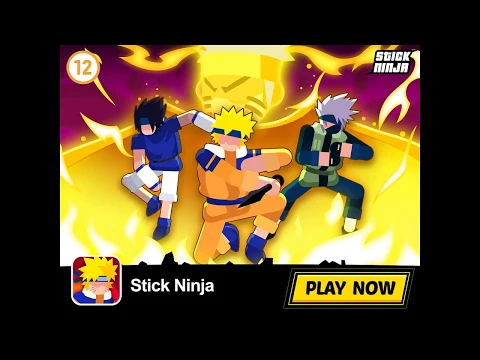
Video of Stick Ninja
Screenshot Stick Ninja 1
Screenshot Stick Ninja 2
Screenshot Stick Ninja 3
Screenshot Stick Ninja 4
Screenshot Stick Ninja 5

Download Stick Ninja APK for Android

What's New in Version 1.4.4

No official changelog provided for Stick Ninja version 1.4.4. This update likely includes general stability improvements and bug fixes.

Available Files

System Requirements

OS Version
Android 4.1 (Jelly Bean) or higher
Architecture
Varies by file (Which one do I need?)
Disk Space
~80 MB free space required
RAM
2 GB
Internet
Not required (Offline playable)
Permissions (11)
  • Internet
  • Access Network State
  • Read External Storage
  • Write External Storage
  • Vibrate

APK File Details

Package ID com.pf.stickninja
Developer Pf
License Free ( No Ads)
Interface Language
English +75

English, Japanese, Indonesian, German, Bulgarian, Thai, Hindi, Vietnamese, Ukrainian, Polish, Korean, Romanian, Arabic, French, Turkish, Czech, Spanish, Italian, Portuguese, Hungarian, Russian, Chinese, + 54 localizations

APK Verification & Virus Scan Results

No Virus Signature Verified Safe & Original

Virus scan: Clean (0/63) View report. The APK file is digitally signed.

Show File Details (SHA-256, SHA-1, MD5)

SHA-1 Signature:

5094EB810C20CCFAC612A6D0E53B259E3CD5858F

SHA-256 Hash:

cdbde24f0097a2e99a5f5fd4f1cc10092a8b9b18a84f8f1ad423c99935adbb1f

MD5 Checksum:

632ccb5b9df4a0c34ca81c9f25ddb2fe

Frequently Asked Questions

Is Stick Ninja safe to download?

Yes, Stick Ninja is safe to download. The APK is scanned on every update — no malware or viruses detected. You can verify the full scan report in the Security section above.

How to install Stick Ninja APK on Android?

Download the APK using the button above. Then open the file and tap Install. If prompted, enable "Install from unknown sources" in Settings → Security. The process takes under a minute. Read more

Why does installation fail on newer Android versions (14 - 16)?

Newer Android versions strictly block the installation of apps built for older Android versions (API < 23) for security reasons. Standard installation is not possible. Read our step-by-step guide on how to bypass this restriction using ADB or Shizuku.

What Android version does Stick Ninja require?

Stick Ninja requires Android 4.1 (API 16) or higher. Optimized for Android 10 (API 29).

What processor architecture does Stick Ninja support?

Stick Ninja supports arm64-v8a. This build does not support x86/x86_64 processors, so it will not run on most PC emulators. If you are unsure about your device architecture, check the Device Info section on this page.

How to enable installation from unknown sources on Android?

Go to Settings → Security (or Settings → Apps → Special access on Android 8+) and enable "Install unknown apps" for your browser or file manager. On Android 8 and above this setting is per-app, not global. Read more

If you have found any issue or are having difficulty with this page, please .

User Reviews & Ratings

Site Rating: 4.67(3)
Rate this app

4.67

12345

3

Share your experience with other users.