Little Genius Icon

Little Genius APK for Android

42K+
Free
Apr 1, 2014

Little Genius will allow your kid to take a journey into the world of knowledge.

Download Little Genius APK 1.6 8MB

What is Little Genius?

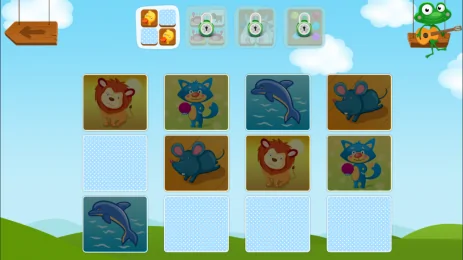
Little Genius – interesting children’s educational games for kids from “Little Beetle”. In a playful way, it will be much easier and more interesting for a child to develop such qualities as memory, attention, logic and associative thinking. Simple control the kid can master on their own.


Video of Little Genius
Screenshot Little Genius 1
Screenshot Little Genius 2
Screenshot Little Genius 3
Screenshot Little Genius 4
Screenshot Little Genius 5
Screenshot Little Genius 6

Download Little Genius APK for Android

What's New in Version 1.6

No official changelog provided for Little Genius version 1.6. This update likely includes general stability improvements and bug fixes.

Available Files

  • 1.6 8MB Android 2.2+ universal Download

System Requirements

OS Version
Android 2.2 (Froyo) or higher
Architecture
Varies by file (Which one do I need?)
Disk Space
~20 MB free space required
RAM
2 GB
Internet
Not required (Offline playable)
Permissions (2)
  • Internet
  • Billing

APK File Details

Package ID ru.littlebeetle.littlegenius
Developer ConvertVideo.TV
License Free
Monetization Contains Ads   In-App Purchases
Interface Language
2 languages

Russian, + 1 localization

APK Verification & Virus Scan Results

No Virus Signature Verified Safe & Original

Virus scan: Clean (0/61) View report. The APK file is digitally signed.

Show File Details (SHA-256, SHA-1, MD5)

SHA-1 Signature:

030803E6B61715AA34C2F18FAEBA56E0D2DF7E65

SHA-256 Hash:

4c71822352899f5f873dfdb64bd84234125ebebfbe7c52d4196045eb1a2d2c1f

MD5 Checksum:

b90443f15cbc3199ca22d6079bd6ba9d

Frequently Asked Questions

Is Little Genius safe to download?

Yes, Little Genius is safe to download. The APK is scanned on every update — no malware or viruses detected. You can verify the full scan report in the Security section above.

How to install Little Genius APK on Android?

Download the APK using the button above. Then open the file and tap Install. If prompted, enable "Install from unknown sources" in Settings → Security. The process takes under a minute. Read more

Why does installation fail on newer Android versions (14 - 16)?

Newer Android versions strictly block the installation of apps built for older Android versions (API < 23) for security reasons. Standard installation is not possible. Read our step-by-step guide on how to bypass this restriction using ADB or Shizuku.

What Android version does Little Genius require?

Little Genius requires Android 2.2 (API 8) or higher. Optimized for Android 4.2, 4.2.1, 4.2.2 (API 17).

Is Little Genius free?

Yes, it is free to download and use, but it contains ads and offers in-app purchases.

What processor architecture does Little Genius support?

Little Genius supports universal. If you are unsure about your device architecture, check the Device Info section on this page.

How to enable installation from unknown sources on Android?

Go to Settings → Security (or Settings → Apps → Special access on Android 8+) and enable "Install unknown apps" for your browser or file manager. On Android 8 and above this setting is per-app, not global. Read more

If you have found any issue or are having difficulty with this page, please .

User Reviews & Ratings

Global rating(Play Store): 4.24(206)
Site Rating: 4.24(11)
Rate this app

3.55

12345

11

Share your experience with other users.