Robotizen Icon

Robotizen APK for Android

- Kid learn Coding Robot 5+
112K+
Free
Jun 29, 2020

Laying the foundations of programming in a playful way

Download Robotizen APK 2.4 58MB

What is Robotizen?

Robotizen is a novelty with an educational focus for children of preschool and primary school age, which will help them learn the basics of programming and robotics in a playful way. Despite the complexity of the goals, everything is extremely simple in the project – it is necessary to program the actions of a miniature robot so that it performs various tasks that will gradually become more complex, including several actions at once. The application interface includes tabs that provide access to the adventure mode, the secret laboratory and the in-game store.

From the short introductory video Robotizen, the player learns the story of the theft of a precious crystal by a certain villain, so the question of pursuing the impudent thief is acute. But for this it is necessary to teach the little character various tricks, in other words, the user will need to program it. This is done extremely simply – available actions are sequentially displayed on a special panel, and after initializing the start process, the robot simply tries to repeat the algorithm planned by the player.

At the start, these will be the simplest actions, for example, to get from one point of the research laboratory to another, then you will need to interact with interactive objects, and so on – the complexity increases gradually, so the little programmer will not encounter any special problems. You can download the educational product Robotizen for free using a direct link from our website – offer it to an inquisitive kid, and he is guaranteed a lot of new positive impressions.
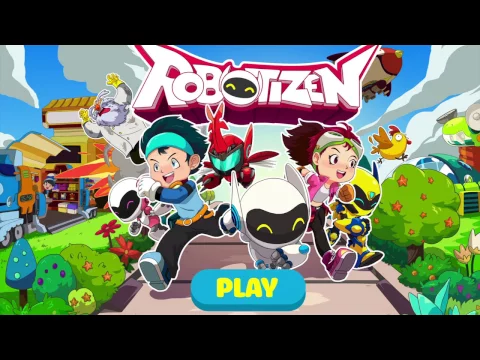
Also known as: Robotizen: Kid learn Coding Robot 5+
Video of Robotizen
Screenshot Robotizen 1
Screenshot Robotizen 2
Screenshot Robotizen 3
Screenshot Robotizen 4
Screenshot Robotizen 5

Download Robotizen: Kid learn Coding Robot 5+ APK for Android

What's New in Version 2.4

Fix bugs

Available Files

System Requirements

OS Version
Android 4.1 (Jelly Bean) or higher
Architecture
Varies by file (Which one do I need?)
Disk Space
~90 MB free space required
RAM
2 GB
Internet
Not required (Offline playable)
Permissions (4)
  • Internet
  • Access Network State
  • Wake Lock
  • Billing

APK File Details

Package ID vn.com.mage.irobot
Developer Mage Studio
License Free
Monetization Contains Ads  
Age Rating Everyone
Interface Language
English +74

English, Japanese, German, Bulgarian, Thai, Hindi, Vietnamese, Ukrainian, Polish, Korean, Romanian, Arabic, French, Turkish, Czech, Spanish, Italian, Portuguese, Hungarian, Russian, Chinese, + 54 localizations

APK Verification & Virus Scan Results

No Virus Signature Verified Safe & Original

Virus scan: Clean (0/64) View report. The APK file is digitally signed.

Show File Details (SHA-256, SHA-1, MD5)

SHA-1 Signature:

4538283A91B453B3D929FA646ACD190F08959C5D

SHA-256 Hash:

2c536901b8231ee242246342d95571d18e714c4723936cbb8af3c6161724c705

MD5 Checksum:

7c8ec618fd4a03ea18a06b990f85e1d6

Frequently Asked Questions

Is Robotizen safe to download?

Yes, Robotizen is safe to download. The APK is scanned on every update — no malware or viruses detected. You can verify the full scan report in the Security section above.

How to install Robotizen APK on Android?

Download the APK using the button above. Then open the file and tap Install. If prompted, enable "Install from unknown sources" in Settings → Security. The process takes under a minute. Read more

Why does installation fail on newer Android versions (14 - 16)?

Newer Android versions strictly block the installation of apps built for older Android versions (API < 23) for security reasons. Standard installation is not possible. Read our step-by-step guide on how to bypass this restriction using ADB or Shizuku.

What Android version does Robotizen require?

Robotizen requires Android 4.1 (API 16) or higher. Optimized for Android 9.0 (API 28).

Is Robotizen free?

Yes, it is free to use, but it is ad-supported.

What processor architecture does Robotizen support?

Robotizen supports armeabi-v7a, x86. If you are unsure about your device architecture, check the Device Info section on this page.

How to enable installation from unknown sources on Android?

Go to Settings → Security (or Settings → Apps → Special access on Android 8+) and enable "Install unknown apps" for your browser or file manager. On Android 8 and above this setting is per-app, not global. Read more

If you have found any issue or are having difficulty with this page, please .

User Reviews & Ratings

Global rating(Play Store): 3.84(1.8K)
Rate this app

0.00

12345

not yet rated

Share your experience with other users.