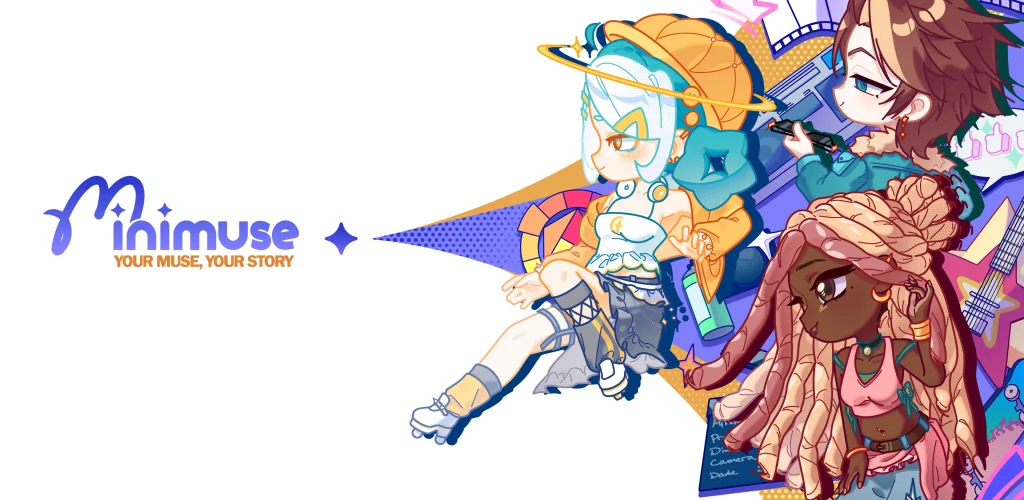
MiniMuse game cover art for Android
MiniMuse Icon

MiniMuse APK for Android

2M+
Free
Oct 1, 2026

Design original characters piece by piece, then stage them in your own scenes

Download MiniMuse APK 0.9.6 423MB

What is MiniMuse?

MiniMuse is a character creator role playing game where you build original characters from scratch and arrange them in scenes. No pre-set templates. No gacha pulls to unlock pieces. You design every detail, style them from a wardrobe with over 1,500 assets, then place them in Studio Mode to build whatever story moment you have in mind.

The customization goes deep. Face shape, eyes, hair, skin tone, clothing layers, accessories – it all adjusts independently. You're not picking from a lineup of finished characters. You're building one piece at a time until it matches what you pictured. The wardrobe spans casual wear, fantasy armor, formal outfits, and niche styles most creators skip. Once a character is finished, Studio Mode lets you position multiple characters in a scene, adjust poses, and set up backdrops. You're staging the shot, not just dressing a figure.

Key Features

Design control

  • Face proportions, eye spacing, nose shape, and mouth angle adjust independently so no two characters look stamped from the same base
  • Skin tone and hair color use sliders instead of swatches, which means you can hit exact shades rather than settling for close enough
  • Clothing layers stack so you can mix a jacket over a shirt over an undershirt without clipping

Studio and wardrobe depth

  • Studio Mode holds multiple characters per scene and lets you rotate, scale, and position each one separately
  • The 1,500-asset wardrobe covers modern streetwear, period costumes, and fantasy gear in equal depth

Character design freedom

Most character creators lean on templates. You pick a base, swap the outfit, maybe tweak the hair. MiniMuse starts with a blank figure and builds outward. Want sharp cheekbones and a narrow jaw? Adjust the sliders. Want layered winter clothing with visible shirt cuffs? Stack the pieces. The system assumes you know what you want and gets out of the way.

Studio Mode is where finished characters go. Drop two or three into a scene, angle them toward each other, pick a background, and you've staged a conversation or a standoff. It's bare-bones compared to full scene builders – no props beyond the background, no lighting controls – but it gives you enough to frame a moment. If you're writing a story or running a tabletop campaign and need reference images for your cast, this handles it without forcing you into someone else's art style.

Other character creator games

Gacha Club combines character creation with a full battle system and mini-games, so you're building a team for combat rather than focusing purely on design. Lily Diary leans into a sticker-book aesthetic where you drag pre-drawn elements onto a page and arrange them in diary entries. MiniMuse skips the gameplay loop entirely and puts all the depth into customization and scene staging instead. If you want to design characters for their own sake – not to fight with them or journal around them – this stays focused on that.

MiniMuse suits anyone who enjoys designing characters more than playing through a story mode. The wardrobe is large enough to support dozens of distinct looks, and Studio Mode gives you a clean space to arrange them. The trade-off: ads interrupt between actions, and in-app purchases run $6.99 to $13.99 per asset pack. If you're building a full cast, that adds up.
MiniMuse video
MiniMuse screenshot 1
MiniMuse screenshot 2
MiniMuse screenshot 3
MiniMuse screenshot 4
MiniMuse screenshot 5
MiniMuse screenshot 6

MiniMuse APK Download

What's New in Version 0.9.6

No official changelog provided for MiniMuse version 0.9.6. This update likely includes general stability improvements and bug fixes.

Download Link:

System Requirements

OS Version
Android 7.0 (Nougat) or higher
Architecture
Varies by file (Which one do I need?)
Disk Space
~600 MB free space required
RAM
2 GB
Internet
Not required (Offline playable)
Google Services
Required

APK File Details

Package ID com.studiosirenia.minimuse
Available on Google Play
Developer Studio Sirenia
License Free
Monetization Contains Ads   In-App Purchases
Age Rating Everyone
Interface Language
English +0

English

Required Permissions (12)
  • Internet
  • Access Network State
  • Wake Lock
  • In-app billing
  • Ad Id

APK Verification & Virus Scan Results

No Virus Signature Verified Safe & unmodified

Virus scan: Verified safe (0/50) View report. This APK is free of malware and its signature matches the official developer release.

Show File Details (SHA-256, SHA-1, MD5)

SHA-1 Signature:

fdbcae5f1d799a9d0eec7e721e53cd99a7ca71b5

SHA-256 Hash:

af1f0dd15fac9b2989643679794cd3654bde1fa16967e7057110f7e748a8408c

MD5 Checksum:

f0582e524a5e4dff4e397c881ebafd3f

Frequently Asked Questions

Is MiniMuse safe to download?

Yes, MiniMuse is safe to download. The APK is scanned on every update — no malware or viruses detected. You can verify the full scan report in the Security section above.

How to install XAPK file?

XAPK is a split APK package. Standard Android installer cannot open it directly. Use 'SAI' or 'XAPK Installer' — they handle XAPK files automatically. Download the installer, open the XAPK file with it, and follow the on-screen steps. Read more

What Android version does MiniMuse require?

MiniMuse requires Android 7.0 (API 24) or higher. Optimized for Android 16 (API 36).

Is MiniMuse free?

Yes, it is free to download and use, but it contains ads and offers in-app purchases.

How to update MiniMuse to the latest version?

Download the latest APK from this page and install it over your existing version — no need to uninstall first. Your data and settings will be preserved. We update the file as soon as a new version is released.

What processor architecture does MiniMuse support?

MiniMuse supports arm64-v8a. This build does not support x86/x86_64 processors, so it will not run on most PC emulators. If you are unsure about your device architecture, check the Device Info section on this page.

How to enable installation from unknown sources on Android?

Go to Settings → Security (or Settings → Apps → Special access on Android 8+) and enable "Install unknown apps" for your browser or file manager. On Android 8 and above this setting is per-app, not global. Read more

Found a problem on this page?

User Reviews & Ratings

Global rating (Play Store): 4.48★ (8K)
Site Rating: 5★ (1)
Rate this app

5.00

12345

1

Share your experience with other users.

Download MiniMuse APK - Latest version

Get the official APK file for your Android device. Fast, safe, and free. Download APK