Idle Galaxy Icon

Idle Galaxy APK for Android

Apr 22, 2020

Dynamic model of the creation of the Galaxy in clicker format

Download Idle Galaxy APK 1.2.1 98MB

What is Idle Galaxy?

Idle Galaxy – This creative clicker simulation takes place almost five billion years ago. Of unclear etiology, the explosion that caused the appearance of the Sun gave rise to a new life, to which the user is invited to put his own hand. And these are not just lofty words, this is the main task of the gamer – tap on the cosmic body and accumulate the energy that is necessary for the implementation of evolutionary processes.

Having achieved the full formation of the main star of our Galaxy, pay attention to the planets and satellites. From scratch, create the Earth, Mercury, Venus, Mars, Neptune, and so on – bring the solar system to the state it is in at the current moment. Automate and speed up available processes, purchase energy multipliers, which is the main building resource.

Features:

  • patiently and persistently create the solar system with clicks;
  • vast space in a detailed three-dimensional design;
  • unlock to explore the planet and dozens of satellites;
  • activate boosters to speed up gameplay;
  • win crystals on the “wheel of fortune”;
  • automate creative processes.

Earn crystals for completing planned tasks Idle Galaxy , exchange them at a favorable rate for energy or buy useful bonuses, such as a “time machine”, which allows you to perform a time jump into the future.
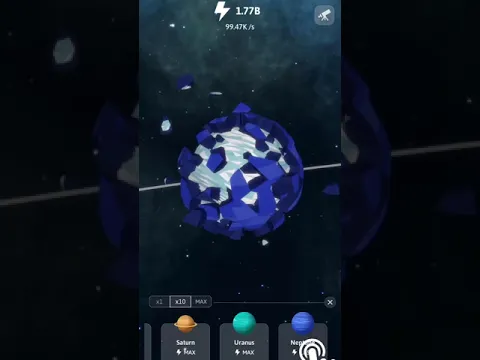
Video of Idle Galaxy
Screenshot Idle Galaxy 1
Screenshot Idle Galaxy 2
Screenshot Idle Galaxy 3

Download Idle Galaxy APK for Android

What's New in Version 1.2.1

No official changelog provided for Idle Galaxy version 1.2.1. This update likely includes general stability improvements and bug fixes.

Available Files

  • 1.2.1 98MB Android 4.1+ arm64-v8aarmeabi-v7a Download

System Requirements

OS Version
Android 4.1 (Jelly Bean) or higher
Architecture
Varies by file (Which one do I need?)
Disk Space
~150 MB free space required
RAM
2 GB
Internet
Not required (Offline playable)
Permissions (14)
  • Internet
  • Access Network State
  • Read External Storage
  • Write External Storage
  • Read Phone State

APK File Details

Package ID com.pkxgame.idlegalaxy
Developer pkxgame
License Free ( No Ads)
Interface Language
English +74

English, Japanese, German, Bulgarian, Thai, Hindi, Vietnamese, Ukrainian, Polish, Korean, Romanian, Arabic, French, Turkish, Czech, Spanish, Italian, Portuguese, Hungarian, Russian, Chinese, + 54 localizations

APK Verification & Virus Scan Results

No Virus Signature Verified Safe & Original

Virus scan: Clean (0/60) View report. The APK file is digitally signed.

Show File Details (SHA-256, SHA-1, MD5)

SHA-1 Signature:

829d803755cf68a5fceca9dab6051f419bfa5c7a

SHA-256 Hash:

c56baf0c123ffe9833af77a0494b28ca2a059060a3926aa6a0019c09f075cdbe

MD5 Checksum:

49423369a3f982e1a7b7220b4249edfa

Frequently Asked Questions

Is Idle Galaxy safe to download?

Yes, Idle Galaxy is safe to download. The APK is scanned on every update — no malware or viruses detected. You can verify the full scan report in the Security section above.

How to install Idle Galaxy APK on Android?

Download the APK using the button above. Then open the file and tap Install. If prompted, enable "Install from unknown sources" in Settings → Security. The process takes under a minute. Read more

Why does installation fail on newer Android versions (14 - 16)?

Newer Android versions strictly block the installation of apps built for older Android versions (API < 23) for security reasons. Standard installation is not possible. Read our step-by-step guide on how to bypass this restriction using ADB or Shizuku.

What Android version does Idle Galaxy require?

Idle Galaxy requires Android 4.1 (API 16) or higher. Optimized for Android 9.0 (API 28).

What processor architecture does Idle Galaxy support?

Idle Galaxy supports arm64-v8a, armeabi-v7a. This build does not support x86/x86_64 processors, so it will not run on most PC emulators. If you are unsure about your device architecture, check the Device Info section on this page.

How to enable installation from unknown sources on Android?

Go to Settings → Security (or Settings → Apps → Special access on Android 8+) and enable "Install unknown apps" for your browser or file manager. On Android 8 and above this setting is per-app, not global. Read more

If you have found any issue or are having difficulty with this page, please .

User Reviews & Ratings

Rate this app

0.00

12345

not yet rated

Share your experience with other users.