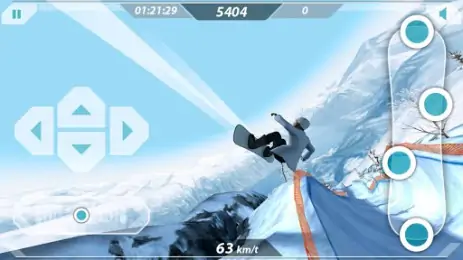
Mr. Melk Winter Games – a game for winter sports lovers. Choose what you prefer snowboarding or skiing and go to conquer the mountain heights. Beautiful graphics, a sea of adrenaline, ratings for your achievements and breathtaking stunts.
Standard file integrity check. Fast way to verify that the file was downloaded correctly without any corruption.
MD5 Checksum:
0fc363dbad744d5b07717cb165bccbe3Copied!
Frequently Asked Questions
Is Mr. Melk Winter Games safe to download?
Yes, Mr. Melk Winter Games is safe to download. The APK is scanned on every update — no malware or viruses detected. You can verify the full scan report in the Security section above.
How to install Mr. Melk Winter Games APK on Android?
Download the APK using the button above. Then open the file and tap Install. If prompted, enable "Install from unknown sources" in Settings → Security. The process takes under a minute. Read more
Why does installation fail on newer Android versions (14 - 16)?
What Android version does Mr. Melk Winter Games require?
Mr. Melk Winter Games requires Android 2.3 (API 9) or higher. Optimized for Android 4.1 (API 16).
What processor architecture does Mr. Melk Winter Games support?
Mr. Melk Winter Games supports armeabi-v7a. This build does not support x86/x86_64 processors, so it will not run on most PC emulators. If you are unsure about your device architecture, check the Device Info section on this page.
How to enable installation from unknown sources on Android?
Go to Settings → Security (or Settings → Apps → Special access on Android 8+) and enable "Install unknown apps" for your browser or file manager. On Android 8 and above this setting is per-app, not global. Read more




Share your experience with other users.