
Retro Bowl game cover art for Android
Retro Bowl Icon

Retro Bowl APK for Android

9M+
Free
May 23, 2025

Pixel art American football simulator.

Download Retro Bowl APK 1.6.28 28MB

What is Retro Bowl?

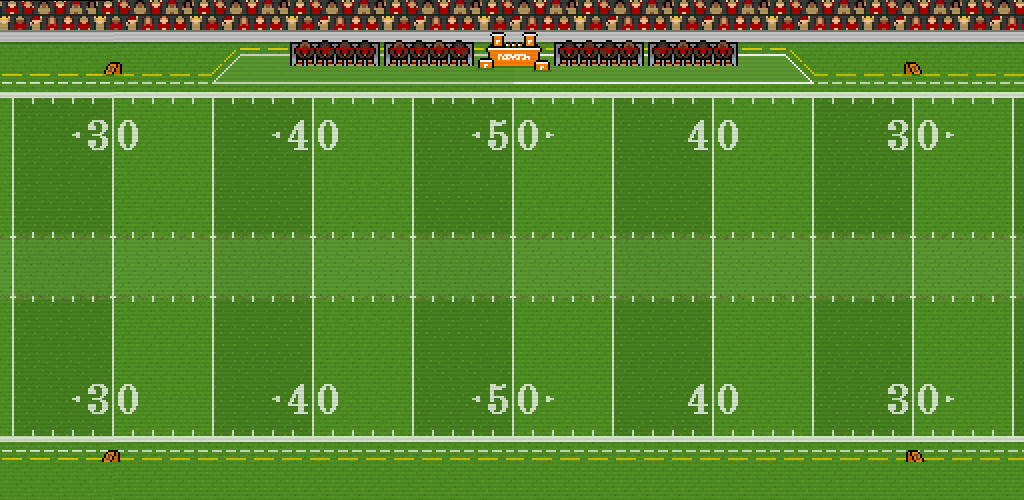
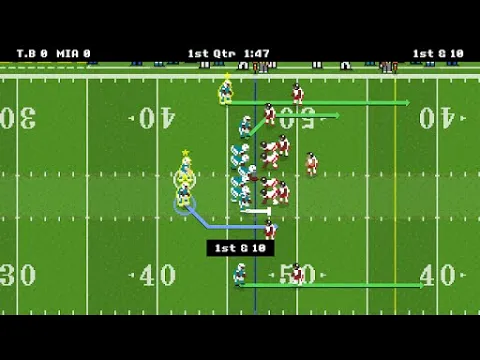
American football simulator, mobile game Retro Bowl is perfect for sports fans and is adapted for match control on a smartphone. The gameplay is designed in a unique retro style, where you get your team and can fully take control of the whole old-school process. 8-bit graphics and a deep tactical process allow you to manage the team directly on the field. Simple controls and the performance of all team management duties allow you to participate in the development of each player individually. Monitor the physical and moral state of your star team and independently assign kickers for each match separately.

Features:

  • Retro-style game with pixel graphics and 80s music.
  • Minimalist interface creates an old-school feel.
  • American football and participation in the National League with fictional team names.
  • Full control over the team: – management; – contract signing; – hiring coaches; – stadium improvement; – press conferences; – medical care, etc.
  • In-game control during matches.
  • Career mode.
  • Unique mechanics.
  • Leaderboard.

Whether you can lead your team to the coveted winning match and win the cup depends only on your patience and skill on the field. Change the game format directly on the field and buy players for in-game currency, developing your team. This is a great app that combines management and game action with elements of sports combat. Be sure to install Retro Bowl and play the nostalgic American football simulator.
Video of Retro Bowl
Screenshot Retro Bowl 1
Screenshot Retro Bowl 2
Screenshot Retro Bowl 3
Screenshot Retro Bowl 4
Screenshot Retro Bowl 5
Screenshot Retro Bowl 6
Screenshot Retro Bowl 7
Screenshot Retro Bowl 8

Download Retro Bowl APK for Android

What's New in Version 1.6.28

• Winners list updated.
• Fix for Kick Returner selections being lost if players were on the list of expired contracts.

Available Files

System Requirements

OS Version
Android 4.4 (Kit Kat) or higher
Architecture
Varies by file (Which one do I need?)
Disk Space
~50 MB free space required
RAM
2 GB
Internet
Not required (Offline playable)
Permissions (4)
  • Internet
  • Access Network State
  • Billing
  • Dynamic Receiver Not Exported Permission

APK File Details

Package ID com.newstargames.retrobowl
Available on Google Play
Developer New Star Games Ltd
License Free ( No Ads)
Monetization In-App Purchases
Age Rating Everyone
Interface Language
English +74

English, Japanese, German, Bulgarian, Thai, Hindi, Vietnamese, Ukrainian, Polish, Korean, Romanian, Arabic, French, Turkish, Czech, Spanish, Italian, Portuguese, Hungarian, Russian, Chinese, + 54 localizations

APK Verification & Virus Scan Results

No Virus Signature Verified Safe & Original

Virus scan: Clean (0/67) View report. This APK is free of malware and its signature matches the official developer release.

Show File Details (SHA-256, SHA-1, MD5)

SHA-1 Signature:

c0ee916654e211c46c37dda587e62b67a22536b4

SHA-256 Hash:

433eaab6d6fb74f56910285c95062412f38970784e70ed158b81489d9a0e316d

MD5 Checksum:

e78e1ab76b33cfd7b2effc9b4a543c97

Frequently Asked Questions

Is Retro Bowl safe to download?

Yes, Retro Bowl is safe to download. The APK is scanned on every update — no malware or viruses detected. You can verify the full scan report in the Security section above.

How to install Retro Bowl APK on Android?

Download the APK using the button above. Then open the file and tap Install. If prompted, enable "Install from unknown sources" in Settings → Security. The process takes under a minute. Read more

What Android version does Retro Bowl require?

Retro Bowl requires Android 4.4 (API 19) or higher. Optimized for Android 14 (API 34).

Is Retro Bowl free?

Yes, the app is free to download, but it contains in-app purchases for additional content.

How to update Retro Bowl to the latest version?

Download the latest APK from this page and install it over your existing version — no need to uninstall first. Your data and settings will be preserved. We update the file as soon as a new version is released.

What processor architecture does Retro Bowl support?

Retro Bowl supports arm64-v8a. This build does not support x86/x86_64 processors, so it will not run on most PC emulators. If you are unsure about your device architecture, check the Device Info section on this page.

How to enable installation from unknown sources on Android?

Go to Settings → Security (or Settings → Apps → Special access on Android 8+) and enable "Install unknown apps" for your browser or file manager. On Android 8 and above this setting is per-app, not global. Read more

If you have found any issue or are having difficulty with this page, please .

User Reviews & Ratings

Global rating(Play Store): 4.59(506.3K)
Site Rating: 5(1)
Rate this app

5.00

12345

1

Share your experience with other users.