Pocket City Free Icon

Pocket City Free APK for Android

3M+
Free
Jun 25, 2019

A casual city building game. Become the mayor and create your own metropolis!

Download Pocket City Free APK 1.1.268 23MB

What is Pocket City Free?

Pocket City is a city-building strategy game with elements of a farm and a sandbox. This is a game in which the player in the role of a city mayor builds his own city step by step: residential, industrial and commercial areas; planting green zones between the latter, and connecting the districts with each other with the help of transport, communication and other life support infrastructures of the city. Following approximately this algorithm, you will first build a city that will eventually begin to live its own life and turn into a metropolis. In order for the city to develop, you need to regularly complete game tasks, which, if successful, will unlock access to new resources for you.

The complexity of the game lies in the fact that when building industrial and commercial enterprises, through which the player earns money, which means resources for the development of the city, you need to maintain the attractiveness of the city so that the townspeople have somewhere to have fun and spend their free time, otherwise they will scatter to other cities!

But building a city is not enough; the city still needs to be protected from industrial and natural disasters.

Two details:

  1. The game has levels, moving through which the player indicates his position on the global rating table of the game.
  2. The game Pocket City is completely free, which means that during the game you do not need to unlock virtual game items at the expense of real money.
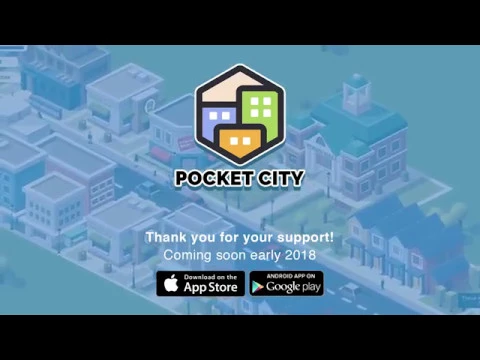
Video of Pocket City Free
Screenshot Pocket City Free 1
Screenshot Pocket City Free 2
Screenshot Pocket City Free 3

Download Pocket City Free APK for Android

What's New in Version 1.1.268

Remove unused Unity Ads SDK

Available Files

  • 1.1.268 23MB Android 4.3+ universal Download

System Requirements

OS Version
Android 4.3 (Jelly Bean) or higher
Architecture
Varies by file (Which one do I need?)
Disk Space
~40 MB free space required
RAM
2 GB
Internet
Not required (Offline playable)
Permissions (3)
  • Internet
  • Access Network State
  • Write External Storage

APK File Details

Package ID com.codebrewgames.pocketcity
Developer Codebrew Games
License Free
Monetization Contains Ads  

APK Verification & Virus Scan Results

No Virus Signature Verified Safe & Original

Virus scan: Clean (0/59) View report. The APK file is digitally signed.

Show File Details (SHA-256, SHA-1, MD5)

SHA-1 Signature:

28e9e73a0fd01db79608bd0068d128bc94bb5da0

SHA-256 Hash:

e8ce15b06f2d2a6c2b31c5215c150cd8344a955566ead5a7093e68bf99ecdaf0

MD5 Checksum:

46f765c852197bcd6c8e9e45ee23bf6f

Frequently Asked Questions

Is Pocket City Free safe to download?

Yes, Pocket City Free is safe to download. The APK is scanned on every update — no malware or viruses detected. You can verify the full scan report in the Security section above.

How to install Pocket City Free APK on Android?

Download the APK using the button above. Then open the file and tap Install. If prompted, enable "Install from unknown sources" in Settings → Security. The process takes under a minute. Read more

Why does installation fail on newer Android versions (14 - 16)?

Newer Android versions strictly block the installation of apps built for older Android versions (API < 23) for security reasons. Standard installation is not possible. Read our step-by-step guide on how to bypass this restriction using ADB or Shizuku.

What Android version does Pocket City Free require?

Pocket City Free requires Android 4.3 (API 18) or higher. Optimized for Android 8.0 (API 26).

Is Pocket City Free free?

Yes, it is free to use, but it is ad-supported.

What processor architecture does Pocket City Free support?

Pocket City Free supports universal. If you are unsure about your device architecture, check the Device Info section on this page.

How to enable installation from unknown sources on Android?

Go to Settings → Security (or Settings → Apps → Special access on Android 8+) and enable "Install unknown apps" for your browser or file manager. On Android 8 and above this setting is per-app, not global. Read more

If you have found any issue or are having difficulty with this page, please .

User Reviews & Ratings

Global rating(Play Store): 3.81(22K)
Rate this app

0.00

12345

not yet rated

Share your experience with other users.