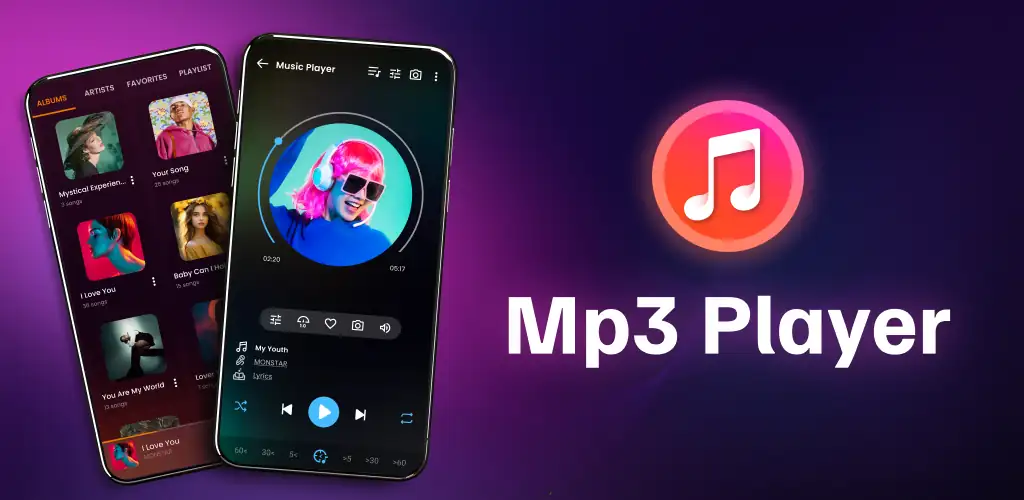
Music player app cover art for Android
Music player Icon

Music player APK for Android

50M+
Free
Sep 14, 2026

Offline player with equalizer, format support, and ringtone trimming built in

Download Music player APK 156.1 17MB

What is Music player?

Music player is an offline music player that scans your device for locally stored audio and organizes it by album, artist, genre, and playlist. It handles most common formats and includes an equalizer with bass boost and reverb.

The app auto-detects files across your storage and groups them into a browsable library. You get playback controls on the lock screen, queue management for back-to-back listening, and the ability to share tracks or trim them into ringtones. Bluetooth headsets and wired headphones work with full button support, so you can skip or pause without pulling out your phone.

Key Features

Playback and organization

  • Reads MP3, FLAC, WAV, M4A, OGG and other formats without conversion
  • Sorts your library by album, artist, genre, playlist, or folder structure
  • Queue system lets you line up tracks, and playback rolls from one song to the next

Audio control and editing

  • Built-in equalizer with bass boost and reverb to shape the sound
  • Crop or trim files to create ringtones and notification tones without a separate app
  • Dolby Atmos support on compatible devices, though not all hardware carries it

Offline audio library manager

The app stays entirely offline and never pulls from streaming services. You can edit song metadata (title, artist, album) directly in the library, search by any of those fields, and build custom playlists without leaving the interface. A widget drops playback controls on your home screen.

Other offline music players

Musicolet strips out ads and focuses on queue management with multiple independent queues, while Music player keeps a single queue and includes audio trimming tools. VLC for Android plays both audio and video across a wider range of codecs, but Music player is built specifically for music library navigation rather than general media playback.

This suits anyone managing their own music collection on Android rather than relying on streaming subscriptions. The app shows ads in the free version, and Dolby Atmos only works if your device supports it, which many budget phones do not.

Music player screenshot 1
Music player screenshot 2
Music player screenshot 3
Music player screenshot 4
Music player screenshot 5
Music player screenshot 6
Music player screenshot 7
Music player screenshot 8

Music player APK Download

What's New in Version 156.1

Improve performance

Download Link:

System Requirements

OS Version
Android 5.0 (Lollipop) or higher
Architecture
Varies by file (Which one do I need?)
Disk Space
~30 MB free space required
RAM
1 GB
Internet
Not required
Google Services
Required

APK File Details

Package ID media.music.mp3player.musicplayer
Available on Google Play
Developer smart apps smart tools
License Free
Monetization Contains Ads  
Content Rating Everyone
Interface Language
English +76

English, Arabic, Bulgarian, Czech, German, Spanish, French, Hindi, Hungarian, Indonesian, Italian, Japanese, Korean, Polish, Portuguese, Romanian, Russian, Thai, Turkish, Ukrainian, Vietnamese, Chinese, + 55 localizations

Required Permissions (25)
  • Internet
  • Access Network State
  • Read External Storage
  • Write External Storage
  • Wake Lock

APK Verification & Virus Scan Results

Scan In Queue Signature Verified Safe & unmodified

Full antivirus scan in queue; report will appear here shortly. Signature matches the official developer release.

Show File Details (SHA-256, SHA-1, MD5)

SHA-1 Signature:

d354a725650dbe9a1e8cf72d459b676ea764ebf1

SHA-256 Hash:

3647d9346d4ae4161b7da94132d83d7b841e6899cebc097fa7030ab57a356b64

MD5 Checksum:

a3575ad2b9549d674254f22195265726

Frequently Asked Questions

Is Music player safe to download?

Music player has passed a basic integrity check. A full antivirus scan is pending. You can check the current scan status in the Security section above.

How to install XAPK file?

XAPK is a split APK package. Standard Android installer cannot open it directly. Use 'SAI' or 'XAPK Installer' — they handle XAPK files automatically. Download the installer, open the XAPK file with it, and follow the on-screen steps. Read more

What Android version does Music player require?

Music player requires Android 5.0 (API 21) or higher. Optimized for Android 15 (API 35).

Is Music player free?

Yes, it is free to use, but it is ad-supported.

How to update Music player to the latest version?

Download the latest APK from this page and install it over your existing version — no need to uninstall first. Your data and settings will be preserved. We update the file as soon as a new version is released.

What processor architecture does Music player support?

Music player supports armeabi-v7a. This build does not support x86/x86_64 processors, so it will not run on most PC emulators. If you are unsure about your device architecture, check the Device Info section on this page.

How to enable installation from unknown sources on Android?

Go to Settings → Security (or Settings → Apps → Special access on Android 8+) and enable "Install unknown apps" for your browser or file manager. On Android 8 and above this setting is per-app, not global. Read more

Found a problem on this page?

User Reviews & Ratings

Global rating (Play Store): 4.62(548.1K)
Site Rating: 5(1)
Rate this app

5.00

12345

1

Share your experience with other users.

Download Music player APK - Latest version

Get the official APK file for your Android device. Fast, safe, and free. Download APK