

Musicolet Icon

Musicolet APK for Android

- Music Player
Krosbits Original
19M+
Free
Jan 2, 2026

The only android music player with Multiple Queues.

Download Musicolet APK 6.12.2 build509 97MB Old versions

What is Musicolet?

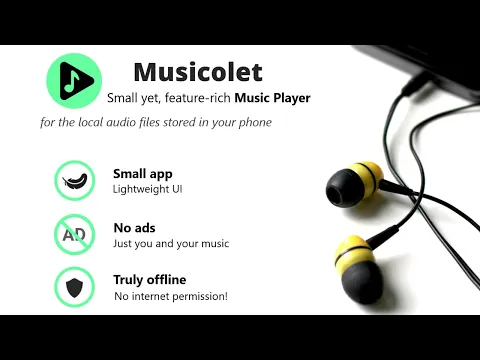
Musicolet is a simple but very functional offline music player that plays only local files downloaded to your phone’s memory card.

Key features of the Musicolet player:

  1. An exceptional feature of our player is that in Musicolet you can create up to 20 playlists. Which, independently of each other, can be played, created and edited at the same time.
  2. The minimalistic and informative design of the player’s interface allows music lovers to quickly navigate through the application’s options: pause/play, playlists, folders, albums, artists, queue, editor.
  3. Tag editor – it allows you to assign one tag to all music tracks of one album. In the player settings, you can set one of two ways to display folders: 1) linear, 2) hierarchical.
  4. Powerful equalizer – visual effects visualize the audio playback of all music tracks of one music track.
  5. The player supports peripheral headphones. Using the headphone button, you can:
    • pause / play with one click;
    • with two clicks – the next track;
    • three clicks – the previous track;
    • four clicks activates the fast playback of the music track.
  6. Sleep timer – it can be configured so that playback stops either after a user-specified 1) period of time, or after 2) playing No number of music tracks.
  7. Shortcut function: using the icon displayed on the main screen of the phone, the user gets direct access to the desired album or music track.
  8. The player has a widget that allows the user to interactively control the player without opening the Musicolet application.
  9. Musicolet supports almost all versions of the Android operating system: everything from 3.0 (Gingerbread) to 9.0 (Pie), as well as Android Auto.
  10. Player supports LRC file format.

The Musicolet application is free, does not contain ads,
Also known as: Musicolet Music Player
Screenshot Musicolet 1
Screenshot Musicolet 2
Screenshot Musicolet 3

Download Musicolet Music Player APK for Android

What's New in Version 6.12.2 build509

🥳 10 Years of Musicolet 🎉
After updating the app, read more in the App › 'Help and info' menu › "Our commitment".
❤️
——
v 6.14:
⭐ Make Next/Previous buttons work like Fast-Forward/Rewind buttons. Useful to forward/rewind from headphones, car, etc.
⭐ Choose what to do (replace/merge) when a queue with the same name as the source already exists.
——
v 6.13:
⭐ Manually export most played data to a CSV file.
🌟 [PRO]: Automatically export most played data at the end of each week, month and year.

Other versions

System Requirements

OS Version
Android 7.0 (Nougat) or higher
Architecture
Varies by file (Which one do I need?)
Disk Space
~150 MB free space required
RAM
1 GB
Internet
Not required
Permissions (19)
  • Read External Storage
  • Write External Storage
  • Wake Lock
  • In.krosbits.musicolet.allow Cast Audio
  • Expand Status Bar

APK File Details

Package ID in.krosbits.musicolet
Available on Google Play
Developer Krosbits
License Free ( No Ads)
Monetization In-App Purchases
Content Rating Everyone
Interface Language
18 languages

Japanese, Italian, German, Chinese, Russian, Korean, Portuguese, Polish, Spanish, Arabic, Hindi, Turkish, Vietnamese, French, Hungarian, Ukrainian, + 2 localizations

APK Verification & Virus Scan Results

No Virus Signature Verified Safe & Original

Virus scan: Clean (0/64) View report. This APK is free of malware and its signature matches the official developer release.

Show File Details (SHA-256, SHA-1, MD5)

SHA-1 Signature:

3a1d18902c3cebefda98f2547519b4d84da3d65c

SHA-256 Hash:

41a57e412bf51dc304c0af730bb5b9bf510d71112472b2889bb2e5aada364dad

MD5 Checksum:

5d1daebbc165bc6215123c291b018785

Frequently Asked Questions

Is Musicolet safe to download?

Yes, Musicolet is safe to download. The APK is scanned on every update — no malware or viruses detected. You can verify the full scan report in the Security section above.

How to install XAPK file?

XAPK is a split APK package. Standard Android installer cannot open it directly. Use 'SAI' or 'XAPK Installer' — they handle XAPK files automatically. Download the installer, open the XAPK file with it, and follow the on-screen steps. Read more

What Android version does Musicolet require?

Musicolet requires Android 7.0 (API 24) or higher. Optimized for Android 15 (API 35).

Is Musicolet free?

Yes, the app is free to download, but it contains in-app purchases for additional content.

How to update Musicolet to the latest version?

Download the latest APK from this page and install it over your existing version — no need to uninstall first. Your data and settings will be preserved. We update the file as soon as a new version is released.

What processor architecture does Musicolet support?

Musicolet supports x86, x86_64, arm64-v8a, armeabi-v7a. If you are unsure about your device architecture, check the Device Info section on this page.

How to enable installation from unknown sources on Android?

Go to Settings → Security (or Settings → Apps → Special access on Android 8+) and enable "Install unknown apps" for your browser or file manager. On Android 8 and above this setting is per-app, not global. Read more

If you have found any issue or are having difficulty with this page, please .

User Reviews & Ratings

Global rating(Play Store): 4.69(168.5K)
Site Rating: 3.75(4)
Rate this app

3.75

12345

4

Share your experience with other users.