VoxBox AI Video & Audio Editor app cover art for Android
VoxBox AI Video & Audio Editor Icon

VoxBox AI Video & Audio Editor APK for Android

1M+
Free
Aug 8, 2026

Turn your smartphone into a professional recording studio with an all-in-one audio editor and music assistant.

Download VoxBox AI Video & Audio Editor APK 9.4.6 107MB Old versions

What is VoxBox AI Video & Audio Editor?

Professional audio editor VoxBox AI Video & Audio Editor can be your assistant in creating music using your smartphone. This high-quality application, with many features, is completely versatile, and will help you write music yourself. Creating ringtones using a multi-track editor, composing melodies, and other actions are now possible using one program on a mobile device. This is an all-in-one music studio with all the tools you need to promote your musical creativity and gain popularity.

Available functions:

  • Music editor will help you add an endless number of audio tracks and music compositions.
  • Connect several files and combine episodes into a single melody. Enjoy using the program’s extremely simple interface. Save your music project to your device’s memory so you can show it off to your friends.
  • Simple and intuitive audio file editor. You can easily cut any audio sound, insert an audio effect, or use audio cutting. Choose from a variety of available effects any one you like and is suitable for the musical composition. These are chorus, echo, flanger, bass, tempo, pitch, phaser and many others.
  • Creating a ringtone and cutting off sounds. Take advantage of the wide range of musical cutting tools available. You will find these convenient features in the program’s user interface. With the help of some manipulations, you can achieve high-quality results in cutting sounds and distributing them along the music track.
  • Personal drum pad with cutting beats and bass sounds. Select the most basic sound from any device, you can even record your voice. Having made endless audio, you have the opportunity to activate it continuously by holding the button in the program panel. Each button is customizable and can reproduce any sound. Create a looping mix and continuous beatbox.
  • Simple microphone and voice recorder, recording voice and MP3 files.
  • Audio converter and the ability to export files.
  • Equalizer, volume amplifier for individual sounds.

VoxBox AI Video & Audio Editor is the most useful multi-track player with a smart and simple design and a wide range of music creation tools.
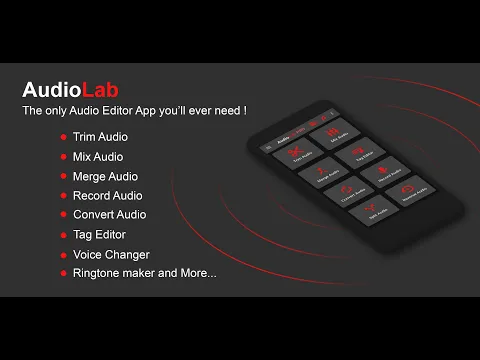
Also known as: Pro Audio Editor - Music Mixer, VoxBox, VoxBox Audio Editor
VoxBox AI Video & Audio Editor video
VoxBox AI Video & Audio Editor screenshot 1
VoxBox AI Video & Audio Editor screenshot 2
VoxBox AI Video & Audio Editor screenshot 3
VoxBox AI Video & Audio Editor screenshot 4
VoxBox AI Video & Audio Editor screenshot 5

Download VoxBox AI Video & Audio Editor APK for Android

What's New in Version 9.4.6

No official changelog provided for VoxBox AI Video & Audio Editor version 9.4.6. This update likely includes general stability improvements and bug fixes.

Other versions

System Requirements

OS Version
Android 7.0 (Nougat) or higher
Architecture
Varies by file (Which one do I need?)
Disk Space
~150 MB free space required
RAM
2 GB
Internet
Not required
Google Services
Required   GMS dependent
Permissions (28)
  • Requires Google Play Services to launch:
    Note: This is an original file. Unlike modded versions with no verification, it validates via your store account. Details
  • Internet
  • Record Audio
  • Access Network State
  • Read External Storage
  • Write External Storage

APK File Details

Package ID com.zaza.beatbox
Available on Google Play
Developer ZazaMediaApps
License Free
Monetization Contains Ads   In-App Purchases
Content Rating Everyone
Interface Language
English +1

English, Spanish

APK Verification & Virus Scan Results

Scan In Queue Signature Verified Safe & unmodified

Full antivirus scan in queue; report will appear here shortly. Signature matches the official developer release.

Show File Details (SHA-256, SHA-1, MD5)

SHA-1 Signature:

a6f6c2885393676e7bc45ab348851415ce2f6f9c

SHA-256 Hash:

6fbfe0225b1998a85031fadf43bd1475fd66255d83558b6a014e8ea4b8f984d4

MD5 Checksum:

f4910274491ab583763b43d11c7bb29c

Frequently Asked Questions

Is VoxBox AI Video & Audio Editor safe to download?

VoxBox AI Video & Audio Editor has passed a basic integrity check. A full antivirus scan is pending. You can check the current scan status in the Security section above.

How to install XAPK file?

XAPK is a split APK package. Standard Android installer cannot open it directly. Use 'SAI' or 'XAPK Installer' — they handle XAPK files automatically. Download the installer, open the XAPK file with it, and follow the on-screen steps. Read more

What Android version does VoxBox AI Video & Audio Editor require?

VoxBox AI Video & Audio Editor requires Android 7.0 (API 24) or higher. Optimized for Android 16 (API 36).

Is VoxBox AI Video & Audio Editor free?

Yes, it is free to download and use, but it contains ads and offers in-app purchases.

Does VoxBox AI Video & Audio Editor require a license check?

Yes, this app performs a license check. You may need to have the Google Play Store installed and be logged in to verify the license.

How to update VoxBox AI Video & Audio Editor to the latest version?

Download the latest APK from this page and install it over your existing version — no need to uninstall first. Your data and settings will be preserved. We update the file as soon as a new version is released.

What processor architecture does VoxBox AI Video & Audio Editor support?

VoxBox AI Video & Audio Editor supports armeabi-v7a. This build does not support x86/x86_64 processors, so it will not run on most PC emulators. If you are unsure about your device architecture, check the Device Info section on this page.

Found a problem on this page?

User Reviews & Ratings

Global rating (Play Store): 4.44(10.7K)
Site Rating: 5(1)
Rate this app

5.00

12345

1

Share your experience with other users.