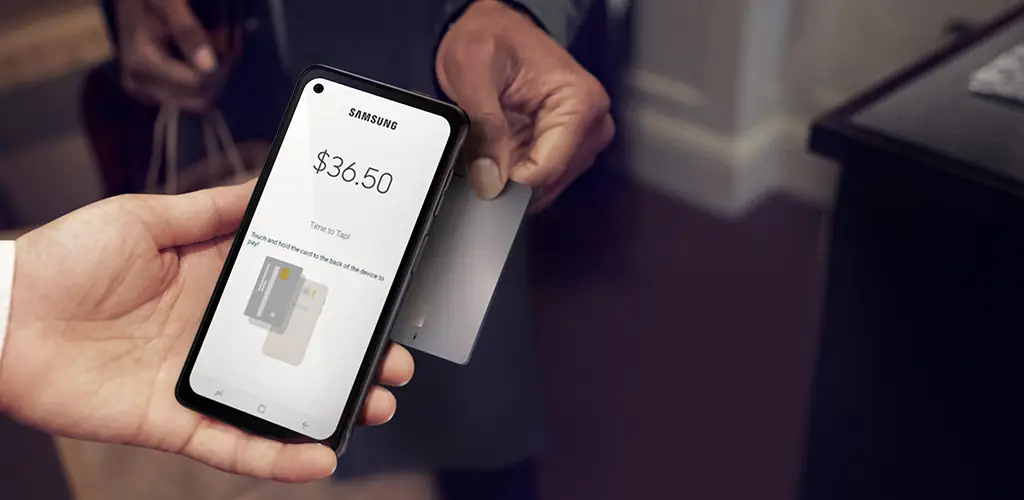
Samsung Knox mPOS Enabler app cover art for Android
Samsung Knox mPOS Enabler Icon

Samsung Knox mPOS Enabler APK for Android

1B+
Free
Sep 6, 2025

Build payment apps with bank-grade security, simplified.

Download Samsung Knox mPOS Enabler APK 1.0.01.12 21MB

What is Samsung Knox mPOS Enabler?

This isn’t an app you’ll open and use directly. Instead, it’s a Software Development Kit (SDK) – a set of tools for developers. It’s the secret sauce that allows them to turn a Samsung smartphone into a secure mobile Point of Sale (mPOS) terminal. If you’re building an app that handles payments, this is your new best friend.

So, how does it shield your financial data? It all comes down to some clever tech that locks down the payment process from start to finish.

Key Features for Ironclad Security:

  • Rock-Solid Encryption: Using a special, hardware-isolated area on the phone called the Trusted Execution Environment (TEE), all payment information is encrypted. This means even if the main Android system were compromised, your data remains scrambled and unreadable.
  • A Secure PIN Pad: Developers can create a custom PIN entry screen that is completely isolated from the rest of the OS. This “Trusted UI” prevents any malicious apps from peeking at your PIN as you type it.
  • Device Integrity Checks: The app constantly verifies that the phone hasn’t been tampered with. Through a process called Attestation, it checks for things like rooting (a process that removes built-in Android security) to ensure the device is a trustworthy environment for payments.

For anyone developing payment solutions on Android, Samsung Knox mPOS Enabler is a game-changer. It takes the heavy lifting out of building a secure foundation.

Ready to build a payment app with confidence? Dive into the world of secure mobile payments and give your users the peace of mind they deserve.

Also known as: com.samsung.android.knox.mpos
Screenshot Samsung Knox mPOS Enabler 1
Screenshot Samsung Knox mPOS Enabler 2

Download Samsung Knox mPOS Enabler APK for Android

What's New in Version 1.0.01.12

No official changelog provided for Samsung Knox mPOS Enabler version 1.0.01.12. This update likely includes general stability improvements and bug fixes.

Available Files

System Requirements

OS Version
Android 10 (Q) or higher
Architecture
Varies by file (Which one do I need?)
Disk Space
~40 MB free space required
RAM
1 GB
Internet
Not required
Permissions (5)
  • Access Network State
  • Wake Lock
  • Knox Analytics Internal
  • Receive Boot Completed
  • Foreground Service

APK File Details

Package ID com.samsung.android.knox.mpos
Available on Google Play
Developer Samsung Electronics Co., Ltd.
License Free ( No Ads)
Content Rating Everyone
Interface Language
English +74

English, Japanese, German, Bulgarian, Thai, Hindi, Vietnamese, Ukrainian, Polish, Korean, Romanian, Arabic, French, Turkish, Czech, Spanish, Italian, Portuguese, Hungarian, Russian, Chinese, + 54 localizations

APK Verification & Virus Scan Results

No Virus Signature Verified Safe & Original

Virus scan: Clean (0/66) View report. This APK is free of malware and its signature matches the official developer release.

Show File Details (SHA-256, SHA-1, MD5)

SHA-1 Signature:

9CA5170F381919DFE0446FCDAB18B19A143B3163

SHA-256 Hash:

c2146355427c09de5dc5777f1369e19b83e8100469bd29eabe04239a9d7a1ad6

MD5 Checksum:

1df11e9f22fd0f7b9432ab85b0d15fd8

Frequently Asked Questions

Is Samsung Knox mPOS Enabler safe to download?

Yes, Samsung Knox mPOS Enabler is safe to download. The APK is scanned on every update — no malware or viruses detected. You can verify the full scan report in the Security section above.

How to install Samsung Knox mPOS Enabler APK on Android?

Download the APK using the button above. Then open the file and tap Install. If prompted, enable "Install from unknown sources" in Settings → Security. The process takes under a minute. Read more

What Android version does Samsung Knox mPOS Enabler require?

Samsung Knox mPOS Enabler requires Android 10 (API 29) or higher. Optimized for Android 13 (API 33).

Is Samsung Knox mPOS Enabler free?

Yes, this app is completely free to download and use.

How to update Samsung Knox mPOS Enabler to the latest version?

Download the latest APK from this page and install it over your existing version — no need to uninstall first. Your data and settings will be preserved. We update the file as soon as a new version is released.

What processor architecture does Samsung Knox mPOS Enabler support?

Samsung Knox mPOS Enabler supports universal. If you are unsure about your device architecture, check the Device Info section on this page.

How to enable installation from unknown sources on Android?

Go to Settings → Security (or Settings → Apps → Special access on Android 8+) and enable "Install unknown apps" for your browser or file manager. On Android 8 and above this setting is per-app, not global. Read more

If you have found any issue or are having difficulty with this page, please .

User Reviews & Ratings

Global rating(Play Store): 3.07(13.7K)
Site Rating: 4(1)
Rate this app

4.00

12345

1

Share your experience with other users.