ConnectBot app cover art for Android
ConnectBot Icon

ConnectBot APK for Android

Kenny Root Original
5M+
Free
Dec 6, 2025

Securely manage your servers on the go, right from your Android.

Download ConnectBot APK v1.9.13 6MB

What is ConnectBot?

Ever wished you could manage your servers or access remote systems directly from your Android phone, securely and efficiently? Say goodbye to being tied to your desktop! Meet ConnectBot, the ultimate SSH client that puts powerful server management right in your pocket.

Think of Secure Shell (SSH) as your private, encrypted hotline to a remote computer, typically UNIX-based servers. ConnectBot acts as your terminal emulator, letting you send commands and receive responses just like you would on a desktop. It’s perfect for developers, students learning about servers, or anyone needing remote access on the go. What makes it stand out? It’s completely open-source, meaning it’s built with transparency and community trust.

Whether you’re troubleshooting a website, checking server logs, or just exploring a Linux machine, ConnectBot makes it incredibly easy. You can juggle multiple connections with simultaneous SSH sessions, keeping all your projects organized. Need an extra layer of privacy for your network traffic? Its ability to create secure tunnels is a game-changer, encrypting your data as it travels. Plus, the handy copy/paste feature means you can seamlessly move commands or output between ConnectBot and other apps. Looking for the best SSH app for Android or wondering how to connect to SSH from your phone? This network tool is your answer!

Key Features:

  • Secure Shell Connectivity: Establish encrypted connections to your remote servers with ease.
  • Multiple SSH Sessions: Manage several server connections simultaneously, boosting your productivity.
  • Secure Tunnels: Create private, encrypted network tunnels for enhanced security and privacy.
  • Seamless Copy/Paste: Effortlessly transfer text between the terminal and other applications.
  • Open-Source & Reliable: Benefit from a community-driven, transparent, and trustworthy application.

Ready to unlock the full potential of your Android device for server management on Android? Download ConnectBot today and experience the freedom of a powerful, free SSH terminal Android solution!
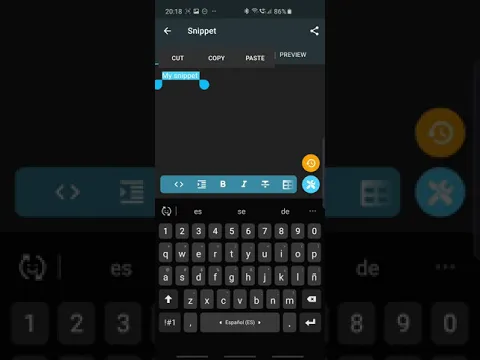
Video of ConnectBot
Screenshot ConnectBot 1
Screenshot ConnectBot 2
Screenshot ConnectBot 3
Screenshot ConnectBot 4

Download ConnectBot APK for Android

What's New in Version v1.9.13

Features:
• Downloadable language packs for a smaller app size
• Import private keys from clipboard
• Source address field for port forwards
• Context menu paste in console

Fixes:
• Huge terminal rendering performance boost
• Fixed Telnet connection crashes
• Fixed console history scroll drifting
• Fixed double-press and IME Enter key bugs
• Added background connection loss warnings

Available Files

System Requirements

OS Version
Android 4.1 (Jelly Bean) or higher
Architecture
Varies by file (Which one do I need?)
Disk Space
~10 MB free space required
RAM
1 GB
Internet
Required
Permissions (9)
  • Internet
  • Access Network State
  • Write External Storage
  • Vibrate
  • Wake Lock

APK File Details

Package ID org.connectbot
Available on Google Play
Developer Kenny Root
License Free ( No Ads)
Content Rating Everyone
Interface Language
English +23

English, Arabic, Portuguese, Japanese, Hungarian, Turkish, Hindi, German, Chinese, Spanish, Polish, Thai, French, Italian, Ukrainian, Korean, Russian, Vietnamese, + 6 localizations

APK Verification & Virus Scan Results

Scan In Queue Signature Verified Safe & Original

Antivirus scan in queue, will be scanned soon. This APK is free of malware and its signature matches the official developer release.

Show File Details (SHA-256, SHA-1, MD5)

SHA-1 Signature:

94d1f06738f455592f48fd98fc60728c66b3a7a9

SHA-256 Hash:

71a734e3963d7a1847af99b9624668f408b649b40589b9f6e7b9551d282771df

MD5 Checksum:

7091ab689ec85830bbf42a85ca8d6574

Frequently Asked Questions

Is ConnectBot safe to download?

ConnectBot has passed a basic integrity check. A full antivirus scan is pending. You can check the current scan status in the Security section above.

How to install XAPK file?

XAPK is a split APK package. Standard Android installer cannot open it directly. Use 'SAI' or 'XAPK Installer' — they handle XAPK files automatically. Download the installer, open the XAPK file with it, and follow the on-screen steps. Read more

What Android version does ConnectBot require?

ConnectBot requires Android 4.1 (API 16) or higher. Optimized for Android 15 (API 35).

Is ConnectBot free?

Yes, this app is completely free to download and use.

How to update ConnectBot to the latest version?

Download the latest APK from this page and install it over your existing version — no need to uninstall first. Your data and settings will be preserved. We update the file as soon as a new version is released.

Does ConnectBot require Root access?

No root is required for basic use. ConnectBot works on standard Android for CPU info, RAM, battery, sensors, and network stats. Root unlocks a small set of advanced system parameters that Android restricts by default.

What processor architecture does ConnectBot support?

ConnectBot supports x86_64, x86, arm64-v8a, armeabi-v7a. If you are unsure about your device architecture, check the Device Info section on this page.

If you have found any issue or are having difficulty with this page, please .

User Reviews & Ratings

Global rating(Play Store): 3.98(45.4K)
Site Rating: 5(1)
Rate this app

5.00

12345

1

Share your experience with other users.