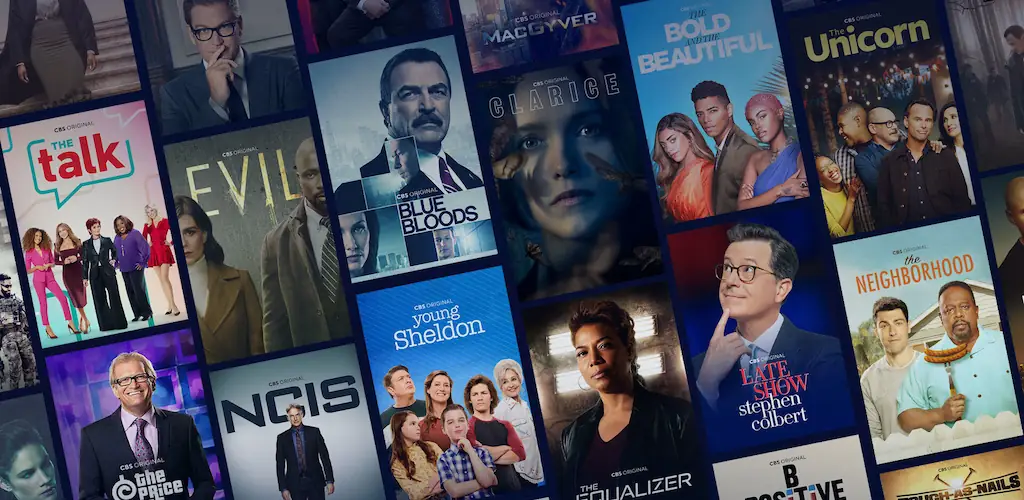

CBS app cover art for Android
CBS Icon

CBS APK for Android

7M+
Free
Feb 12, 2026

Stream top shows and live events, no subscription needed.

Download CBS APK 15.6.0 84MB

What is CBS?

Ever wish you could just catch up on your favorite shows without jumping through hoops or signing up for another subscription? Good news! The CBS app is here to simplify your entertainment, bringing a world of CBS content right to your Android device. It’s a fantastic way to stream TV and enjoy top-tier programming without the usual hassle.

Imagine watching the latest episodes of popular CBS shows the very next day, completely free and with no log-in required. That’s right – no credit card, no subscription, just instant access to fresh on-demand content. It’s perfect for those spontaneous viewing moments, letting you dive into compelling stories whenever you want, wherever you are.

And for those who want even more, if you’re a cable subscriber, you can easily link your provider. This unlocks full seasons of your beloved series and opens up the exciting world of live TV streaming. Catch live news, thrilling sports, and all those unmissable entertainment events like awards shows, right from your local CBS station. Why miss a moment when you can have it all?

Key Features:

  • Free Next-Day Episodes: Stream new episodes of your favorite CBS shows just one day after they air, absolutely free and without needing to sign in.
  • No Login Required: Enjoy a vast selection of content instantly, no credit card or subscription needed to start watching.
  • Full Season Access: Cable subscribers can unlock entire seasons of popular series, diving deeper into their favorite stories.
  • Live TV Streaming: Link your cable provider to watch live local CBS broadcasts, including breaking news, exciting sports, and major live events.

Ready to transform your Android device into an entertainment hub? Download CBS today and start streaming your way to endless fun and information.

Screenshot CBS 1
Screenshot CBS 2
Screenshot CBS 3
Screenshot CBS 4
Screenshot CBS 5
Screenshot CBS 6

Download CBS APK for Android

What's New in Version 15.6.0

Bug fixes

Available Files

System Requirements

OS Version
Android 5.0 (Lollipop) or higher
Architecture
Varies by file (Which one do I need?)
Disk Space
~150 MB free space required
RAM
1 GB
Internet
Not required
Google Services
Required
Permissions (18)
  • Internet
  • Access Network State
  • Access Coarse Location
  • Vibrate
  • Wake Lock

APK File Details

Package ID com.cbs.tve
Available on Google Play
Developer CBS Interactive, Inc.
License Free
Monetization Contains Ads  
Content Rating Teen (Diverse Content: Discretion Advised)

APK Verification & Virus Scan Results

Scan In Queue Signature Verified Safe & Original

Antivirus scan in queue, will be scanned soon. This APK is free of malware and its signature matches the official developer release.

Show File Details (SHA-256, SHA-1, MD5)

SHA-1 Signature:

8076fcf0566c212b0808b636951ee226de587bf2

SHA-256 Hash:

7393aa3db45d8eb7e13340cada26f4ba78decdd59d034d078a54f849b6adad6d

MD5 Checksum:

5493dd103a0fb99b808435d4afd81ad1

Frequently Asked Questions

Is CBS safe to download?

CBS has passed a basic integrity check. A full antivirus scan is pending. You can check the current scan status in the Security section above.

How to install XAPK file?

XAPK is a split APK package. Standard Android installer cannot open it directly. Use 'SAI' or 'XAPK Installer' — they handle XAPK files automatically. Download the installer, open the XAPK file with it, and follow the on-screen steps. Read more

What Android version does CBS require?

CBS requires Android 5.0 (API 21) or higher. Optimized for Android 15 (API 35).

Is CBS free?

Yes, it is free to use, but it is ad-supported.

How to update CBS to the latest version?

Download the latest APK from this page and install it over your existing version — no need to uninstall first. Your data and settings will be preserved. We update the file as soon as a new version is released.

What processor architecture does CBS support?

CBS supports arm64-v8a. This build does not support x86/x86_64 processors, so it will not run on most PC emulators. If you are unsure about your device architecture, check the Device Info section on this page.

How to enable installation from unknown sources on Android?

Go to Settings → Security (or Settings → Apps → Special access on Android 8+) and enable "Install unknown apps" for your browser or file manager. On Android 8 and above this setting is per-app, not global. Read more

If you have found any issue or are having difficulty with this page, please .

User Reviews & Ratings

Global rating(Play Store): 3.77(22.2K)
Site Rating: 5(1)
Rate this app

5.00

12345

1

Share your experience with other users.