What is Mods, maps skins for Minecraft?
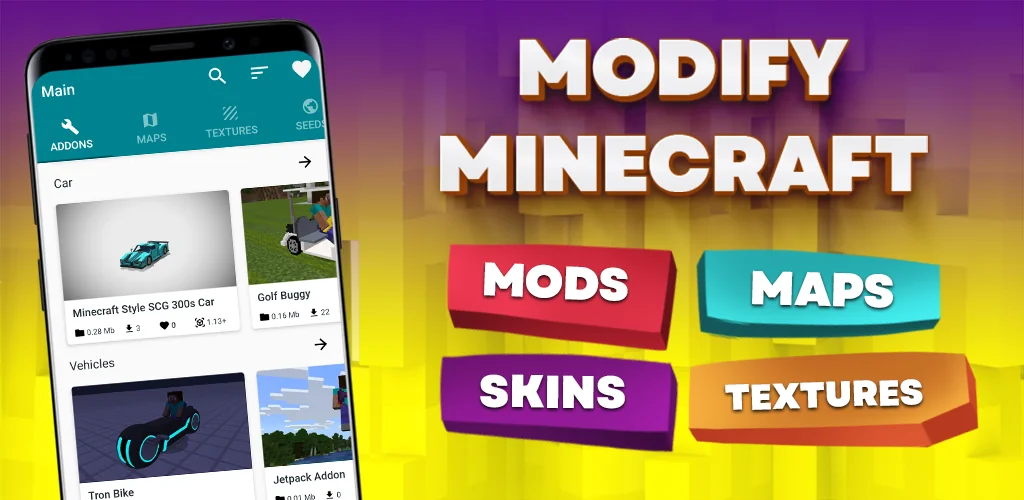
This is a Minecraft mod and resource manager that dumps mods, maps, skins, textures and seeds straight into Minecraft Pocket Edition. The pitch isn't complicated: browse, tap, install. No file juggling, no manual folder digging.
Everything sits in categorized lists so you're not scrolling blind. Furniture mods, gun mods, car mods, mob tweaks, TNT packs and backpack add-ons all live under one roof. Maps cover the usual crowd-pleasers: prison escape, bedwars, skywars, lucky block race, plus builder-focused stuff like landscapes and redstone contraptions. Seeds split by purpose too, some built for playing with friends, others for going it alone. Installing any of it takes one tap, and the app handles the placement inside your game folder.
Key Features:
- Mods and addons cover furniture, guns, cars, vehicles, mobs, lucky blocks and TNT in one browsable list.
- Maps include popular formats like bedwars and skywars, alongside parkour, PVP and survival builds.
- Seeds are sorted for multiplayer sessions or solo worlds, with village, island and landscape types included.
- Skins span Girls, Boys and Youtubers categories, plus monsters, superheroes, animals and military looks.
- Texture packs come in 16×16, 32×32 and 64×64 resolutions, and shaders add better lighting and realism.
Minecraft PE skins and texture packs
Skin variety is the standout here. Beyond the basic boy and girl options, you'll find Youtuber skins, anime characters, robots, camouflage fits and full superhero rosters. That's a wide enough net that most players find something that fits their style without digging through a dozen other sources. Texture packs run across three resolutions, so you can go simple and fast with 16×16 or push for sharper detail at 64×64. Shaders layer on top of that for better lighting if your device can handle the extra load.
Minecraft mod installer alternatives
Against something like BlockLauncher, which patches the Minecraft PE client itself to support mods and texture packs, this app skips the patching step entirely and sticks to a one-click installer for ready-made content. MCPE Addons takes a community-upload approach instead, pulling content from user submissions. Pick this one if you want curated categories and fast installs rather than digging through a community feed.
This suits players who want quick customization without learning file systems or patch tools. One thing to weigh before installing: the app runs ads and needs Minecraft Pocket Edition already installed to work at all.



Share your experience with other users.