
OneTouch TV Icon

OneTouch TV APK for Android

Sep 5, 2021

Your free pass to Asia's best movies, dramas, and TV shows, all in one app!

Download OneTouch TV APK 3.1.7 24MB

What is OneTouch TV?

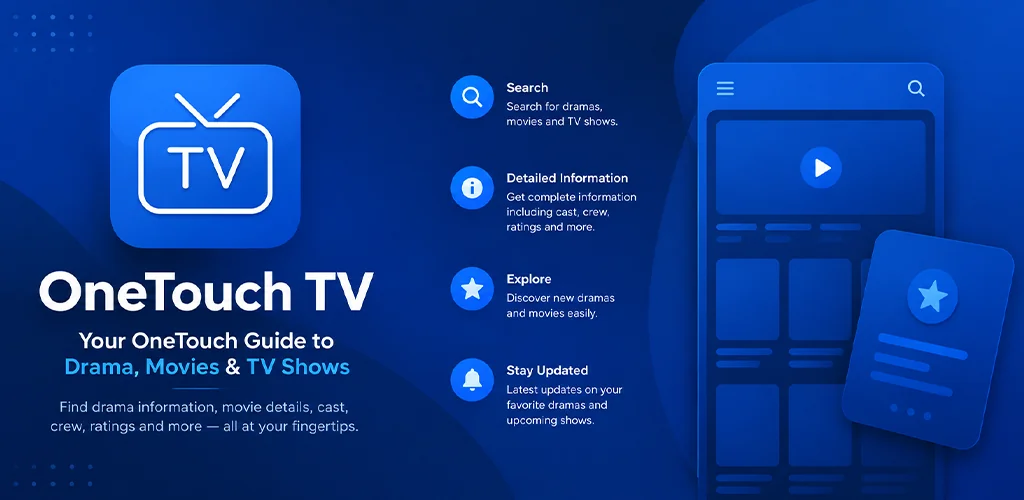
Ever find yourself endlessly searching for that new Korean drama or your favorite Chinese movie? What if you could have a world of Asian entertainment right in your pocket, completely free? Say hello to OneTouch TV, your new go-to app on your Android phone or tablet!

OneTouch TV is like a treasure chest filled with amazing movies, captivating dramas, and fun TV shows, mostly from Korea, China, Thailand, and Japan. Think of it as your personal entertainment hub, bringing together a huge collection of content from across the web so you don’t have to hunt for it. And the best part? You can stream it all whenever and wherever you want, without paying a dime. Plus, it comes with fast subtitles, so you won’t miss a single moment of the action or emotion.

Here’s what makes OneTouch TV a must-try:

  • Massive Asian Content Library: Dive into Korean, Chinese, Thai, and Japanese dramas and movies.
  • KShows Galore: Catch up on popular Korean variety shows.
  • Stream for Free: Enjoy hours of entertainment without any subscription fees.
  • Quick Subtitles: Understand everything with timely and accurate subtitles.
  • All-in-One Place: No more switching between different apps!

OneTouch TV cleverly gathers links to content already available online, presenting it all in one user-friendly spot. This makes discovering your next binge-watch incredibly simple.

Ready to explore a universe of fantastic Asian shows and films? Download OneTouch TV for Android and start your free streaming adventure!

Screenshot OneTouch TV 1
Screenshot OneTouch TV 2
Screenshot OneTouch TV 3
Screenshot OneTouch TV 4
Screenshot OneTouch TV 5
Screenshot OneTouch TV 6
Screenshot OneTouch TV 7
Screenshot OneTouch TV 8

Download OneTouch TV APK for Android

What's New in Version 3.1.7

No official changelog provided for OneTouch TV version 3.1.7. This update likely includes general stability improvements and bug fixes.

Available Files

  • 3.1.7 24MB Android 4.1+ arm64-v8a Download

System Requirements

OS Version
Android 4.1 (Jelly Bean) or higher
Architecture
Varies by file (Which one do I need?)
Disk Space
~40 MB free space required
RAM
1 GB
Internet
Not required
Permissions (17)
  • Internet
  • Access Network State
  • Read External Storage
  • Write External Storage
  • Access Fine Location

APK File Details

Package ID com.entercom.onetouchtv
Developer Entercom
License Free ( No Ads)
Interface Language
English +74

English, Japanese, German, Bulgarian, Thai, Hindi, Vietnamese, Ukrainian, Polish, Korean, Romanian, Arabic, French, Turkish, Czech, Spanish, Italian, Portuguese, Hungarian, Russian, Chinese, + 54 localizations

APK Verification & Virus Scan Results

No Virus Signature Verified Safe & Original

Virus scan: Clean (0/66) View report. The APK file is digitally signed.

Show File Details (SHA-256, SHA-1, MD5)

SHA-1 Signature:

88fb321c99797a270abc615d49a8bde81cd35b95

SHA-256 Hash:

da8f8e31b204fffd5381f543b50e438719d837a570867711928fa9c134fcc1db

MD5 Checksum:

069cac0425e1fff64bf7acbf3c0ced62

Frequently Asked Questions

Is OneTouch TV safe to download?

Yes, OneTouch TV is safe to download. The APK is scanned on every update — no malware or viruses detected. You can verify the full scan report in the Security section above.

How to install OneTouch TV APK on Android?

Download the APK using the button above. Then open the file and tap Install. If prompted, enable "Install from unknown sources" in Settings → Security. The process takes under a minute. Read more

Why does installation fail on newer Android versions (14 - 16)?

Newer Android versions strictly block the installation of apps built for older Android versions (API < 23) for security reasons. Standard installation is not possible. Read our step-by-step guide on how to bypass this restriction using ADB or Shizuku.

What Android version does OneTouch TV require?

OneTouch TV requires Android 4.1 (API 16) or higher. Optimized for Android 11 (API 30).

What processor architecture does OneTouch TV support?

OneTouch TV supports arm64-v8a. This build does not support x86/x86_64 processors, so it will not run on most PC emulators. If you are unsure about your device architecture, check the Device Info section on this page.

How to enable installation from unknown sources on Android?

Go to Settings → Security (or Settings → Apps → Special access on Android 8+) and enable "Install unknown apps" for your browser or file manager. On Android 8 and above this setting is per-app, not global. Read more

If you have found any issue or are having difficulty with this page, please .

User Reviews & Ratings

Site Rating: 5(1)
Rate this app

5.00

12345

1

Share your experience with other users.