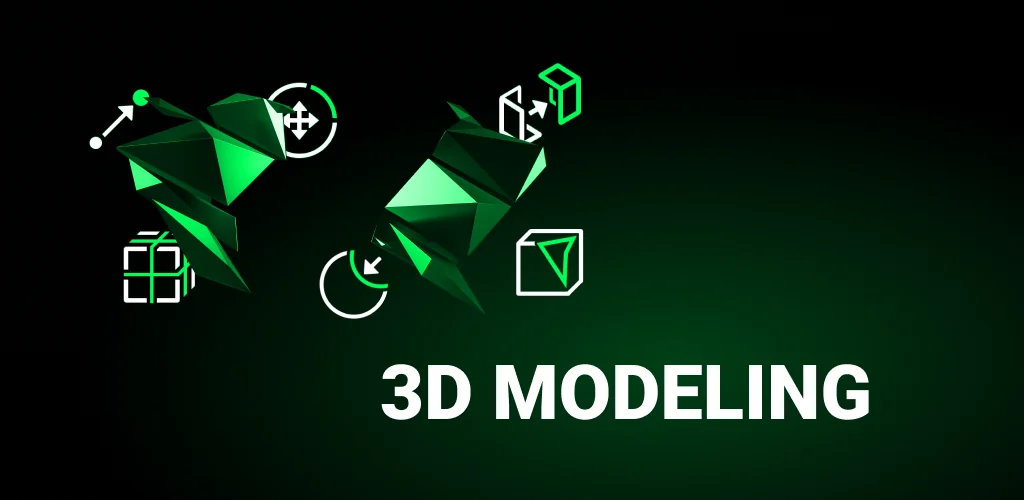
3D Modeling App app cover art for Android
3D Modeling App Icon

3D Modeling App APK for Android

- Sculpt & Draw
13M+
Free
Jan 23, 2026

Mobile constructor for creating 3D models, objects, paintings, characters and even your own games

Download 3D Modeling App APK 1.20.8 76MB Old versions

What is 3D Modeling App?

If you have long wanted to do 3D drawing, then the free mobile application 3D Modeling App: Sculpt & Draw is the best tool for this. This is a constructor with which you can easily create various 3D models, objects, paintings, characters, and even design your own games. And all you need to do is just download and open the app on your smartphone or tablet.

With this program, you can create various objects for your business without spending a huge amount of money. Such a tool will definitely be useful for everyone and in different fields of activity: graphic design, architecture, construction, engineering, landscape design, industrial design, etc.

The application has several tools for creating models, ranging from the thinnest pencils to brushes. You don’t even need to be a professional artist to use the program, as the appropriate tools will help you achieve the perfect image.

For designers and game developers, there are also their own tools with which you can create 3D characters and design visuals. In addition, a lot of useful functions are available here:

  • moving and rotating objects on the canvas;
  • merging faces;
  • tools for creating faces;
  • cloning, mirror movement of an object;
  • special grid for more convenient display of the object;
  • changing colors and shades;
  • additional materials that can be applied to objects;
  • auto-save thumbnail if you suddenly exit the application.

The finished model can be easily imported in the most convenient way for you or converted into different formats. If you need a program to create 3D models, then simply download 3D Modeling App is enough.
Also known as: 3D Modeling App: Sculpt & Draw, 3D Modeling App: Sculpt & Draw
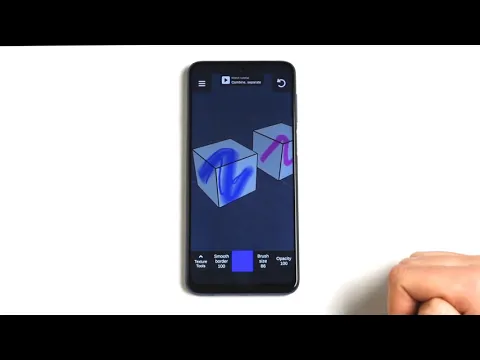
Video of 3D Modeling App
Screenshot 3D Modeling App 1
Screenshot 3D Modeling App 2
Screenshot 3D Modeling App 3
Screenshot 3D Modeling App 4
Screenshot 3D Modeling App 5
Screenshot 3D Modeling App 6
Screenshot 3D Modeling App 7
Screenshot 3D Modeling App 8

Download 3D Modeling App: Sculpt & Draw APK for Android

What's New in Version 1.20.8

- Minor bug fixes

Other versions

System Requirements

OS Version
Android 6.0 (Marshmallow) or higher
Architecture
Varies by file (Which one do I need?)
Disk Space
~100 MB free space required
RAM
1 GB
Internet
Not required
Google Services
Required
Permissions (18)
  • Internet
  • Access Network State
  • Read External Storage
  • Write External Storage
  • Wake Lock

APK File Details

Package ID com.inforcegames.app3dmodelling
Available on Google Play
Developer 3D Modeling Apps
License Free
Monetization Contains Ads   In-App Purchases
Content Rating Everyone
Interface Language
English +73

English, Arabic, Bulgarian, Czech, German, Spanish, French, Hindi, Hungarian, Italian, Japanese, Korean, Polish, Portuguese, Romanian, Russian, Thai, Turkish, Ukrainian, Vietnamese, Chinese, + 53 localizations

APK Verification & Virus Scan Results

Scan In Queue Signature Verified Safe & Original

Antivirus scan in queue, will be scanned soon. This APK is free of malware and its signature matches the official developer release.

Show File Details (SHA-256, SHA-1, MD5)

SHA-1 Signature:

758477f71c044d6b0749399c8741498479b05f77

SHA-256 Hash:

146c71d43c5bb0a95c1ec2be456a5b1a9df0a0b7ba9c38b224efffb74519a16a

MD5 Checksum:

b560f338960e326dc49d3e8ce8590de4

Frequently Asked Questions

Is 3D Modeling App safe to download?

Yes, 3D Modeling App is safe to download. The APK is scanned on every update — no malware or viruses detected. You can verify the full scan report in the Security section above.

How to install XAPK file?

XAPK is a split APK package. Standard Android installer cannot open it directly. Use 'SAI' or 'XAPK Installer' — they handle XAPK files automatically. Download the installer, open the XAPK file with it, and follow the on-screen steps. Read more

What Android version does 3D Modeling App require?

3D Modeling App requires Android 6.0 (API 23) or higher. Optimized for Android 15 (API 35).

Is 3D Modeling App free?

Yes, it is free to download and use, but it contains ads and offers in-app purchases.

How to update 3D Modeling App to the latest version?

Download the latest APK from this page and install it over your existing version — no need to uninstall first. Your data and settings will be preserved. We update the file as soon as a new version is released.

What processor architecture does 3D Modeling App support?

3D Modeling App supports arm64-v8a, armeabi-v7a. This build does not support x86/x86_64 processors, so it will not run on most PC emulators. If you are unsure about your device architecture, check the Device Info section on this page.

How to enable installation from unknown sources on Android?

Go to Settings → Security (or Settings → Apps → Special access on Android 8+) and enable "Install unknown apps" for your browser or file manager. On Android 8 and above this setting is per-app, not global. Read more

If you have found any issue or are having difficulty with this page, please .

User Reviews & Ratings

Global rating(Play Store): 3.92(1.4K)
Site Rating: 5(1)
Rate this app

5.00

12345

1

Share your experience with other users.