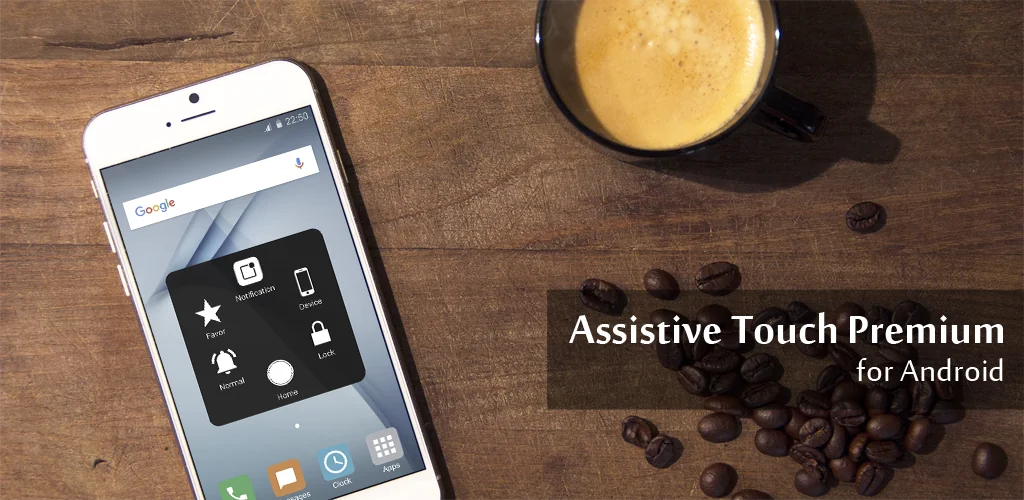

What is Assistive Touch IOS 16?
Navigating a large Android phone or constantly pressing physical buttons can be a real hassle, often leading to wear and tear. Assistive Touch IOS 16 offers a smart solution: a floating shortcut panel for your Android device. It’s designed to make your phone experience smoother and protect those vital physical buttons.
I found myself constantly reaching for the volume rocker or the home button, especially on my bigger phone. This app places a discreet, customizable button right on your screen, giving you instant access to a virtual home key and volume controls. It’s incredibly handy for quickly locking the screen, adjusting sound, or opening recent tasks without fumbling. Where many generic tools just offer basic shortcuts, Assistive Touch IOS 16 goes further, providing a comprehensive hub for your daily phone interactions.
Beyond button protection, it’s a powerhouse for quick access. Imagine instantly pulling up your favorite apps, toggling Wi-Fi, Bluetooth, or even your flashlight with a single tap. Does your phone lack a built-in screen recorder? This app includes one, allowing you to capture screenshots and record your screen in HD and FullHD, complete with microphone audio. It’s perfect for making quick tutorials or sharing gameplay without needing root access or dealing with watermarks. You can even customize the floating button’s icon, background color, and gesture settings to truly make it your own.
Key Features:
- Virtual Buttons: Replaces physical home and volume keys, extending their lifespan and simplifying navigation.
- Quick Settings Panel: Instantly toggle Wi-Fi, Bluetooth, location, screen rotation, and flashlight.
- Screen Recorder & Screenshot: Capture high-quality video and images of your screen without root or watermarks.
- App Shortcuts: Add your most-used applications for one-tap access from the floating panel.
- Customizable Interface: Personalize the floating button’s icon, background color, and gesture actions.
If you’re tired of struggling with your phone’s physical buttons or wish for quicker access to essential functions, Assistive Touch IOS 16 is definitely worth trying. Download it now to streamline your Android experience and give your phone’s hardware a break.




Share your experience with other users.