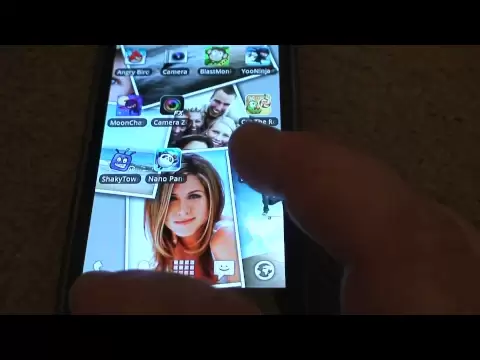
Photo FX – interesting live wallpapers that you create yourself. You choose the photos you want to see, set up the original view of their display, photo change interval, transparency. You can set specific folders from which photos should be displayed.
- Pick a folder and include all its subfolders (Photos → Folders) - New galleries: Photo Grid and Photo Collage - New Fade In style for Classic Drop and Pinboard - Wallpaper gently scrolls as you swipe between home screens (not supported on Samsung; adjust in Settings → Home screen) - Photos no longer land face down in Photo Fall and Wind - Smoother shadows as photos drop and faster switching between styles
Standard file integrity check. Fast way to verify that the file was downloaded correctly without any corruption.
MD5 Checksum:
5cac77324dd72666c7c257df1c7c507fCopied!
Frequently Asked Questions
Is Photo FX safe to download?
Yes, Photo FX is safe to download. The APK is scanned on every update — no malware or viruses detected. You can verify the full scan report in the Security section above.
How to install Photo FX APK on Android?
Download the APK using the button above. Then open the file and tap Install. If prompted, enable "Install from unknown sources" in Settings → Security. The process takes under a minute. Read more
Why does installation fail on newer Android versions (14 - 16)?
Photo FX requires Android 2.1.x (API 7) or higher. Optimized for Android 4.0 (API 14).
Is Photo FX free?
Yes, it is free to download and use, but it contains ads and offers in-app purchases.
How to update Photo FX to the latest version?
Download the latest APK from this page and install it over your existing version — no need to uninstall first. Your data and settings will be preserved. We update the file as soon as a new version is released.
What processor architecture does Photo FX support?
Photo FX supports armeabi. This build does not support x86/x86_64 processors, so it will not run on most PC emulators. If you are unsure about your device architecture, check the Device Info section on this page.




Share your experience with other users.