Screen of Light Icon

Screen of Light APK for Android

1M+
Free
Oct 25, 2024

"Dress" your smartphone in a noble frame

Download Screen of Light APK 4.3.7 9MB

What is Screen of Light?

Screen of Light – a small utility for personalizing the appearance of the screen of a mobile device by activating beautiful neon frames displayed in the smartphone lock mode. It is known that themes and wallpapers are mainly used to change the appearance of desktops in an Android device, but the developers of this application decided to pay attention to a niche that has not yet been occupied by anyone, since there are analogues of this utility in the virtual store Google Play we could not meet.

Screen of Light requires an active Internet connection to work, since all frames are downloaded from the Web in real time – their set is simply huge and can satisfy both classics lovers and exotics fans. Strict forms, fantastic flowers and bizarre patterns, color palette mixing and smooth gradient transitions – you just need to select the template you like and activate it by tapping on the appropriate button. After that, when the next time the user tries to unlock the smartphone, instead of the usual lock screen, he will see a spectacular frame.

Most of the elements in the Screen of Light application are free to use, but there are also paid frames that cost about a dollar, and some are available after watching a commercial. The developers warn that at the moment their product is in test mode and the bulk of the planned functions have not yet been implemented, but now you can understand that we have something completely new in terms of personalization tools. In addition, the application does not load the internal resources of the device at all and takes care of the battery charge.
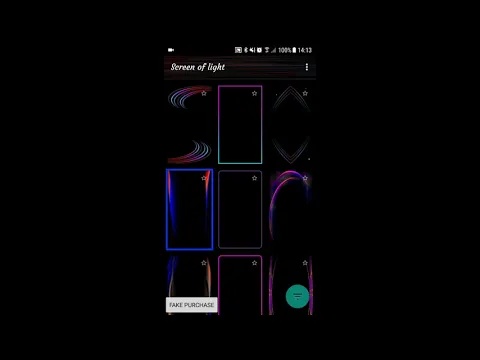
Video of Screen of Light
Screenshot Screen of Light 1
Screenshot Screen of Light 2
Screenshot Screen of Light 3
Screenshot Screen of Light 4
Screenshot Screen of Light 5

Download Screen of Light APK for Android

What's New in Version 4.3.7

- Bug Fixed !!

Available Files

System Requirements

OS Version
Android 5.0 (Lollipop) or higher
Architecture
Varies by file (Which one do I need?)
Disk Space
~20 MB free space required
RAM
1 GB
Internet
Not required
Permissions (22)
  • Internet
  • Access Network State
  • Read Contacts
  • Wake Lock
  • Bind Get Install Referrer Service

APK File Details

Package ID com.screenoflight.android2
Available on Google Play
Developer Screen Of Light - Wallpapers
License Free
Monetization Contains Ads   In-App Purchases
Content Rating Everyone
Interface Language
English +75

English, Japanese, German, Bulgarian, Thai, Hindi, Vietnamese, Ukrainian, Polish, Korean, Romanian, Arabic, French, Turkish, Czech, Spanish, Italian, Hungarian, Russian, Chinese, Portuguese, Indonesian, + 54 localizations

APK Verification & Virus Scan Results

No Virus Signature Verified Safe & Original

Virus scan: Clean (0/69) View report. This APK is free of malware and its signature matches the official developer release.

Show File Details (SHA-256, SHA-1, MD5)

SHA-1 Signature:

85B72629EC238F1BC4DDE72B703C4B40C42038D0

SHA-256 Hash:

3ed87ec7fa6bfa7c0781c9fe148e28a5f3f713e3cc779f1aa7a65cf613f91072

MD5 Checksum:

d74fc4c5ce798526cca35b615fdcd032

Frequently Asked Questions

Is Screen of Light safe to download?

Yes, Screen of Light is safe to download. The APK is scanned on every update — no malware or viruses detected. You can verify the full scan report in the Security section above.

How to install Screen of Light APK on Android?

Download the APK using the button above. Then open the file and tap Install. If prompted, enable "Install from unknown sources" in Settings → Security. The process takes under a minute. Read more

What Android version does Screen of Light require?

Screen of Light requires Android 5.0 (API 21) or higher. Optimized for Android 14 (API 34).

Is Screen of Light free?

Yes, it is free to download and use, but it contains ads and offers in-app purchases.

How to update Screen of Light to the latest version?

Download the latest APK from this page and install it over your existing version — no need to uninstall first. Your data and settings will be preserved. We update the file as soon as a new version is released.

What processor architecture does Screen of Light support?

Screen of Light supports universal. If you are unsure about your device architecture, check the Device Info section on this page.

How to enable installation from unknown sources on Android?

Go to Settings → Security (or Settings → Apps → Special access on Android 8+) and enable "Install unknown apps" for your browser or file manager. On Android 8 and above this setting is per-app, not global. Read more

If you have found any issue or are having difficulty with this page, please .

User Reviews & Ratings

Global rating(Play Store): 3.04(1.9K)
Site Rating: 5(1)
Rate this app

5.00

12345

1

Share your experience with other users.