What is AI Image Generator: Edit Photo?
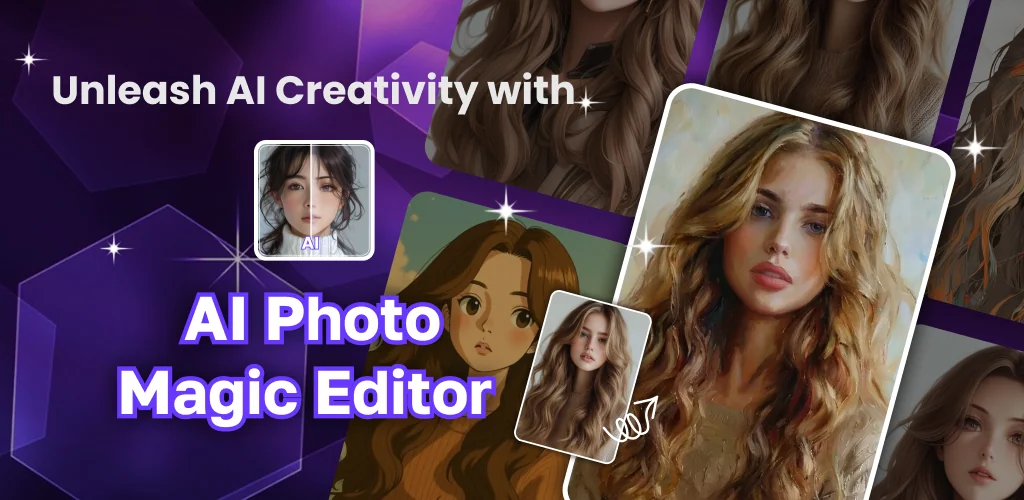
AI Image Generator: Edit Photo is an AI photo editor that turns a regular selfie into a portrait, an avatar, or a full art piece without asking you to touch a manual retouching tool. The pitch is simple: upload a photo, pick a transformation, and let the AI do the heavy lifting.
The editing flow starts with a single photo import, then branches into whatever transformation you want. Pick anime style, retro cam, or AI anime for a portrait pass, or head into the avatar tools to build a digital persona and swap clothes on a subject. The auto enhancer handles the boring but necessary stuff: fixing washed-out or damaged photos, smoothing skin tone, whitening teeth. There's also a straight photo editor underneath all the AI features, with cropping, object removal, and a filter library that runs past 100 options. Once you're done with a still image, the animation creator can turn it into a short moving clip for sharing.
Key Features:
- The AI portrait generator applies anime style and retro cam looks to selfies in a few taps.
- Face swaps and outfit changes run through the avatar generator and clothing swap tools.
- Damaged or dull photos get fixed through the auto enhancer, including teeth whitening and skin retouching.
- A background eraser pulls subjects out of their original setting so a new one can be dropped in.
- The built-in filter set covers over 100 filters on top of standard crop and object removal tools.
- Still photos convert into short clips through the animation creator.
How to use the AI avatar and background tools
Building an avatar starts the same way as any other edit here: upload a face, then choose whether you want a stylized persona or a straight clothing swap on the original photo. The clothes-changer works as its own step separate from the avatar builder, so you can keep a photo realistic and just alter what the subject is wearing. Background work follows a similar two-step logic: the smart eraser isolates the subject first, then a new AI-generated background drops in behind it. None of these tools require layering or masking by hand, which is the appeal for anyone who wants a finished image fast rather than a Photoshop-style project.
Apps like AI Image Generator: Edit Photo
Picsart covers similar ground but leans harder into community sharing and a broader editing suite built around social posting. Lensa AI sits closer to this app's core idea, focusing specifically on AI avatar generation and portrait styles rather than spreading across collage-making and animation too. Anyone who wants the avatar and portrait work as the main event, without the extra editing layers, is better served by Lensa; anyone who wants portraits, backgrounds, and short animations under one roof fits closer to what this app is doing.
The app suits casual creators who want quick, styled edits for social posts rather than pixel-level control over an image. Every AI transformation, whether it's a portrait, an avatar, or a background swap, needs an active connection to process, so there's no offline editing session to fall back on when signal drops.



Share your experience with other users.