Dazz's Cam Assistant Icon

Dazz's Cam Assistant APK for Android

Sep 12, 2023

Instructions for the Dazz application, which turns your photos into realistic retro film photos from the 80s of the last century

Download Dazz's Cam Assistant APK 1 31MB

What is Dazz's Cam Assistant?

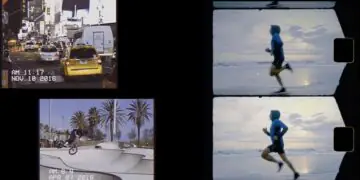
Dazz's Cam Assistant – detailed instructions for working with the Dazz mobile application, which turns user photos into realistic retro film photographs from the 80s of the last century. For people who are just starting to get acquainted with mobile photography and want to succeed in this field, a guide to one of the most popular tools will come in handy.

The guide will teach the user the skill of creating a double composition effect, which combines two photographs in one project – the output is quite unusual photographs. Learn the features of using an ultra-wide-angle lens, more familiar to the target audience as a “fisheye” – get a spherical photo by distorting the edges of the image.

Features:

  • Dazz Camera Features Reference;
  • detailed description of tools, filters and special effects;
  • explanation of professional issues in clear language;
  • go from amateur to professional.

Digital noise, vintage filters, mesmerizing textures and effects, a timer for automatic shooting at a user-specified time interval, composition rules and the use of zoom – the Dazz's Cam Assistant application will reveal the countless secrets of a magical camera that will help the amateur photographer look at the world of digital photography from a completely different perspective. from a different perspective.

Also known as: Dazz Tips
Screenshot Dazz's Cam Assistant 1
Screenshot Dazz's Cam Assistant 2
Screenshot Dazz's Cam Assistant 3
Screenshot Dazz's Cam Assistant 4

Download Dazz's Cam Assistant APK for Android

What's New in Version 1

No official changelog provided for Dazz's Cam Assistant version 1. This update likely includes general stability improvements and bug fixes.

Available Files

System Requirements

OS Version
Android 4.3 (Jelly Bean) or higher
Architecture
Varies by file (Which one do I need?)
Disk Space
~50 MB free space required
RAM
1 GB
Internet
Not required
Permissions (12)
  • Internet
  • Access Network State
  • Read External Storage
  • Write External Storage
  • Access Fine Location

APK File Details

Package ID com.smartipsforyou.dazz.guide.vintagecamera
Developer Smart Tips 4 Yous
License Free ( No Ads)
Interface Language
English +74

English, Japanese, German, Bulgarian, Thai, Hindi, Vietnamese, Ukrainian, Polish, Korean, Romanian, Arabic, French, Turkish, Czech, Spanish, Italian, Portuguese, Hungarian, Russian, Chinese, + 54 localizations

APK Verification & Virus Scan Results

1 Detections (Low Risk) Signature Verified Not on Play Store

Virus scan: 1/62 Potential Detections View report. Flagged by some engines as a false positive. Signature matches the original developer build.

Show File Details (SHA-256, SHA-1, MD5)

SHA-1 Signature:

4b6fc0037dbab8b55b7fa72dd0d5a56d1faf75f1

SHA-256 Hash:

4deab6f7d0da8c0be9d201a5585f0f666e582ddfdbd79131f74eb5a57a1276fd

MD5 Checksum:

e875160ded398ff860f9b41343729cc9

Frequently Asked Questions

Is Dazz's Cam Assistant safe to download?

A small number of antivirus engines flagged Dazz's Cam Assistant. This may be a false positive, but we recommend reviewing the full scan report in the Security section above before downloading. Download at your own risk.

How to install Dazz's Cam Assistant APK on Android?

Download the APK using the button above. Then open the file and tap Install. If prompted, enable "Install from unknown sources" in Settings → Security. The process takes under a minute. Read more

Why does installation fail on newer Android versions (14 - 16)?

Newer Android versions strictly block the installation of apps built for older Android versions (API < 23) for security reasons. Standard installation is not possible. Read our step-by-step guide on how to bypass this restriction using ADB or Shizuku.

What Android version does Dazz's Cam Assistant require?

Dazz's Cam Assistant requires Android 4.3 (API 18) or higher. Optimized for Android 10 (API 29).

Does Dazz's Cam Assistant require Root access?

No root is required for basic use. Dazz's Cam Assistant works on standard Android for CPU info, RAM, battery, sensors, and network stats. Root unlocks a small set of advanced system parameters that Android restricts by default.

What processor architecture does Dazz's Cam Assistant support?

Dazz's Cam Assistant supports arm64-v8a, armeabi-v7a. This build does not support x86/x86_64 processors, so it will not run on most PC emulators. If you are unsure about your device architecture, check the Device Info section on this page.

How to enable installation from unknown sources on Android?

Go to Settings → Security (or Settings → Apps → Special access on Android 8+) and enable "Install unknown apps" for your browser or file manager. On Android 8 and above this setting is per-app, not global. Read more

If you have found any issue or are having difficulty with this page, please .

User Reviews & Ratings

Rate this app

0.00

12345

not yet rated

Share your experience with other users.