
Business Calendar 2 Planner app cover art for Android
Business Calendar 2 Planner Icon

Business Calendar 2 Planner APK for Android

12M+
Free
Oct 4, 2025

Master your day, from business meetings to personal moments

Download Business Calendar 2 Planner APK 2.48.4 6MB

What is Business Calendar 2 Planner?

Meet Business Calendar 2 Planner, the all-in-one planner designed to give you a crystal-clear overview of your day, week, and month without the usual clutter. This isn’t just another calendar. It’s a smart assistant for your life. Imagine planning your appointments not in minutes, but in seconds. With smart suggestions and handy templates, you can create new events with just a couple of taps. Need to reschedule? Simply drag and drop events to a new time slot. It’s that easy! Business Calendar 2 Planner syncs effortlessly with the calendars you already use, like Google and Outlook, bringing everything into one beautifully organized space. This means your work appointments, family birthdays, and personal reminders all live together peacefully.

But what truly makes it stand out is its incredible flexibility. Whether you need a detailed weekly plan for a project or a quick glance at your monthly agenda, this app adapts to your needs.

Here’s a quick look at what makes it special:

  • All-in-One Hub: Manage both events and tasks in a single app.
  • Effortless Syncing: Works seamlessly with Google Calendar, Outlook, and more.
  • Quick Planning: Create events fast with smart suggestions and voice input.
  • Flexible Views: Easily switch between daily, weekly, and monthly views.
  • Personal Touch: Customize your schedule with colors and over 600 emojis.
  • Custom Widgets: Access your agenda directly from your home screen.

Stop letting your schedule control you. Download Business Calendar 2 Planner and discover how simple and satisfying organizing your life can be.
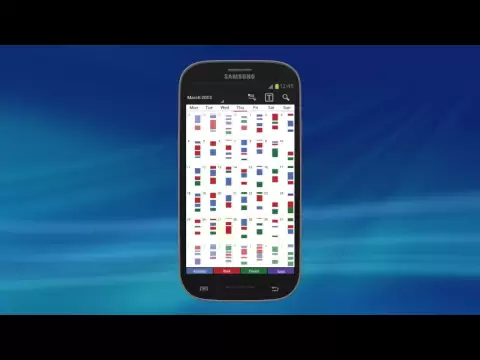
Video of Business Calendar 2 Planner
Screenshot Business Calendar 2 Planner 1
Screenshot Business Calendar 2 Planner 2
Screenshot Business Calendar 2 Planner 3
Screenshot Business Calendar 2 Planner 4
Screenshot Business Calendar 2 Planner 5
Screenshot Business Calendar 2 Planner 6
Screenshot Business Calendar 2 Planner 7
Screenshot Business Calendar 2 Planner 8

Download Business Calendar 2 Planner APK for Android

What's New in Version 2.48.4

- 2 new tiles for tasks
- a lot of new settings for watch app, tiles and complications (Smartphone app > Settings > Smartwatch)
- further improvements and bug fixes

Available Files

System Requirements

OS Version
Android 9.0 (Pie) or higher
Architecture
Varies by file (Which one do I need?)
Disk Space
~10 MB free space required
RAM
1 GB
Internet
Not required
Permissions (1)
  • Wake Lock

APK File Details

Package ID com.appgenix.bizcal
Available on Google Play
Developer Appgenix Software
License Free
Monetization Contains Ads   In-App Purchases
Content Rating Everyone
Interface Language
English +76

English, Japanese, German, Bulgarian, Thai, Hindi, Vietnamese, Ukrainian, Polish, Korean, Romanian, Arabic, French, Turkish, Czech, Spanish, Italian, Portuguese, Hungarian, Russian, Chinese, Indonesian, + 55 localizations

APK Verification & Virus Scan Results

No Virus Signature Verified Safe & Original

Virus scan: Clean (0/65) View report. This APK is free of malware and its signature matches the official developer release.

Show File Details (SHA-256, SHA-1, MD5)

SHA-1 Signature:

958591a31b0e09d74f86470e554f3726b3c49bfa

SHA-256 Hash:

267a4471c71dc4bc5fe12a338ade71be2ed3691c5570a353a17701eda908a49c

MD5 Checksum:

dd9b9ddb8cb3c5735705b164d1f2f84a

Frequently Asked Questions

Is Business Calendar 2 Planner safe to download?

Yes, Business Calendar 2 Planner is safe to download. The APK is scanned on every update — no malware or viruses detected. You can verify the full scan report in the Security section above.

How to install Business Calendar 2 Planner APK on Android?

Download the APK using the button above. Then open the file and tap Install. If prompted, enable "Install from unknown sources" in Settings → Security. The process takes under a minute. Read more

Why does installation fail on newer Android versions (14 - 16)?

Newer Android versions strictly block the installation of apps built for older Android versions (API < 23) for security reasons. Standard installation is not possible. Read our step-by-step guide on how to bypass this restriction using ADB or Shizuku.

What Android version does Business Calendar 2 Planner require?

Business Calendar 2 Planner requires Android 9.0 (API 28) or higher. Optimized for Android 11 (API 30).

Is Business Calendar 2 Planner free?

Yes, it is free to download and use, but it contains ads and offers in-app purchases.

How to update Business Calendar 2 Planner to the latest version?

Download the latest APK from this page and install it over your existing version — no need to uninstall first. Your data and settings will be preserved. We update the file as soon as a new version is released.

What processor architecture does Business Calendar 2 Planner support?

Business Calendar 2 Planner supports universal. If you are unsure about your device architecture, check the Device Info section on this page.

If you have found any issue or are having difficulty with this page, please .

User Reviews & Ratings

Global rating(Play Store): 4.63(267.6K)
Site Rating: 5(1)
Rate this app

5.00

12345

1

Share your experience with other users.