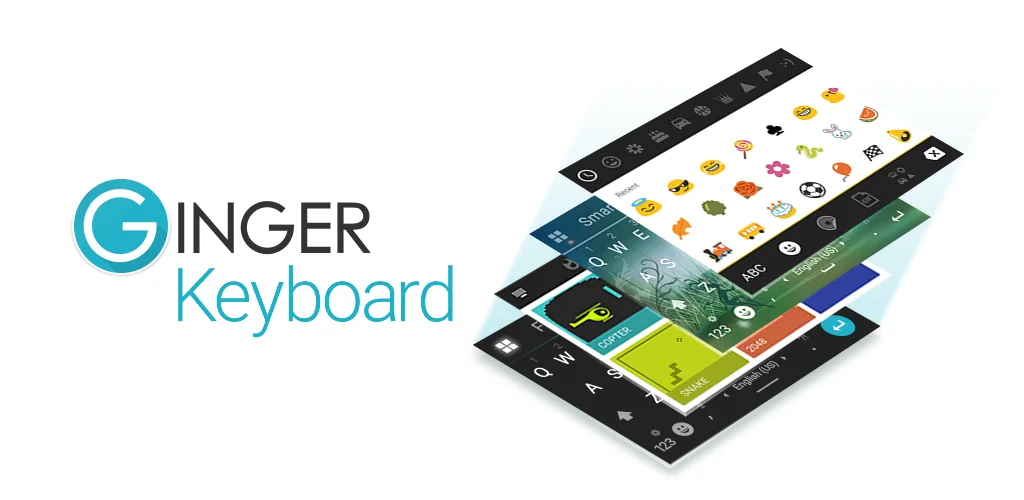

Ginger Keyboard - Emoji, GIFs app cover art for Android
Ginger Keyboard - Emoji, GIFs Icon

Ginger Keyboard - Emoji, GIFs APK for Android

10M+
Free
Apr 21, 2026

Download Ginger Keyboard - Emoji, GIFs APK 9.9.1 62MB

What is Ginger Keyboard?

Typing on Android can be a minefield of embarrassing errors. We’ve all been there, hitting send too fast, only to spot a glaring typo or a grammar blunder a second too late. That familiar sinking feeling? Ginger Keyboard - Emoji, GIFs aims to banish it.

I stumbled upon Ginger Keyboard - Emoji, GIFs looking for a better way to communicate. What made me pause was its bold claim: not just fixing single words, but checking your entire sentence context for grammar and spelling. Most keyboards stop at the current word, leaving bigger mistakes untouched. This one dives deeper. I found the contextual proofreader genuinely helpful, catching errors I often miss. It’s like having a tiny editor living inside your keyboard.

Beyond the smart corrections, the experience felt surprisingly fluid. Swipe typing is incredibly responsive, letting me glide across keys to form words quickly. I also appreciated the clever emoji prediction; it often suggested exactly the right emoji based on my text. Need to spice up a message? The advanced sentence rephrasing tool offers fresh ways to articulate your thoughts. And for those moments of waiting, the quick in-keyboard games are a delightful, unexpected bonus!

Here’s what you get:

  • Grammar & Spell Check: Scans your whole sentence for mistakes. You get a taste with 8 free corrections, then an upgrade unlocks unlimited power.
  • Emoji, GIFs & Stickers: Express yourself with a huge library of visuals.
  • Swipe Typing: Write faster by sliding your finger from letter to letter.
  • In-Keyboard Games: Play quick distractions like Snake or 2048 without leaving your chat.
  • Sentence Rephrasing: Discover alternative ways to phrase your text.

If you’re tired of awkward typos and want a keyboard that truly understands language, Ginger Keyboard - Emoji, GIFs is a smart choice. It makes mobile writing less stressful and more polished.
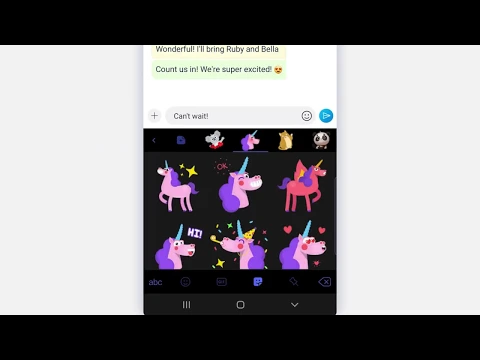
Video of Ginger Keyboard - Emoji, GIFs
Screenshot Ginger Keyboard - Emoji, GIFs 1
Screenshot Ginger Keyboard - Emoji, GIFs 2
Screenshot Ginger Keyboard - Emoji, GIFs 3
Screenshot Ginger Keyboard - Emoji, GIFs 4
Screenshot Ginger Keyboard - Emoji, GIFs 5
Screenshot Ginger Keyboard - Emoji, GIFs 6
Screenshot Ginger Keyboard - Emoji, GIFs 7
Screenshot Ginger Keyboard - Emoji, GIFs 8

Download Ginger Keyboard - Emoji, GIFs APK for Android

What's New in Version 9.9.1

Improvement in correction quality : more detection
AI-based synonyms dictionary integrated
Extended dictionary to cover modern words

Available Files

System Requirements

OS Version
Android 6.0 (Marshmallow) or higher
Architecture
Varies by file (Which one do I need?)
Disk Space
~100 MB free space required
RAM
1 GB
Internet
Not required
Permissions (26)
  • Internet
  • Access Network State
  • Read External Storage
  • Write External Storage
  • Read Contacts

APK File Details

Package ID com.gingersoftware.android.keyboard
Available on Google Play
Developer GingerSoftware Inc.
License Free
Monetization Contains Ads   In-App Purchases
Content Rating Everyone
Interface Language
English +78

English, German, Chinese, Arabic, French, Czech, Spanish, Italian, Russian, Portuguese, Thai, Polish, Vietnamese, Romanian, Turkish, Japanese, Bulgarian, Hindi, Ukrainian, Korean, Hungarian, Indonesian, + 57 localizations

APK Verification & Virus Scan Results

No Virus Signature Verified Safe & Original

Virus scan: Clean (0/58) View report. This APK is free of malware and its signature matches the official developer release.

Show File Details (SHA-256, SHA-1, MD5)

SHA-1 Signature:

be1b30b0c7c14839e81360ba9c328f44f67db511

SHA-256 Hash:

4b2a499e5396ac406146881e1c41951ad05375111fc5f92f5ce58c0dff820a57

MD5 Checksum:

1cbcfc409903bfe672c14fd15acc85cc

Frequently Asked Questions

Is Ginger Keyboard safe to download?

Yes, Ginger Keyboard is safe to download. The APK is scanned on every update — no malware or viruses detected. You can verify the full scan report in the Security section above.

How to install Ginger Keyboard APK on Android?

Download the APK using the button above. Then open the file and tap Install. If prompted, enable "Install from unknown sources" in Settings → Security. The process takes under a minute. Read more

What Android version does Ginger Keyboard require?

Ginger Keyboard requires Android 6.0 (API 23) or higher. Optimized for Android 16 (API 36).

Is Ginger Keyboard free?

Yes, it is free to download and use, but it contains ads and offers in-app purchases.

How to update Ginger Keyboard to the latest version?

Download the latest APK from this page and install it over your existing version — no need to uninstall first. Your data and settings will be preserved. We update the file as soon as a new version is released.

What processor architecture does Ginger Keyboard support?

Ginger Keyboard supports arm64-v8a, armeabi, armeabi-v7a, mips, x86, x86_64. If you are unsure about your device architecture, check the Device Info section on this page.

How to enable installation from unknown sources on Android?

Go to Settings → Security (or Settings → Apps → Special access on Android 8+) and enable "Install unknown apps" for your browser or file manager. On Android 8 and above this setting is per-app, not global. Read more

If you have found any issue or are having difficulty with this page, please .

User Reviews & Ratings

Global rating(Play Store): 3.84(183.5K)
Site Rating: 5(1)
Rate this app

5.00

12345

1

Share your experience with other users.