Microsoft SwiftKey AI Keyboard app cover art for Android
Microsoft SwiftKey AI Keyboard Icon

Microsoft SwiftKey AI Keyboard APK for Android

SwiftKey Original
1B+
Free
Dec 15, 2025

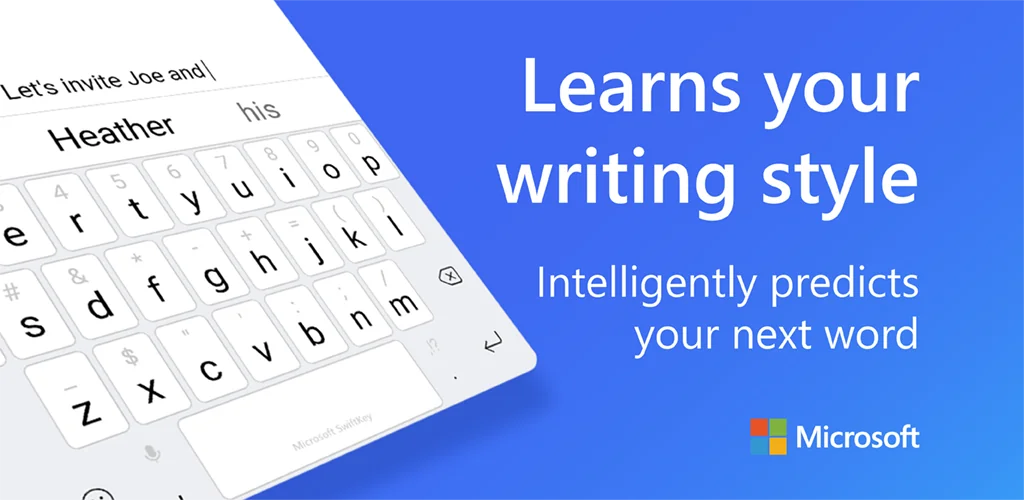
Smart and intelligent typing from the keyboard that learns from you.

Download Microsoft SwiftKey AI Keyboard APK 9.12.19.14 179MB Old versions

What is Microsoft SwiftKey AI Keyboard?

Swift Key Keyboard + Emojl – this utility updates the on-screen keyboard of your smart device in order to make typing easier, easier and faster.

Swift Key Keyboard + Emojl – functions:

  1. Predictive text input;
  2. Auto-correction of symbols, letters and words;
  3. Smart next word prediction in 60 languages;
  4. Program compiles your own dictionary library, which will be constantly updated along with your dictionary;
  5. Prediction of frequently used phrases and expressions in a narrow field of their application – politics, economics, medicine, culture and sports;
  6. Intelligent correction of grammatical and spelling errors;
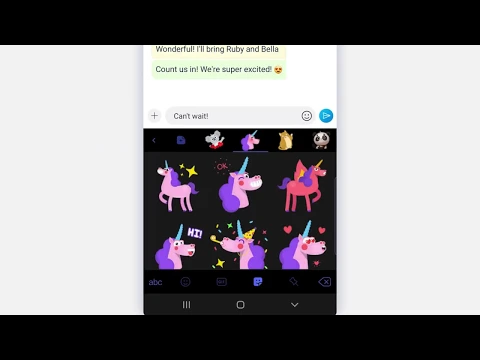
  7. More than 800 emoticons (emoticons made up of typographic characters);
  8. Intelligent prediction of emoticons depending on the context;
  9. One-touch activation of functions and settings.

Swift Key Keyboard + Emojl — settings:

  • 30 keyboard themes to choose from;
  • Keyboard layout for all screen sizes and devices;
  • The word prediction function can be linked to the dictionary library of Facebook, Twitter, Gmail, Evermote and others.

Swift Key Keyboard + Emojl – features:

  1. Some features only work on certain versions of Android; for example, emoticons are supported on Android 4.1 and higher (Jill Bean and KitKat);
  2. The app requires access to your text messages in order to build your custom vocabulary library;
  3. The app does not support autospace entry;
  4. For more information please contact support.

Swift Key Keyboard + Emojl – this application is designed for amateurs and professionals whose work is related to the input and editing of a large array of texts in field conditions – these can be journalists, copywriters or just people in love.
Also known as: Microsoft SwiftKey Keyboard, SwiftKey Keyboard
Screenshot Microsoft SwiftKey AI Keyboard 1
Screenshot Microsoft SwiftKey AI Keyboard 2
Screenshot Microsoft SwiftKey AI Keyboard 3
Screenshot Microsoft SwiftKey AI Keyboard 4
Screenshot Microsoft SwiftKey AI Keyboard 5
Screenshot Microsoft SwiftKey AI Keyboard 6
Screenshot Microsoft SwiftKey AI Keyboard 7
Screenshot Microsoft SwiftKey AI Keyboard 8

Download Microsoft SwiftKey AI Keyboard APK for Android

What's New in Version 9.12.19.14

General improvements to ensure your Microsoft SwiftKey Keyboard runs smoothly.

Other versions

System Requirements

OS Version
Android 8.0 (OREO) or higher
Architecture
Varies by file (Which one do I need?)
Disk Space
~250 MB free space required
RAM
2 GB
Internet
Not required
Google Services
Required
Permissions (23)
  • Internet
  • Record Audio
  • Camera
  • Access Network State
  • Read External Storage

APK File Details

Package ID com.touchtype.swiftkey
Available on Google Play
Developer SwiftKey
License Free
Monetization Contains Ads  
Content Rating Everyone
Interface Language
English +23

English, Arabic, Portuguese, Japanese, Hungarian, Turkish, Hindi, German, Chinese, Spanish, Polish, Thai, French, Italian, Ukrainian, Korean, Russian, Vietnamese, + 6 localizations

APK Verification & Virus Scan Results

No Virus Signature Verified Safe & Original

Virus scan: Clean (0/61) View report. This APK is free of malware and its signature matches the official developer release.

Show File Details (SHA-256, SHA-1, MD5)

SHA-1 Signature:

d5748003cd4bf73c7a468eeb36caec84b7785c26

SHA-256 Hash:

c26569e816575760e666b038ba3ccf5d6f0cbf01acdbec19882fc8462b2518fc

MD5 Checksum:

dfec816b9c5dc4f3728c2851772ac5c0

Frequently Asked Questions

Is Microsoft SwiftKey AI Keyboard safe to download?

Yes, Microsoft SwiftKey AI Keyboard is safe to download. The APK is scanned on every update — no malware or viruses detected. You can verify the full scan report in the Security section above.

How to install XAPK file?

XAPK is a split APK package. Standard Android installer cannot open it directly. Use 'SAI' or 'XAPK Installer' — they handle XAPK files automatically. Download the installer, open the XAPK file with it, and follow the on-screen steps. Read more

What Android version does Microsoft SwiftKey AI Keyboard require?

Microsoft SwiftKey AI Keyboard requires Android 8.0 (API 26) or higher. Optimized for Android 15 (API 35).

Is Microsoft SwiftKey AI Keyboard free?

Yes, it is free to use, but it is ad-supported.

How to update Microsoft SwiftKey AI Keyboard to the latest version?

Download the latest APK from this page and install it over your existing version — no need to uninstall first. Your data and settings will be preserved. We update the file as soon as a new version is released.

Does Microsoft SwiftKey AI Keyboard require Root access?

No root is required for basic use. Microsoft SwiftKey AI Keyboard works on standard Android for CPU info, RAM, battery, sensors, and network stats. Root unlocks a small set of advanced system parameters that Android restricts by default.

What processor architecture does Microsoft SwiftKey AI Keyboard support?

Microsoft SwiftKey AI Keyboard supports x86_64, x86, arm64-v8a, armeabi-v7a. If you are unsure about your device architecture, check the Device Info section on this page.

If you have found any issue or are having difficulty with this page, please .

User Reviews & Ratings

Global rating(Play Store): 4.08(3.9M)
Site Rating: 3.9(10)
Rate this app

3.90

12345

10

Share your experience with other users.

ndons:
n???