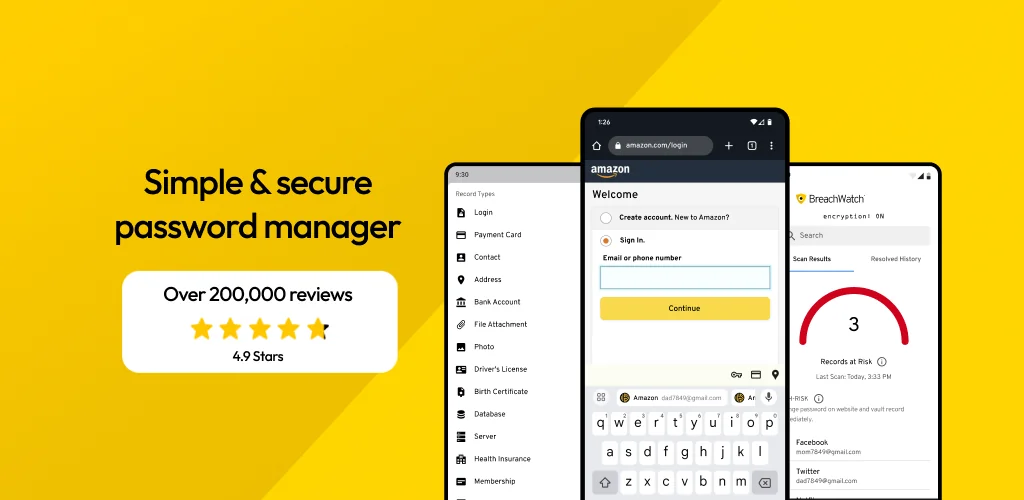

Keeper Password Manager app cover art for Android
Keeper Password Manager Icon

Keeper Password Manager APK for Android

38M+
Free
Nov 18, 2025

Stop Forgetting Passwords: Your Ultimate Security Solution.

Download Keeper Password Manager APK app 17.3.30.144601 77MB

What is Keeper Password Manager?

Tired of juggling a million passwords and constantly forgetting them? Do you feel like your online life is a house of cards, just waiting to be blown over by a cyberattack? Then you need Keeper Password Manager, the super-secure password vault that’s like Fort Knox for your digital life!

Keeper Password Manager isn’t just a password keeper; it’s your personal cybersecurity bodyguard. Imagine a super-smart assistant that generates strong, unique passwords for every website and app you use. Then, it locks them away in a digital vault, protected by military-grade encryption (that’s AES-256, for those in the know!). You can access this vault on any of your Android devices – phone, tablet, you name it.

But wait, there’s more! Keeper Password Manager also stores your passkeys and those annoying two-factor authentication (2FA) codes, making logging in a breeze. Forget typing – just use your fingerprint or face ID to unlock your vault and autofill your credentials. It even monitors the Dark Web for breaches, alerting you immediately if your accounts are compromised. Think of it as your personal online security alarm system.

Keeper Password Manager is trusted by millions worldwide and has earned accolades from PCMag, U.S. News & World Report, and Tom’s Guide. It works seamlessly with all major browsers like Chrome, Firefox, and Edge, and importing your passwords from other password managers (like LastPass or 1Password) is a snap.

Ready to take control of your online security and say goodbye to password headaches? Download Keeper Password Manager today and experience the peace of mind that comes with knowing your digital life is safe and sound!
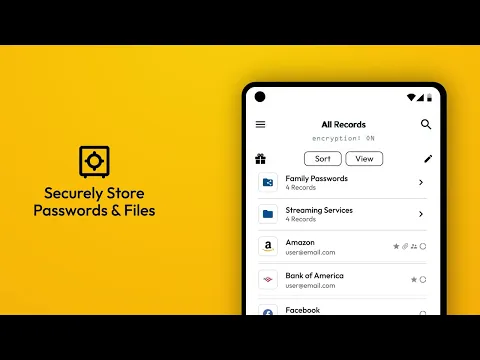
Video of Keeper Password Manager
Screenshot Keeper Password Manager 1
Screenshot Keeper Password Manager 2
Screenshot Keeper Password Manager 3
Screenshot Keeper Password Manager 4
Screenshot Keeper Password Manager 5
Screenshot Keeper Password Manager 6
Screenshot Keeper Password Manager 7
Screenshot Keeper Password Manager 8

Download Keeper Password Manager APK for Android

What's New in Version app 17.3.30.144601

Account Switching: Seamlessly switch between accounts without needing to log out and back in. Wi-Fi Login Record Type: Dedicated record type for Wi-Fi credentials with automatic QR code generation. Sync and Offline Status: New indicator displays animated sync status and a clear offline alert. Various bug fixes.

Available Files

System Requirements

OS Version
Android 9.0 (Pie) or higher
Architecture
Varies by file (Which one do I need?)
Disk Space
~100 MB free space required
RAM
1 GB
Internet
Not required
Google Services
Required
Permissions (27)
  • Internet
  • Record Audio
  • Camera
  • Access Network State
  • Read External Storage

APK File Details

Package ID com.callpod.android_apps.keeper
Available on Google Play
Developer Keeper Security, Inc.
License Free ( No Ads)
Monetization In-App Purchases
Content Rating Everyone
Interface Language
English +16

English, Arabic, Chinese, Turkish, German, French, Spanish, Russian, Hindi, Japanese, Thai, Vietnamese, Korean, Italian, Portuguese, + 2 localizations

APK Verification & Virus Scan Results

No Virus Signature Verified Safe & Original

Virus scan: Clean (0/65) View report. This APK is free of malware and its signature matches the official developer release.

Show File Details (SHA-256, SHA-1, MD5)

SHA-1 Signature:

816587ac9b6bf7b4737cfbdc10d8033b7731e518

SHA-256 Hash:

2cd45dc9a076272f9e6b75a0157037d483d5fcf7c2e13516b3a1055452232133

MD5 Checksum:

ee315ca2fe7ee444d34c67bbc53accb0

Frequently Asked Questions

Is Keeper Password Manager safe to download?

Yes, Keeper Password Manager is safe to download. The APK is scanned on every update — no malware or viruses detected. You can verify the full scan report in the Security section above.

How to install XAPK file?

XAPK is a split APK package. Standard Android installer cannot open it directly. Use 'SAI' or 'XAPK Installer' — they handle XAPK files automatically. Download the installer, open the XAPK file with it, and follow the on-screen steps. Read more

What Android version does Keeper Password Manager require?

Keeper Password Manager requires Android 9.0 (API 28) or higher. Optimized for Android 15 (API 35).

Is Keeper Password Manager free?

Yes, the app is free to download, but it contains in-app purchases for additional content.

How to update Keeper Password Manager to the latest version?

Download the latest APK from this page and install it over your existing version — no need to uninstall first. Your data and settings will be preserved. We update the file as soon as a new version is released.

What processor architecture does Keeper Password Manager support?

Keeper Password Manager supports arm64-v8a. This build does not support x86/x86_64 processors, so it will not run on most PC emulators. If you are unsure about your device architecture, check the Device Info section on this page.

How to enable installation from unknown sources on Android?

Go to Settings → Security (or Settings → Apps → Special access on Android 8+) and enable "Install unknown apps" for your browser or file manager. On Android 8 and above this setting is per-app, not global. Read more

If you have found any issue or are having difficulty with this page, please .

User Reviews & Ratings

Global rating(Play Store): 4.57(107.9K)
Site Rating: 5(1)
Rate this app

5.00

12345

1

Share your experience with other users.