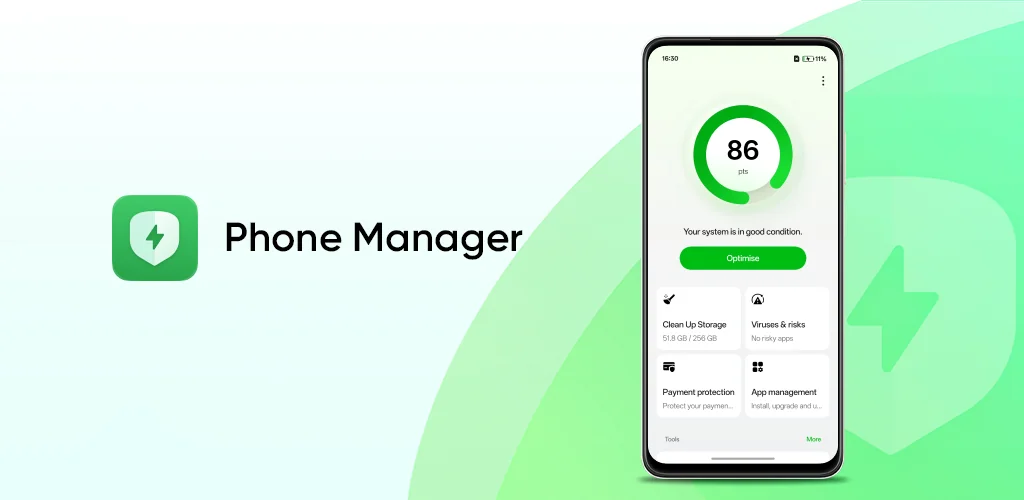
Phone Manager app cover art for Android
Phone Manager Icon

Phone Manager APK for Android

ColorOS Original
1B+
Free
Nov 13, 2025

The one-tap solution to a faster, cleaner, and more secure smartphone

Download Phone Manager APK 16.4.4 64MB

What is Phone Manager?

Is your phone feeling a bit sluggish lately? If you’re using an OPPO or realme smartphone, you have a built-in secret weapon to keep it running like new. Let’s talk about Phone Manager, the all-in-one toolkit designed specifically for your device.

Think of it as a personal mechanic for your phone. With just a single tap, it springs into action. This isn’t just about clearing out old files, it’s a complete health check-up. The app scans for security risks, sweeps away useless junk files that eat up your storage, and even flags potential virus threats. It’s the simplest way to give your phone an instant performance boost.

But it does more than just clean up. Worried about privacy? Phone Manager has you covered with a powerful security toolbox. You can manage which apps have permission to access your data, and it helps shield you from malicious software. It’s like having a security guard for your personal information, working around the clock to keep everything safe.

Here’s a quick look at what Phone Manager can do for you:

  • One-Tap Tune-Up: Instantly scans and optimizes your phone’s security, storage, and performance.
  • Storage Cleanup: Frees up valuable memory by removing junk files and unnecessary data.
  • Virus Scanning: Actively searches for and defends against viruses and other malware.
  • Security Toolbox: Offers a suite of tools to manage app permissions and protect your privacy.

Exclusively available for OPPO and realme phones, Phone Manager is tailored to get the best out of your device’s hardware and software.

Ready to rediscover how fast and secure your phone can be? Dive into your app drawer, find Phone Manager, and give your phone the refresh it deserves.
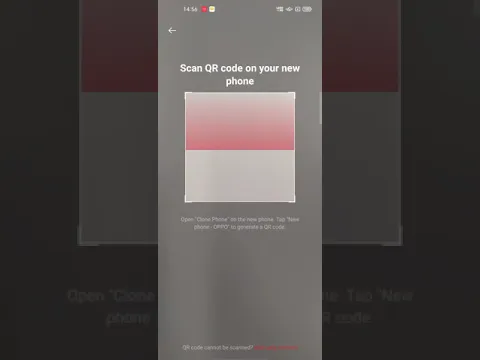
Video of Phone Manager
Screenshot Phone Manager 1
Screenshot Phone Manager 2
Screenshot Phone Manager 3
Screenshot Phone Manager 4
Screenshot Phone Manager 5

Download Phone Manager APK for Android

What's New in Version 16.4.4

1.Improved user experience with features and fixed some known issues

Available Files

System Requirements

OS Version
Android 11 (R) or higher
Architecture
Varies by file (Which one do I need?)
Disk Space
~100 MB free space required
RAM
1 GB
Internet
Not required
Permissions (59)
  • Internet
  • Access Network State
  • Vibrate
  • Wake Lock
  • Filesafe

APK File Details

Package ID com.coloros.phonemanager
Available on Google Play
Developer ColorOS
License Free
Monetization Contains Ads  
Content Rating Everyone
Interface Language
English +70

English, Japanese, German, Thai, Hindi, Vietnamese, Polish, Korean, Romanian, Arabic, French, Turkish, Czech, Spanish, Italian, Portuguese, Hungarian, Russian, Ukrainian, Bulgarian, Chinese, Indonesian, + 49 localizations

APK Verification & Virus Scan Results

No Virus Signature Verified Safe & Original

Virus scan: Clean (0/58) View report. This APK is free of malware and its signature matches the official developer release.

Show File Details (SHA-256, SHA-1, MD5)

SHA-1 Signature:

16ecbd5bfa0c9601d5d469dc2ae49939c5406cfc

SHA-256 Hash:

f924d6c35020889dceef82ef6d07a0fd7afe94957c0ff09a2605d346020df28d

MD5 Checksum:

3ddb524e7006a8fd9ecba353dcfce09a

Frequently Asked Questions

Is Phone Manager safe to download?

Yes, Phone Manager is safe to download. The APK is scanned on every update — no malware or viruses detected. You can verify the full scan report in the Security section above.

How to install Phone Manager APK on Android?

Download the APK using the button above. Then open the file and tap Install. If prompted, enable "Install from unknown sources" in Settings → Security. The process takes under a minute. Read more

What Android version does Phone Manager require?

Phone Manager requires Android 11 (API 30) or higher. Optimized for Android 16 (API 36).

Is Phone Manager free?

Yes, it is free to use, but it is ad-supported.

How to update Phone Manager to the latest version?

Download the latest APK from this page and install it over your existing version — no need to uninstall first. Your data and settings will be preserved. We update the file as soon as a new version is released.

Does Phone Manager require Root access?

No root is required for basic use. Phone Manager works on standard Android for CPU info, RAM, battery, sensors, and network stats. Root unlocks a small set of advanced system parameters that Android restricts by default.

What processor architecture does Phone Manager support?

Phone Manager supports arm64-v8a, armeabi-v7a. This build does not support x86/x86_64 processors, so it will not run on most PC emulators. If you are unsure about your device architecture, check the Device Info section on this page.

If you have found any issue or are having difficulty with this page, please .

User Reviews & Ratings

Global rating(Play Store): 2.73(106.7K)
Site Rating: 4(1)
Rate this app

4.00

12345

1

Share your experience with other users.