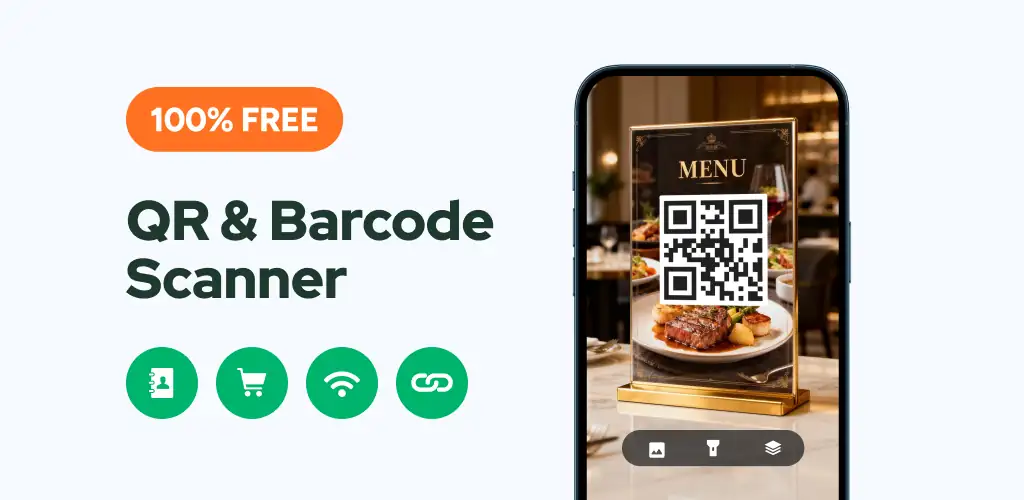

QR Scanner: Barcode Scanner app cover art for Android
QR Scanner: Barcode Scanner Icon

QR Scanner: Barcode Scanner APK for Android

Also known as: QR Code Reader and Scanner - QR Scanner
108M+
Free
Aug 10, 2026

Decodes any QR or barcode instantly, works offline, and builds your own codes too

Download QR Scanner: Barcode Scanner APK 2.7.5 39MB

What is QR Scanner: Barcode Scanner?

QR Scanner: Barcode Scanner is a QR and barcode scanner that reads a code the moment you point the camera at it. It decodes contacts, Wi-Fi passwords, product barcodes, URLs, and coupon codes without asking for anything beyond camera access.

Scanning takes one motion: aim the camera, and the app auto-zooms onto small or distant codes without any pinching or manual focus. Once it decodes a code, it hands you the relevant action, whether that means opening a website, connecting to a Wi-Fi network without typing the password, or pulling up a product listing to compare prices. The app also reads codes from images already sitting in your gallery, useful when someone sends you a screenshot instead of a physical code to scan. Every scan gets logged automatically, so you can find a coupon or link you scanned last week without redoing the work. On the creation side, the app also lets you build your own QR codes rather than just reading other people's.

Key Features:

  • Auto zoom locks onto small or far away codes without any manual adjustment
  • Scan barcodes and QR codes straight from saved images in your gallery
  • A built-in flashlight toggle handles scanning in dim rooms or dark shelves
  • Every scan lands in a searchable scan history for later reference
  • Generate your own custom QR codes for sharing links, text, or contact details
  • The scanner works entirely offline, with no data connection required to decode a code

Scanning coupons and product barcodes

Retail use is where this app earns its keep beyond the basic QR lookup. Point it at a coupon or promo barcode in a store and it decodes the code instantly, then offers to search the product online so you can check whether the price on the shelf actually beats what's available elsewhere. The same flow works for standard product barcodes like UPC-A and EAN-8, alongside less common formats such as Code 39, Codabar, and Data Matrix. Because none of this needs an internet connection to scan (only to look up prices afterward), the core reading function keeps working in a basement parking garage or a signal-dead aisle.

Alternatives to QR Scanner: Barcode Scanner

Google Lens covers similar ground but leans on broader image recognition and ties results into Google Search, which suits someone who wants visual lookups beyond just codes. Kaspersky QR Scanner takes a different angle, checking every scanned link against a database of known malicious sites before you tap through, something QR Scanner: Barcode Scanner does not attempt. Anyone who wants a fast, no-frills scanner without a security layer gets that here; anyone worried about phishing links hidden in QR codes should look elsewhere.

This app suits anyone who wants a quick, single-purpose scanner for Wi-Fi codes, coupons, and product barcodes without extra image-search features. It does not check scanned links against any security database, so a malicious URL decodes and opens just as readily as a safe one.

QR Scanner: Barcode Scanner screenshot 1
QR Scanner: Barcode Scanner screenshot 2
QR Scanner: Barcode Scanner screenshot 3
QR Scanner: Barcode Scanner screenshot 4
QR Scanner: Barcode Scanner screenshot 5
QR Scanner: Barcode Scanner screenshot 6
QR Scanner: Barcode Scanner screenshot 7
QR Scanner: Barcode Scanner screenshot 8

QR Scanner: Barcode Scanner APK Download

What's New in Version 2.7.5

No official changelog provided for QR Scanner: Barcode Scanner version 2.7.5. This update likely includes general stability improvements and bug fixes.

System Requirements

OS Version
Android 6.0 (Marshmallow) or higher
Architecture
Varies by file (Which one do I need?)
Disk Space
~50 MB free space required
RAM
1 GB
Internet
Not required
Google Services
Required

APK File Details

Package ID qrcodereader.barcodescanner.scan.qrscanner
Available on Google Play
Developer Simple Design Ltd.
License Free
Monetization Contains Ads   In-App Purchases
Content Rating Everyone
Interface Language
English +22

English, Arabic, German, Spanish, French, Hindi, Italian, Japanese, Korean, Polish, Portuguese, Russian, Thai, Turkish, Ukrainian, Vietnamese, Chinese, + 6 localizations

Required Permissions (17)
  • Internet
  • Camera
  • Access Network State
  • Read External Storage
  • Write External Storage

APK Verification & Virus Scan Results

Scan In Queue Signature Verified Safe & unmodified

Full antivirus scan in queue; report will appear here shortly. Signature matches the official developer release.

Show File Details (SHA-256, SHA-1, MD5)

SHA-1 Signature:

86bc2880c257368375c59af2a19265dd17e0f5ed

SHA-256 Hash:

e65eb2047ff0ebd77bcf2ce9552918eabd60ec9611156af3de04f00e422413ac

MD5 Checksum:

6687544ac22e4b48cddfb4fbda594978

Frequently Asked Questions

Is QR Scanner: Barcode Scanner safe to download?

QR Scanner: Barcode Scanner has passed a basic integrity check. A full antivirus scan is pending. You can check the current scan status in the Security section above.

How to install XAPK file?

XAPK is a split APK package. Standard Android installer cannot open it directly. Use 'SAI' or 'XAPK Installer' — they handle XAPK files automatically. Download the installer, open the XAPK file with it, and follow the on-screen steps. Read more

What Android version does QR Scanner: Barcode Scanner require?

QR Scanner: Barcode Scanner requires Android 6.0 (API 23) or higher. Optimized for Android 15 (API 35).

Is QR Scanner: Barcode Scanner free?

Yes, it is free to download and use, but it contains ads and offers in-app purchases.

How to update QR Scanner: Barcode Scanner to the latest version?

Download the latest APK from this page and install it over your existing version — no need to uninstall first. Your data and settings will be preserved. We update the file as soon as a new version is released.

What processor architecture does QR Scanner: Barcode Scanner support?

QR Scanner: Barcode Scanner supports arm64-v8a, x86, armeabi-v7a, x86_64. If you are unsure about your device architecture, check the Device Info section on this page.

How to enable installation from unknown sources on Android?

Go to Settings → Security (or Settings → Apps → Special access on Android 8+) and enable "Install unknown apps" for your browser or file manager. On Android 8 and above this setting is per-app, not global. Read more

Found a problem on this page?

User Reviews & Ratings

Global rating (Play Store): 4.6(531.1K)
Site Rating: 5(1)
Rate this app

5.00

12345

1

Share your experience with other users.

Download QR Scanner: Barcode Scanner APK - Latest version

Get the official APK file for your Android device. Fast, safe, and free. Download APK