What is WiFi Map: WiFi QR Scanner?
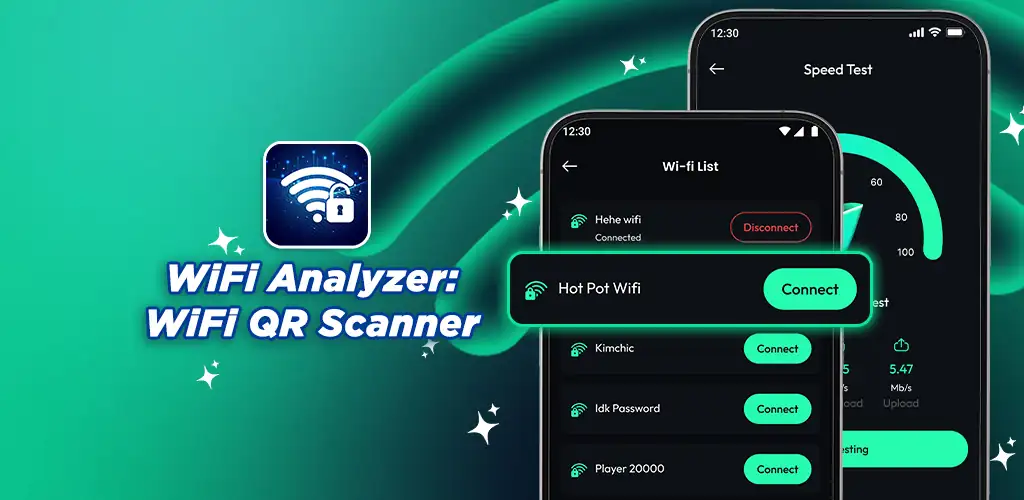
WiFi Map: WiFi QR Scanner is a network utility and wifi analyzer that scans, monitors, and tests wireless connections to help you troubleshoot signal issues and optimize performance. It combines a signal strength tracker, speed test tool, and QR scanner into one straightforward interface.
Scan nearby networks to view signal strength, channel congestion, and connection quality side by side. The real-time monitoring tracks how your connection behaves as you move around a room or building, displaying graphs that update as signal strength shifts. Run a speed test to measure download and upload rates plus latency, then compare results against what your ISP promises. Need to join a network quickly? The built-in QR scanner reads network credentials and connects without typing.
The highlights:
- Network scanner pulls detailed data on signal strength, channel usage, and connection quality for every nearby WiFi source
- Real-time monitoring shows connection stability through live graphs and visual indicators as you move
- Speed test measures download speed, upload speed, and latency in seconds with reliable results
- QR code scanner connects you to networks without manual entry, saving time when joining new hotspots
Network troubleshooting and optimization
The signal strength monitor is where you spend time when diagnosing weak spots. Walk through your home or office and watch the graph dip in areas where walls or distance degrade the connection. Use that data to reposition a router or switch to a less crowded channel. The scanner also flags which channels neighbors are using, so you can pick one with less interference. Speed test results sit in a history log, letting you track performance over days or weeks and spot patterns tied to time of day or network load.
Other wifi analyzer apps
Where most wifi analyzers focus on visualizing channel congestion or running speed tests, this one bundles both with a QR scanner for faster connections. WiFi Analyzer by farproc leans heavily into signal strength graphs and channel visualization, while Speedtest by Ookla centers on comprehensive speed testing and diagnostic data. This app balances scanning, monitoring, and testing in one tool, making it practical for users who want all three without switching between apps.
Best for users troubleshooting unstable connections, verifying internet speeds against what they pay for, or managing wireless networks across multiple rooms. The app contains advertisements, which appear between scans and speed tests.



Share your experience with other users.