

CPU X - Device & System info app cover art for Android
CPU X - Device & System info Icon

CPU X - Device & System info APK for Android

Absut Original
12M+
Free
Apr 3, 2026

All-in-one hardware insights and essential phone tools.

Download CPU X - Device & System info APK 4.1.2 28MB

What is CPU X?

Ever wondered what’s really going on inside your Android phone, or how it stacks up against others? I certainly have! I was just looking for a quick way to check my device’s RAM, and then I stumbled upon CPU X - Device & System info. What immediately grabbed my attention wasn’t just the clean, intuitive interface, but the sheer depth of information it offered. It’s like having a diagnostic lab right in your pocket.

This app goes way beyond basic specs. I was genuinely surprised to find real-time monitors for things like internet speed and battery current, showing you exactly what’s happening moment by moment. Where most apps stop at listing static numbers, CPU X - Device & System info helps you understand your phone’s live performance. Need to test if your display has dead pixels, or if your speakers are working perfectly? It includes a whole suite of hardware tests. Plus, there’s a vibrant forum where you can chat with other tech enthusiasts and get answers to your burning questions. How cool is that?

What stands out:

  • Device Specifications → Get a complete breakdown of your phone’s processor, RAM, camera, and sensors.
  • Internet Speed Monitor → See your current download and upload speeds directly in your notifications.
  • Hardware Tests → Easily check your display, speakers, vibration, Wi-Fi, and more for full functionality.
  • Handy Tools → Access a digital ruler, compass, and bubble level, turning your phone into a versatile toolkit.
  • Q&A Forum → Connect with a community to discuss tech and troubleshoot issues.

If you’re curious about your phone’s inner workings, want to monitor its health, or just need some practical tools, you’re truly missing out by not having CPU X - Device & System info. It’s an essential utility for any Android user.
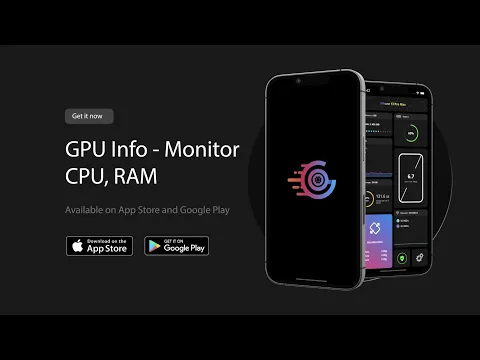
Video of CPU X - Device & System info
Screenshot CPU X - Device & System info 1
Screenshot CPU X - Device & System info 2
Screenshot CPU X - Device & System info 3
Screenshot CPU X - Device & System info 4
Screenshot CPU X - Device & System info 5
Screenshot CPU X - Device & System info 6
Screenshot CPU X - Device & System info 7
Screenshot CPU X - Device & System info 8

Download CPU X - Device & System info APK for Android

What's New in Version 4.1.2

Few minor bugs fixed.

Available Files

System Requirements

OS Version
Android 8.0 (OREO) or higher
Architecture
Varies by file (Which one do I need?)
Disk Space
~40 MB free space required
RAM
1 GB
Internet
Not required
Google Services
Required   GMS dependent
Permissions (26)
  • Requires Google Play Services to launch:
    Note: This is an original file. Unlike modded versions with no verification, it validates via your store account. Details
  • Internet
  • Camera
  • Access Network State
  • Vibrate
  • Wake Lock

APK File Details

Package ID com.abs.cpu_z_advance
Available on Google Play
Developer Absut
License Free
Monetization Contains Ads   In-App Purchases
Content Rating Everyone
Interface Language
English +0

English

APK Verification & Virus Scan Results

No Virus Signature Verified Safe & Original

Virus scan: Clean (0/54) View report. This APK is free of malware and its signature matches the official developer release.

Show File Details (SHA-256, SHA-1, MD5)

SHA-1 Signature:

230709e2cd8479b2100e17a16e44caf3275c6a17

SHA-256 Hash:

f60ec3e9129ba29eb3a0b53bb9e2e409cc94962de63c73f8563e9e26710089b3

MD5 Checksum:

68dc8555adb8e1401195bd986bb7b0a5

Frequently Asked Questions

Is CPU X safe to download?

Yes, CPU X is safe to download. The APK is scanned on every update — no malware or viruses detected. You can verify the full scan report in the Security section above.

How to install XAPK file?

XAPK is a split APK package. Standard Android installer cannot open it directly. Use 'SAI' or 'XAPK Installer' — they handle XAPK files automatically. Download the installer, open the XAPK file with it, and follow the on-screen steps. Read more

What Android version does CPU X require?

CPU X requires Android 8.0 (API 26) or higher. Optimized for Android 15 (API 35).

Is CPU X free?

Yes, it is free to download and use, but it contains ads and offers in-app purchases.

Does CPU X require a license check?

Yes, this app performs a license check. You may need to have the Google Play Store installed and be logged in to verify the license.

How to update CPU X to the latest version?

Download the latest APK from this page and install it over your existing version — no need to uninstall first. Your data and settings will be preserved. We update the file as soon as a new version is released.

Does CPU X require Root access?

No root is required for basic use. CPU X works on standard Android for CPU info, RAM, battery, sensors, and network stats. Root unlocks a small set of advanced system parameters that Android restricts by default.

If you have found any issue or are having difficulty with this page, please .

User Reviews & Ratings

Global rating(Play Store): 4.71(261.3K)
Site Rating: 5(1)
Rate this app

5.00

12345

1

Share your experience with other users.