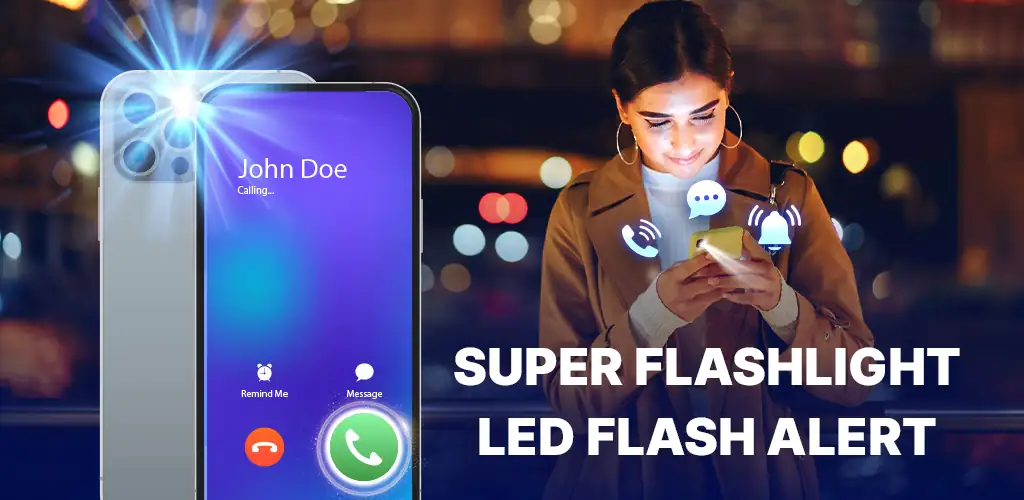
Flashlight App: Flash Alert app cover art for Android
Flashlight App: Flash Alert Icon

Flashlight App: Flash Alert APK for Android

SMI Team Original
3M+
Free
Oct 15, 2026

LED torch with call alerts, SOS signals, and music strobe

Download Flashlight App: Flash Alert APK 1.1.6 31MB

What is Flashlight App: Flash Alert?

Flashlight App: Flash Alert is a flashlight and notification utility that ties your device's LED to incoming calls, messages, and app alerts while doubling as a manual torch and SOS signal. Flash on ring, strobe to music, or light your way: it rolls three tools into one install.

The core mechanic is LED control triggered by system events. When a call or notification arrives, the camera flash blinks until you dismiss it. A manual torch mode keeps the light steady for as long as you need it, and an SOS mode pulses the international distress pattern. The music strobe listens to sound and syncs the flash to whatever is playing, turning the LED into a beat-reactive light. A home-screen shortcut skips the app launch and fires the torch from the lock screen.

Key features

Lighting modes

  • Manual torch holds the LED at full brightness until you turn it off.
  • SOS mode flashes the three-short-three-long distress signal without you holding a button.

Flash on call and notifications

  • The LED blinks when a call, SMS, or app notification arrives, cutting through noise or vibrate-only settings.
  • A music strobe syncs the flash to sound, useful in a dark room or as a party effect.

Quick access

  • A lock-screen widget fires the torch without unlocking the phone or opening the app.

Flashlight modes and shortcuts

The app offers three lighting patterns. The manual torch is a steady beam for navigating in the dark or reading a label. SOS mode cycles the distress signal on repeat, hands-free, until you stop it. The music strobe flashes in time with sound, either from a mic or from media playback. The shortcut widget lives on the home screen or lock screen and launches the torch with one tap, faster than digging through the app drawer.

Other flashlight and notification apps

Flashlight App: Flash Alert covers three use cases: notification alerts, manual lighting, and sound-reactive effects. Flashlight focuses only on the torch, with no notification tie-in. Flash Alerts on Call and SMS handles call and message blink patterns but skips the manual torch and music modes. If you want visual alerts for incoming communication and a standalone flashlight in the same install, this one does both. If you only need a torch or only need notification blinks, the single-purpose apps are lighter.

This suits anyone who misses calls in loud environments or wants a torch without installing a second app. The limitation is ads between features, which slow access when switching modes.

Flashlight App: Flash Alert screenshot 1
Flashlight App: Flash Alert screenshot 2
Flashlight App: Flash Alert screenshot 3
Flashlight App: Flash Alert screenshot 4
Flashlight App: Flash Alert screenshot 5

Flashlight App: Flash Alert APK Download

What's New in Version 1.1.6

No official changelog provided for Flashlight App: Flash Alert version 1.1.6. This update likely includes general stability improvements and bug fixes.

Download Link:

System Requirements

OS Version
Android 7.0 (Nougat) or higher
Architecture
Varies by file (Which one do I need?)
Disk Space
~40 MB free space required
RAM
1 GB
Internet
Not required
Google Services
Required   GMS dependent

APK File Details

Package ID com.flashlight.ledlight.flashalert.torchlight
Available on Google Play
Developer SMI Team
License Free
Monetization Contains Ads  
Content Rating Everyone
Interface Language
English +78

English, Arabic, Bulgarian, Czech, German, Spanish, French, Hindi, Hungarian, Indonesian, Italian, Japanese, Korean, Polish, Portuguese, Romanian, Russian, Thai, Turkish, Ukrainian, Vietnamese, Chinese, + 57 localizations

Required Permissions (23)
  • Requires Google Play Services to launch:
    Note: This is an original file. Unlike modded versions with no verification, it validates via your store account. Details
  • Internet
  • Record Audio
  • Camera
  • Access Network State
  • Read Phone State

APK Verification & Virus Scan Results

No Virus Signature Verified Safe & unmodified

Virus scan: Verified safe (0/66) View report. This APK is free of malware and its signature matches the official developer release.

Show File Details (SHA-256, SHA-1, MD5)

SHA-1 Signature:

4a03ffb4f03cc4f6566b9c7d497bd6678fc32768

SHA-256 Hash:

2529424d965b1d61690fe7efd8fdd58f41c47813089f543cecf477d65c3febd4

MD5 Checksum:

1e14f476da5dff1ef3d3e8437800b2c0

Frequently Asked Questions

Is Flashlight App: Flash Alert safe to download?

Yes, Flashlight App: Flash Alert is safe to download. The APK is scanned on every update — no malware or viruses detected. You can verify the full scan report in the Security section above.

How to install XAPK file?

XAPK is a split APK package. Standard Android installer cannot open it directly. Use 'SAI' or 'XAPK Installer' — they handle XAPK files automatically. Download the installer, open the XAPK file with it, and follow the on-screen steps. Read more

What Android version does Flashlight App: Flash Alert require?

Flashlight App: Flash Alert requires Android 7.0 (API 24) or higher. Optimized for Android 16 (API 36).

Is Flashlight App: Flash Alert free?

Yes, it is free to use, but it is ad-supported.

Does Flashlight App: Flash Alert require a license check?

Yes, this app performs a license check. You may need to have the Google Play Store installed and be logged in to verify the license.

How to update Flashlight App: Flash Alert to the latest version?

Download the latest APK from this page and install it over your existing version — no need to uninstall first. Your data and settings will be preserved. We update the file as soon as a new version is released.

Does Flashlight App: Flash Alert require Root access?

No root is required for basic use. Flashlight App: Flash Alert works on standard Android for CPU info, RAM, battery, sensors, and network stats. Root unlocks a small set of advanced system parameters that Android restricts by default.

Found a problem on this page?

User Reviews & Ratings

Global rating (Play Store): 2.8★ (86)
Site Rating: 5★ (1)
Rate this app

5.00

12345

1

Share your experience with other users.

Download Flashlight App: Flash Alert APK - Latest version

Get the official APK file for your Android device. Fast, safe, and free. Download APK