Screen On/Off With Double Tap app cover art for Android
Screen On/Off With Double Tap Icon

Screen On/Off With Double Tap APK for Android

Also known as: Screen On Off
10M+
Free
May 21, 2026

Intuitive screen management and personalized security for your Android device.

Download Screen On/Off With Double Tap APK 3.2.1 16MB

What is Screen On/Off With Double Tap?

I recently spent some time with Screen On/Off With Double Tap, an Android utility designed to give you more intuitive ways to manage your phone’s screen and lock features.

Like many, I’m constantly fumbling for the power button, especially when my phone is on a desk or tucked away. It’s a small annoyance, but it adds up. I was curious if there was a better way, and that’s how I stumbled upon Screen On/Off With Double Tap. What immediately caught my eye was the promise of double-tap screen control and even shaking the phone to wake it up. Could it really be that simple? I had to try.

After installing, I found it delivered on those promises. Tapping twice on the screen to turn it on or off felt incredibly natural, saving my power button from wear and tear. Imagine you’re cooking, hands messy, and your phone screen goes dark – a quick shake and it’s alive again! This hands-free convenience is a real game-changer. Beyond just waking the screen, I appreciated the gesture lock screen option. Drawing a custom pattern to unlock felt more personal and secure than a standard PIN. Plus, for those moments when you just need quick access to apps or settings, the floating popup button is a clever addition, always within reach.

Screen Control & Convenience

  • Double Tap On/Off: Turn your screen on or off with two quick taps.
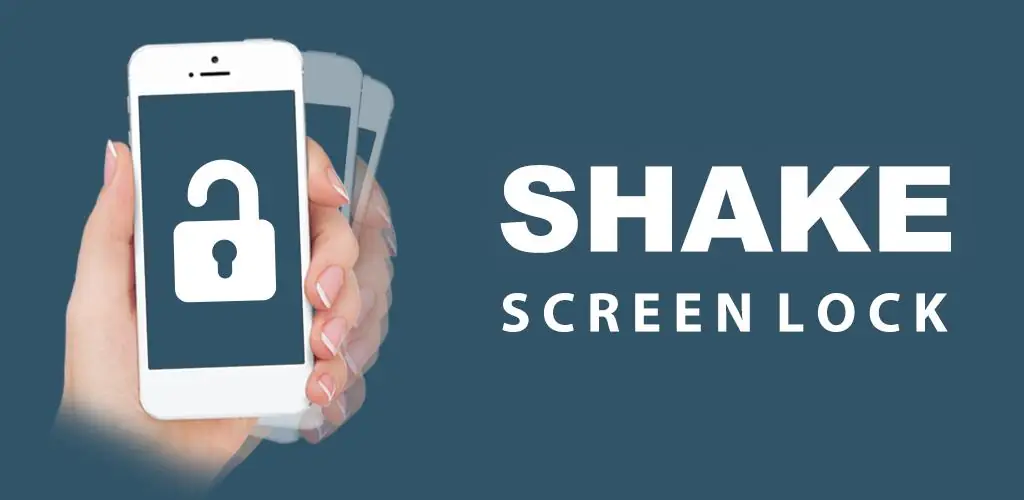
  • Shake to Unlock: Wake or lock your phone with a simple shake.

Security & Accessibility

  • Gesture Lock Screen: Secure your device with a custom unlock gesture.
  • Floating Popup Button: Access apps and settings quickly from anywhere.

If you’re tired of constantly reaching for your power button or want a more personalized way to secure your device, Screen On/Off With Double Tap is definitely worth exploring. It offers a refreshing take on daily phone interactions, making them smoother and more intuitive. Give it a shot; you might just find your new favorite utility.
Video of Screen On/Off With Double Tap
Screenshot Screen On/Off With Double Tap 1
Screenshot Screen On/Off With Double Tap 2
Screenshot Screen On/Off With Double Tap 3
Screenshot Screen On/Off With Double Tap 4
Screenshot Screen On/Off With Double Tap 5
Screenshot Screen On/Off With Double Tap 6

Screen On/Off With Double Tap APK Download

What's New in Version 3.2.1

Thanks for staying with us! The new version offers:
- Improve Performance.
- Bug Fixes
We love getting feedback from all of you! Please leave your feedback.

System Requirements

OS Version
Android 6.0 (Marshmallow) or higher
Architecture
Varies by file (Which one do I need?)
Disk Space
~30 MB free space required
RAM
1 GB
Internet
Not required

APK File Details

Package ID com.phone.screen.on.off.shake.lock.unlock
Available on Google Play
Developer GeniusTools Labs
License Free
Monetization Contains Ads   In-App Purchases
Content Rating Everyone
Interface Language
English +1

English, + 1 localization

Required Permissions (22)
  • Internet
  • Access Network State
  • Read External Storage
  • Vibrate
  • Wake Lock

APK Verification & Virus Scan Results

No Virus Signature Verified Safe & Original

Virus scan: Clean (0/64) View report. This APK is free of malware and its signature matches the official developer release.

Show File Details (SHA-256, SHA-1, MD5)

SHA-1 Signature:

5393d0fa571930e1689b8334bc976af215aaa060

SHA-256 Hash:

35edf311d804afff658cb1931b5fcb5ec1651301bced37ba996acf94fcd87a1b

MD5 Checksum:

161cefecaa06b6cae2eb084a023a915a

Frequently Asked Questions

Is Screen On/Off With Double Tap safe to download?

Yes, Screen On/Off With Double Tap is safe to download. The APK is scanned on every update — no malware or viruses detected. You can verify the full scan report in the Security section above.

How to install Screen On/Off With Double Tap APK on Android?

Download the APK using the button above. Then open the file and tap Install. If prompted, enable "Install from unknown sources" in Settings → Security. The process takes under a minute. Read more

What Android version does Screen On/Off With Double Tap require?

Screen On/Off With Double Tap requires Android 6.0 (API 23) or higher. Optimized for Android 14 (API 34).

Is Screen On/Off With Double Tap free?

Yes, it is free to download and use, but it contains ads and offers in-app purchases.

How to update Screen On/Off With Double Tap to the latest version?

Download the latest APK from this page and install it over your existing version — no need to uninstall first. Your data and settings will be preserved. We update the file as soon as a new version is released.

Does Screen On/Off With Double Tap require Root access?

No root is required for basic use. Screen On/Off With Double Tap works on standard Android for CPU info, RAM, battery, sensors, and network stats. Root unlocks a small set of advanced system parameters that Android restricts by default.

What processor architecture does Screen On/Off With Double Tap support?

Screen On/Off With Double Tap supports universal. If you are unsure about your device architecture, check the Device Info section on this page.

If you have found any issue or are having difficulty with this page, please .

User Reviews & Ratings

Global rating(Play Store): 4.3(84.3K)
Site Rating: 5(1)
Rate this app

5.00

12345

1

Share your experience with other users.

Download Screen On/Off With Double Tap APK - Latest version

Get the official APK file for your Android device. Fast, safe, and free. Download APK