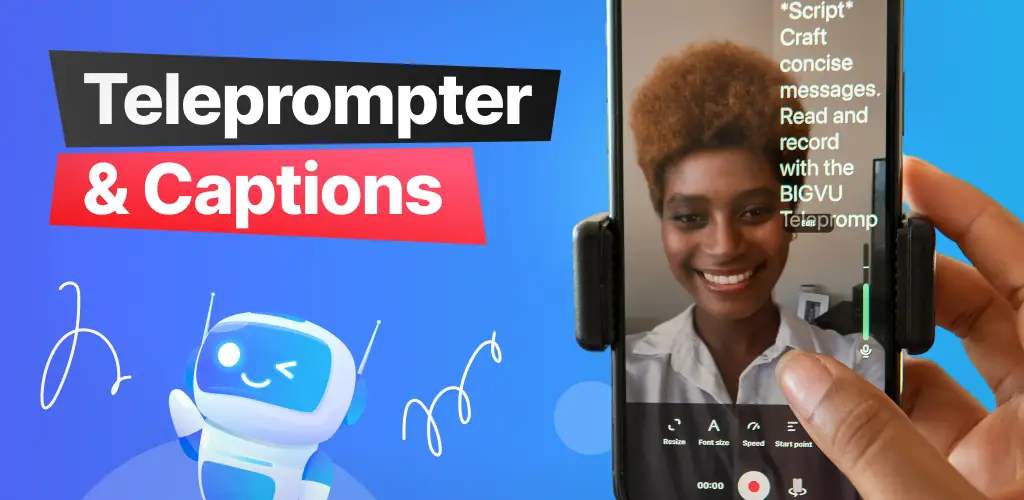

BIGVU Teleprompter & Captions app cover art for Android
BIGVU Teleprompter & Captions Icon

BIGVU Teleprompter & Captions APK for Android

9M+
Free
Jun 27, 2025

A convenient teleprompter for perfect videos and live streams.

Download BIGVU Teleprompter & Captions APK 2.58.0 149MB

What is BIGVU Teleprompter & Captions?

Specially for you, the BIGVU Teleprompter & Captions application has been created. Now you don’t have to memorize complex and lengthy texts for recording videos or online presentations on your social media page. You will be proud of how beautifully you speak to the smartphone camera live, while reading a pre-prepared text in the background of the same camera. No one will even know that you are using the most professional and necessary teleprompter. A correctly composed text will professionally present material that will sound advantageous from your lips.

Program Features:

  • Text recording and planned improvisation depending on the prepared script
  • Adding subtitles and captions to the text automatically
  • Colorful themes for the title and background of subtitle text
  • Trimming video length and format with a few quick movements
  • Ability to add a logo and animated images with advertising data
  • Overlaying background music for the text
  • Successfully reading text for your Instagram, TikTok, and YouTube pages.

This is the most popular and successful application for every blogger or coach. You can radically change your presentations to a wide audience of viewers, increase the effectiveness of lectures and commercials using a teleprompter. Shoot a video and read a pre-prepared, professionally written text. You get the opportunity to quickly promote your social media page or video hosting service channel. Read SEO-optimized texts according to a previously prepared script.

The program allows you to change settings during the broadcast. Change the text scrolling speed, sound settings, text lighting, and auto-exposure. Now you can edit the text with simple hand movements. Synchronize the text according to the reading speed, set the storyboard, and add text to the recordings. According to some opinions, the presence of subtitles makes half of random viewers turn on the sound and become interested in the topic of the presentation. This is very useful for attracting an even larger audience to your channel or community.

The program menu is very simple; with a few keystrokes, you get unlimited access to the text editor and video trimming. Create your video and use the BIGVU Teleprompter & Captions program in a convenient format for yourself.
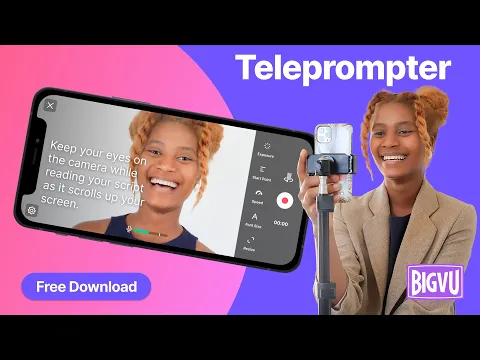
Video of BIGVU Teleprompter & Captions
Screenshot BIGVU Teleprompter & Captions 1
Screenshot BIGVU Teleprompter & Captions 2
Screenshot BIGVU Teleprompter & Captions 3
Screenshot BIGVU Teleprompter & Captions 4
Screenshot BIGVU Teleprompter & Captions 5
Screenshot BIGVU Teleprompter & Captions 6
Screenshot BIGVU Teleprompter & Captions 7
Screenshot BIGVU Teleprompter & Captions 8

Download BIGVU Teleprompter & Captions APK for Android

What's New in Version 2.58.0

New! AI Influencers – Choose an AI avatar to present your scripts like a pro.
Auto B-Rolls – Instantly add visuals that match your script.
No editing needed. Just type, tap, and publish.
Upgrade your storytelling with BIGVU AI!

Available Files

System Requirements

OS Version
Android 8.0 (OREO) or higher
Architecture
Varies by file (Which one do I need?)
Disk Space
~200 MB free space required
RAM
2 GB
Internet
Not required
Google Services
Required   GMS dependent
Permissions (35)
  • Requires Google Play Services to launch:
    Note: This is an original file. Unlike modded versions with no verification, it validates via your store account. Details
  • Internet
  • Record Audio
  • Camera
  • Access Network State
  • Read External Storage

APK File Details

Package ID bigvu.com.reporter
Available on Google Play
Developer BIGVU AI Eye Contact & Video Subtitles
License Free ( No Ads)
Monetization In-App Purchases
Content Rating Everyone
Interface Language
English +16

English, Hindi, Chinese, Thai, German, Vietnamese, Portuguese, Russian, Korean, French, Turkish, Spanish, Japanese, Italian, Arabic, + 2 localizations

APK Verification & Virus Scan Results

No Virus Signature Verified Safe & Original

Virus scan: Clean (0/64) View report. This APK is free of malware and its signature matches the official developer release.

Show File Details (SHA-256, SHA-1, MD5)

SHA-1 Signature:

9da820ff795aa8ec374a38da98aadfc01a9f7a60

SHA-256 Hash:

0b6a1fcb48a2094c99073262378c037951f49856bb884899ca111a9d120a289a

MD5 Checksum:

f13c2b064717ba73b96f986633e51c64

Frequently Asked Questions

Is BIGVU Teleprompter & Captions safe to download?

Yes, BIGVU Teleprompter & Captions is safe to download. The APK is scanned on every update — no malware or viruses detected. You can verify the full scan report in the Security section above.

How to install XAPK file?

XAPK is a split APK package. Standard Android installer cannot open it directly. Use 'SAI' or 'XAPK Installer' — they handle XAPK files automatically. Download the installer, open the XAPK file with it, and follow the on-screen steps. Read more

What Android version does BIGVU Teleprompter & Captions require?

BIGVU Teleprompter & Captions requires Android 8.0 (API 26) or higher. Optimized for Android 14 (API 34).

Is BIGVU Teleprompter & Captions free?

Yes, the app is free to download, but it contains in-app purchases for additional content.

Does BIGVU Teleprompter & Captions require a license check?

Yes, this app performs a license check. You may need to have the Google Play Store installed and be logged in to verify the license.

How to update BIGVU Teleprompter & Captions to the latest version?

Download the latest APK from this page and install it over your existing version — no need to uninstall first. Your data and settings will be preserved. We update the file as soon as a new version is released.

What processor architecture does BIGVU Teleprompter & Captions support?

BIGVU Teleprompter & Captions supports arm64-v8a. This build does not support x86/x86_64 processors, so it will not run on most PC emulators. If you are unsure about your device architecture, check the Device Info section on this page.

If you have found any issue or are having difficulty with this page, please .

User Reviews & Ratings

Global rating(Play Store): 4.15(51.1K)
Site Rating: 5(1)
Rate this app

5.00

12345

1

Share your experience with other users.