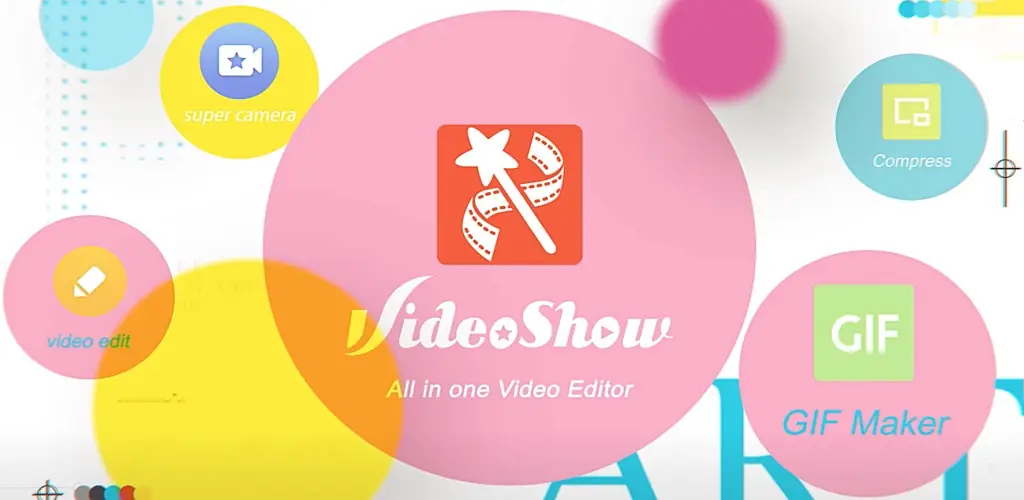

AI Video Editor app cover art for Android
AI Video Editor Icon

AI Video Editor APK for Android

- VideoShow AI
359M+
Free
Oct 26, 2025

Complete your videos with magical effects

Download AI Video Editor APK 11.0.1.0 210MB Old versions

What is AI Video Editor?

VideoShow – this tool for working with video files will amaze you with its capabilities and wide functionality. The installation of this product is supported by high scores in the Google Play Market and the number of users who have downloaded it – more than three million. So, how can this program be useful, does it justify the hopes of users who have chosen it among numerous competitors?

VideoShow: video editor makes it possible to create beautiful and original video clips using a mobile Android device, although the result is no worse than when working with a PC editor. The tool contains a powerful array of options, thanks to which you can perform simply fantastic transformations and metamorphoses with video recording.

Features of the program VideoShow :

  • Integration into social networks and services Facebook, Instagram, YouTube, WhatsApp and others with instant publication of material.
  • Thematic Doodles that can be an excellent alternative to text and convey the main idea to the recipient of the video clip.
  • Create selfies with dynamic stickers and masks that move in sync with the user’s face.
  • Give a video series an unexpected effect using dozens of preset filters in the program.
  • Varying the image scale, which makes it possible to focus on the main points of the video.
  • Adding sound effects, melodies or voices to the video.
  • Use over fifty pre-installed themes.
  • A wide selection of fonts in different sizes and designs.

In addition, with the help of VideoShow, you can cut out key episodes from a long recording, compress the file to the desired size and upload it to any web resource with just one touch. When working with music videos, you can separately receive only an audio file, after converting it into a common mp3 format, which can be played by any player without problems.

With such functionality, the VideoShow application weighs quite a bit, and does not exert an excessive load on the processor of a mobile Android device, while saving battery power at the same time. The tool is also strong in terms of a graphical editor, allowing you to interact not with the recording, but with individual pictures, creating stunning collages from them, with a preview of progress at any stage of changes. You can download the program completely free of charge, and if there is no desire to watch the advertising packages that come with the freely distributed version, they can be disabled for an additional fee, which, given the powerful potential of the product, is simply negligible.

Also known as: AI Video Editor - VideoShow AI, VideoShow, 乐秀视频剪辑视频编辑, 乐秀视频编辑器
Video of AI Video Editor
Screenshot AI Video Editor 1
Screenshot AI Video Editor 2
Screenshot AI Video Editor 3
Screenshot AI Video Editor 4
Screenshot AI Video Editor 5
Screenshot AI Video Editor 6
Screenshot AI Video Editor 7
Screenshot AI Video Editor 8

Download AI Video Editor - VideoShow AI APK for Android

What's New in Version 11.0.1.0

Hey, guys,
With this update:
We provide you with the following functions
- Multiple upgrades to subtitle-related features
- Improve performance and optimize experience
Let you enjoy editing!

Other versions

  • 11.0.1.0 (latest) 210MB Android 5.0+ arm64-v8aarmeabi-v7a Download
  • 10.2.4.0 125MB Android 7.0+ arm64-v8aarmeabi-v7a Download
  • 10.2.4.1 137MB Android 5.0+ arm64-v8aarmeabi-v7a Download
  • 10.1.0 52MB Android 5.0+ arm64-v8aarmeabi-v7a Download

System Requirements

OS Version
Android 5.0 (Lollipop) or higher
Architecture
Varies by file (Which one do I need?)
Disk Space
~350 MB free space required
RAM
2 GB
Internet
Not required
Permissions (24)
  • Internet
  • Record Audio
  • Camera
  • Access Network State
  • Read External Storage

APK File Details

Package ID com.xvideostudio.videoeditor
Available on Google Play
Developer VIDEOSHOW Video Editor & Maker & AI Chat Generator
License Free
Monetization Contains Ads   In-App Purchases
Content Rating Teen (Diverse Content: Discretion Advised)
Interface Language
English +76

English, Japanese, German, Bulgarian, Thai, Hindi, Vietnamese, Ukrainian, Polish, Korean, Romanian, Arabic, French, Turkish, Czech, Spanish, Italian, Portuguese, Hungarian, Russian, Chinese, Indonesian, + 55 localizations

APK Verification & Virus Scan Results

No Virus Signature Verified Safe & Original

Virus scan: Clean (0/53) View report. This APK is free of malware and its signature matches the official developer release.

Show File Details (SHA-256, SHA-1, MD5)

SHA-1 Signature:

9f69aeca84eeec73d1ff17eb5859d2794734ce4b

SHA-256 Hash:

a4aaed9079167943bc3576e5523121642674c0deb8f613bee59b29500e3600b6

MD5 Checksum:

21f7d9c69e24fc0e0387bab0341fec39

Frequently Asked Questions

Is AI Video Editor safe to download?

Yes, AI Video Editor is safe to download. The APK is scanned on every update — no malware or viruses detected. You can verify the full scan report in the Security section above.

How to install AI Video Editor APK on Android?

Download the APK using the button above. Then open the file and tap Install. If prompted, enable "Install from unknown sources" in Settings → Security. The process takes under a minute. Read more

What Android version does AI Video Editor require?

AI Video Editor requires Android 5.0 (API 21) or higher. Optimized for Android 15 (API 35).

Is AI Video Editor free?

Yes, it is free to download and use, but it contains ads and offers in-app purchases.

How to update AI Video Editor to the latest version?

Download the latest APK from this page and install it over your existing version — no need to uninstall first. Your data and settings will be preserved. We update the file as soon as a new version is released.

What processor architecture does AI Video Editor support?

AI Video Editor supports arm64-v8a, armeabi-v7a. This build does not support x86/x86_64 processors, so it will not run on most PC emulators. If you are unsure about your device architecture, check the Device Info section on this page.

How to enable installation from unknown sources on Android?

Go to Settings → Security (or Settings → Apps → Special access on Android 8+) and enable "Install unknown apps" for your browser or file manager. On Android 8 and above this setting is per-app, not global. Read more

If you have found any issue or are having difficulty with this page, please .

User Reviews & Ratings

Global rating(Play Store): 4.55(5.9M)
Site Rating: 4.55(4)
Rate this app

4.25

12345

4

Share your experience with other users.