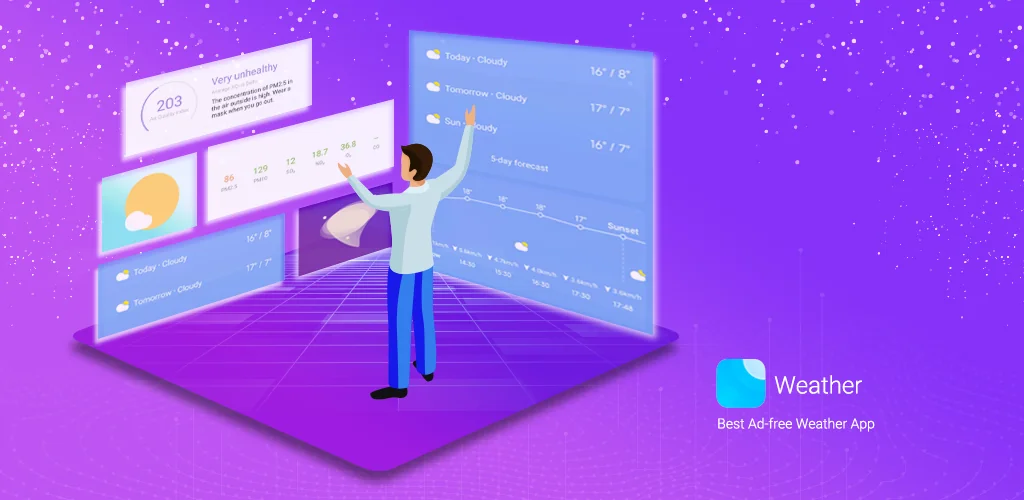

Weather - By Xiaomi app cover art for Android
Weather - By Xiaomi Icon

Weather - By Xiaomi APK for Android

Xiaomi Inc. Original
2B+
Free
Feb 14, 2026

Your weather forecast, beautifully visualized

Download Weather - By Xiaomi APK G-17.0.3.20-HD 27MB

What is Weather?

Forget static backgrounds. Weather - By Xiaomi features a dynamic user interface, which means the app’s look and feel change to match the weather outside. If it’s sunny, your screen will be bright and cheerful. If a storm is rolling in, you’ll see a more dramatic, animated display. It’s a clever touch that makes checking the forecast a little more fun.

But it’s not just about looks. This app packs all the essential weather information into one clean, easy-to-read view. You get the current temperature, a 5-day forecast, and even the Air Quality Index (AQI), which tells you how clean or polluted the air is. The app will even give you simple suggestions based on the AQI level to help you stay healthy. Planning a trip or have family in another city? You can add up to 10 locations and swipe between them to see what the weather is like all over the world.

Here’s a quick look at what makes Weather - By Xiaomi stand out:

  • Dynamic Visuals: The app’s interface cleverly changes to reflect the current weather conditions.
  • All-in-One View: See temperature, rain forecasts, and air quality on a single screen.
  • Multi-City Tracking: Easily add and compare the weather in up to 10 different cities.
  • Health-Focused AQI: Get air quality alerts and helpful advice based on pollution levels.
  • Detailed Forecasts: Plan your week with 5-day and hourly updates on temperature, wind, and rain.
  • Home Screen Widgets: Get the latest weather info at a glance without even opening the app.

Stop guessing what the weather will be like. Download Weather - By Xiaomi and experience a smarter, more beautiful way to stay ahead of the forecast.

Screenshot Weather - By Xiaomi 1
Screenshot Weather - By Xiaomi 2
Screenshot Weather - By Xiaomi 3
Screenshot Weather - By Xiaomi 4
Screenshot Weather - By Xiaomi 5
Screenshot Weather - By Xiaomi 6
Screenshot Weather - By Xiaomi 7
Screenshot Weather - By Xiaomi 8

Download Weather - By Xiaomi APK for Android

What's New in Version G-17.0.3.20-HD

Bug fixes

Available Files

System Requirements

OS Version
Android 7.0 (Nougat) or higher
Architecture
Varies by file (Which one do I need?)
Disk Space
~50 MB free space required
RAM
1 GB
Internet
Not required
Permissions (21)
  • Internet
  • Access Network State
  • Write External Storage
  • Access Fine Location
  • Access Coarse Location

APK File Details

Package ID com.miui.weather2
Available on Google Play
Developer Xiaomi Inc.
License Free ( No Ads)
Content Rating Everyone
Interface Language
English +79

English, Japanese, German, Bulgarian, Thai, Hindi, Vietnamese, Ukrainian, Polish, Korean, Romanian, Arabic, French, Turkish, Czech, Spanish, Italian, Hungarian, Russian, Chinese, Portuguese, + 59 localizations

APK Verification & Virus Scan Results

No Virus Signature Verified Safe & Original

Virus scan: Clean (0/68) View report. This APK is free of malware and its signature matches the official developer release.

Show File Details (SHA-256, SHA-1, MD5)

SHA-1 Signature:

b3d1ce9c2c6403e9685324bcd57f677b13a53174

SHA-256 Hash:

c2ae230f12066b09a6896999f7e18748eb1369364cb2bf291b90ac1480ce810c

MD5 Checksum:

be56c185ec9451879075c463dbc16fcc

Frequently Asked Questions

Is Weather safe to download?

Yes, Weather is safe to download. The APK is scanned on every update — no malware or viruses detected. You can verify the full scan report in the Security section above.

How to install Weather APK on Android?

Download the APK using the button above. Then open the file and tap Install. If prompted, enable "Install from unknown sources" in Settings → Security. The process takes under a minute. Read more

What Android version does Weather require?

Weather requires Android 7.0 (API 24) or higher. Optimized for Android 15 (API 35).

Is Weather free?

Yes, this app is completely free to download and use.

How to update Weather to the latest version?

Download the latest APK from this page and install it over your existing version — no need to uninstall first. Your data and settings will be preserved. We update the file as soon as a new version is released.

What processor architecture does Weather support?

Weather supports arm64-v8a. This build does not support x86/x86_64 processors, so it will not run on most PC emulators. If you are unsure about your device architecture, check the Device Info section on this page.

How to enable installation from unknown sources on Android?

Go to Settings → Security (or Settings → Apps → Special access on Android 8+) and enable "Install unknown apps" for your browser or file manager. On Android 8 and above this setting is per-app, not global. Read more

If you have found any issue or are having difficulty with this page, please .

User Reviews & Ratings

Global rating(Play Store): 4.14(1.3M)
Site Rating: 5(1)
Rate this app

5.00

12345

1

Share your experience with other users.