Merged! Icon

Merged! APK for Android

3M+
Free
Apr 10, 2019

The original look at the "three-row"

Download Merged! APK 2.4.1 41MB

What is Merged!?

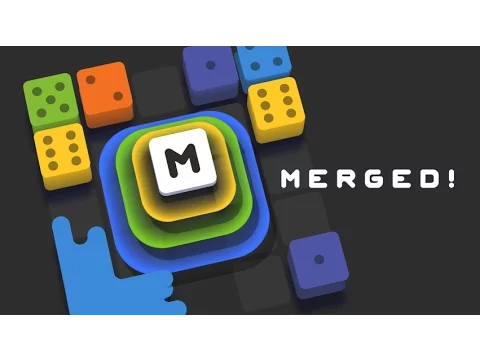
Merged! – the non-standard vision of the “three in a row” mechanics by the developers of this puzzle allowed them to create a truly interesting and unique mobile product. As in the classic representatives of the genre, users still have to free the playing space from groups of identical elements, only the role of the latter is not the usual gems and sweets, but multi-colored dice. New elements appear at the bottom of the screen, and the gamer needs to decide where to install them, guided by simple rules and, if necessary, turning them around its axis.

Destruction of tiles in Merged! is carried out by creating the correct combinations, that is, groups of three elements of the same denomination. So, by combining three bones with two points on the faces, we get one element, but of a larger value. Naturally, you won’t be able to play indefinitely, because sooner or later, but the entire playing space is filled with elements, and when there is no free space left, the total number of points and earned bonuses are counted. The latter are needed to free the site from the bones, which is implemented by selecting an element and dragging it into a sort of trash can.

The design of Merged! is closer to laconic, but the bone transformation animation is done at a decent level. There is no musical accompaniment, and from the sounds only effects are implemented when the user interacts with objects. The puzzle settings are also not able to offer any variety – there is a choice of language, activation of notifications, and a quick transition to Facebook or Twitter to invite friends to the game and share your records with them.
Video of Merged!
Screenshot Merged! 1
Screenshot Merged! 2
Screenshot Merged! 3
Screenshot Merged! 4

Download Merged! APK for Android

What's New in Version 2.4.1

- Bug fixes and performance improvements.

Available Files

System Requirements

OS Version
Android 4.1 (Jelly Bean) or higher
Architecture
Varies by file (Which one do I need?)
Disk Space
~70 MB free space required
RAM
2 GB
Internet
Not required (Offline playable)
Permissions (4)
  • Internet
  • Access Network State
  • Access Wifi State
  • Billing

APK File Details

Package ID com.gramgames.merged
Developer Gram Games Limited
License Free
Monetization Contains Ads  

APK Verification & Virus Scan Results

No Virus Signature Verified Safe & Original

Virus scan: Clean (0/63) View report. The APK file is digitally signed.

Show File Details (SHA-256, SHA-1, MD5)

SHA-1 Signature:

6FAB9C62C3E78347E5DC769326503AA988F4619B

SHA-256 Hash:

acf25db9697ec02d50b4a04747ac173166c2f084fae64152936bbb06af107281

MD5 Checksum:

7a9e3dcad0a73947bb2afdfa04d78abf

Frequently Asked Questions

Is Merged! safe to download?

Yes, Merged! is safe to download. The APK is scanned on every update — no malware or viruses detected. You can verify the full scan report in the Security section above.

How to install Merged! APK on Android?

Download the APK using the button above. Then open the file and tap Install. If prompted, enable "Install from unknown sources" in Settings → Security. The process takes under a minute. Read more

Why does installation fail on newer Android versions (14 - 16)?

Newer Android versions strictly block the installation of apps built for older Android versions (API < 23) for security reasons. Standard installation is not possible. Read our step-by-step guide on how to bypass this restriction using ADB or Shizuku.

What Android version does Merged! require?

Merged! requires Android 4.1 (API 16) or higher. Optimized for Android 9.0 (API 28).

Is Merged! free?

Yes, it is free to use, but it is ad-supported.

What processor architecture does Merged! support?

Merged! supports armeabi-v7a, x86. If you are unsure about your device architecture, check the Device Info section on this page.

How to enable installation from unknown sources on Android?

Go to Settings → Security (or Settings → Apps → Special access on Android 8+) and enable "Install unknown apps" for your browser or file manager. On Android 8 and above this setting is per-app, not global. Read more

If you have found any issue or are having difficulty with this page, please .

User Reviews & Ratings

Global rating(Play Store): 3.51(21.5K)
Site Rating: 1(1)
Rate this app

1.00

12345

1

Share your experience with other users.