What is Biotix?
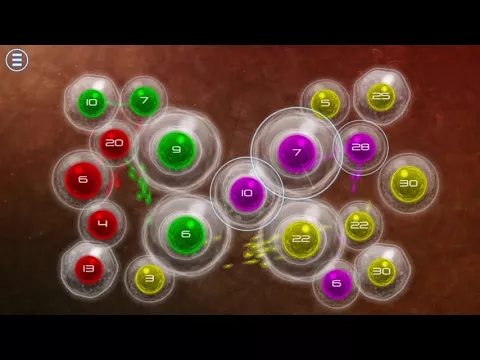
Biotix: Phage Genesis – build chains of beneficial microorganisms to defeat harmful bacteria. Colorful graphics and about thirty exciting levels.


Immerse yourself in an epic war for survival
Download Biotix APK 2.9.0 63MB Old versions
Biotix: Phage Genesis – build chains of beneficial microorganisms to defeat harmful bacteria. Colorful graphics and about thirty exciting levels.


| Package ID | com.tenpercentred.biotix |
|---|---|
| Available on | Google Play |
| Developer | TEN PERCENT RED |
| License | Free |
| Monetization | Contains Ads In-App Purchases |
| Age Rating | Everyone |
| Interface Language | 1 language+ 1 localizations |
Virus scan: Verified safe (0/65) View report. This APK is free of malware and its signature matches the official developer release.
SHA-1 Signature:
1923367de1a0e0e0928ce30de3d48356c62f705c SHA-256 Hash:
ac188469c32c12eb8ffdb6e3ab9c2db565c2be3a9e4f0ebd3e6c97562139377a MD5 Checksum:
2053b74a97061a55fb172cf13072ee11 Yes, Biotix is safe to download. The APK is scanned on every update — no malware or viruses detected. You can verify the full scan report in the Security section above.
Download the APK using the button above. Then open the file and tap Install. If prompted, enable "Install from unknown sources" in Settings → Security. The process takes under a minute. Read more
Biotix requires Android 8.0 (API 26) or higher. Optimized for Android 13 (API 33).
Yes, it is free to download and use, but it contains ads and offers in-app purchases.
Download the latest APK from this page and install it over your existing version — no need to uninstall first. Your data and settings will be preserved. We update the file as soon as a new version is released.
Biotix supports arm64-v8a, armeabi-v7a. This build does not support x86/x86_64 processors, so it will not run on most PC emulators. If you are unsure about your device architecture, check the Device Info section on this page.
Go to Settings → Security (or Settings → Apps → Special access on Android 8+) and enable "Install unknown apps" for your browser or file manager. On Android 8 and above this setting is per-app, not global. Read more
Found a problem on this page?
5.00


Share your experience with other users.