Overcraft 2 Icon

Overcraft 2 APK for Android

10M+
Jul 1, 2020

Download Overcraft 2 APK 4.4 20MB

What is Overcraft 2?

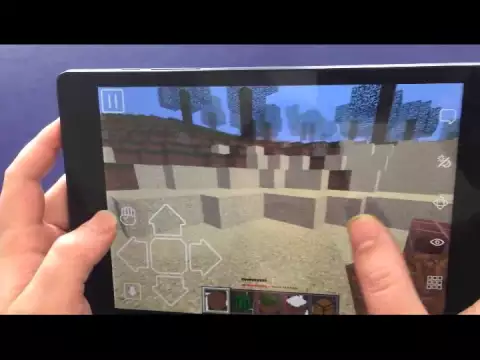
Overcraft 2 – in this dynamic “sandbox” the player gets carte blanche in order to build his own world from beginning to end – the universe.

The playing field is a relief platform. Your task is to create a three-dimensional reality on the playground: houses, streets, cities, countries, continents! And attract other players who will become full-fledged citizens of your world: they will help you realize your strategic tasks for the development of the world, and you will help them with their tactical tasks. During the creation of the world, you need to learn how to use building blocks and interact with other players.

The building blocks are located in the tool table. You can combine tools in various combinations in order to give them new properties and qualities: wood, glass, wool, water and living organisms.

Game strategy – select the development logic:

  1. Military – to conquer the world from a position of strength;
  2. Trading – to turn the world into a corporation;
  3. Scientific – to explore and transform the world with the help of technology.

The optimal solution will be if you can combine these three strategies for the development of the world at the same time.

Features:

  • Two game modes: 1) single (training); 2) multiuser;
  • You can play on the local network and on the World Wide Web;
  • Locations are displayed both at the place of active actions and global events on a schematic map of the virtual world.
Also known as: Worldcraft 2
Video of Overcraft 2
Screenshot Overcraft 2 1
Screenshot Overcraft 2 2
Screenshot Overcraft 2 3
Screenshot Overcraft 2 4

Download Overcraft 2 APK for Android

What's New in Version 4.4

No official changelog provided for Overcraft 2 version 4.4. This update likely includes general stability improvements and bug fixes.

Available Files

  • 4.4 20MB Android 5.0+ arm64-v8aarmeabi-v7a Download
  • 2.6 24MB Android 2.3+ armeabi-v7a Download

System Requirements

OS Version
Android 5.0 (Lollipop) or higher
Architecture
Varies by file (Which one do I need?)
Disk Space
~40 MB free space required
RAM
2 GB
Internet
Not required (Offline playable)
Permissions (5)
  • Internet
  • Access Network State
  • Write External Storage
  • Wake Lock
  • Install Shortcut

APK File Details

Package ID com.abc.overcraft3
Developer GameABC Studio
License Free ( No Ads)
Age Rating PEGI 12
Interface Language
English +74

English, Japanese, German, Bulgarian, Thai, Hindi, Vietnamese, Ukrainian, Polish, Korean, Romanian, Arabic, French, Turkish, Czech, Spanish, Italian, Portuguese, Hungarian, Russian, Chinese, + 54 localizations

APK Verification & Virus Scan Results

No Virus Signature Verified Safe & Original

Virus scan: Clean (0/63) View report. The APK file is digitally signed.

Show File Details (SHA-256, SHA-1, MD5)

SHA-1 Signature:

ABFC193DCA8FB719CF64FBA46CF96594F323217E

SHA-256 Hash:

82054952b68fcaff66fbf479435beeabd766eb84d67acb657529a4f2276f5635

MD5 Checksum:

05ffd43e08db00fa3ce475581fbbb1a5

Frequently Asked Questions

Is Overcraft 2 safe to download?

Yes, Overcraft 2 is safe to download. The APK is scanned on every update — no malware or viruses detected. You can verify the full scan report in the Security section above.

How to install Overcraft 2 APK on Android?

Download the APK using the button above. Then open the file and tap Install. If prompted, enable "Install from unknown sources" in Settings → Security. The process takes under a minute. Read more

Why does installation fail on newer Android versions (14 - 16)?

Newer Android versions strictly block the installation of apps built for older Android versions (API < 23) for security reasons. Standard installation is not possible. Read our step-by-step guide on how to bypass this restriction using ADB or Shizuku.

What Android version does Overcraft 2 require?

Overcraft 2 requires Android 5.0 (API 21) or higher. Optimized for Android 8.0 (API 26).

What processor architecture does Overcraft 2 support?

Overcraft 2 supports arm64-v8a, armeabi-v7a. This build does not support x86/x86_64 processors, so it will not run on most PC emulators. If you are unsure about your device architecture, check the Device Info section on this page.

How to enable installation from unknown sources on Android?

Go to Settings → Security (or Settings → Apps → Special access on Android 8+) and enable "Install unknown apps" for your browser or file manager. On Android 8 and above this setting is per-app, not global. Read more

If you have found any issue or are having difficulty with this page, please .

User Reviews & Ratings

Global rating(Play Store): 3.35(83.3K)
Site Rating: 4.35(20)
Rate this app

4.35

12345

20

Share your experience with other users.

(Саша):
Вау!
(Саша):
Очень крутое предложение
@:
liiilil