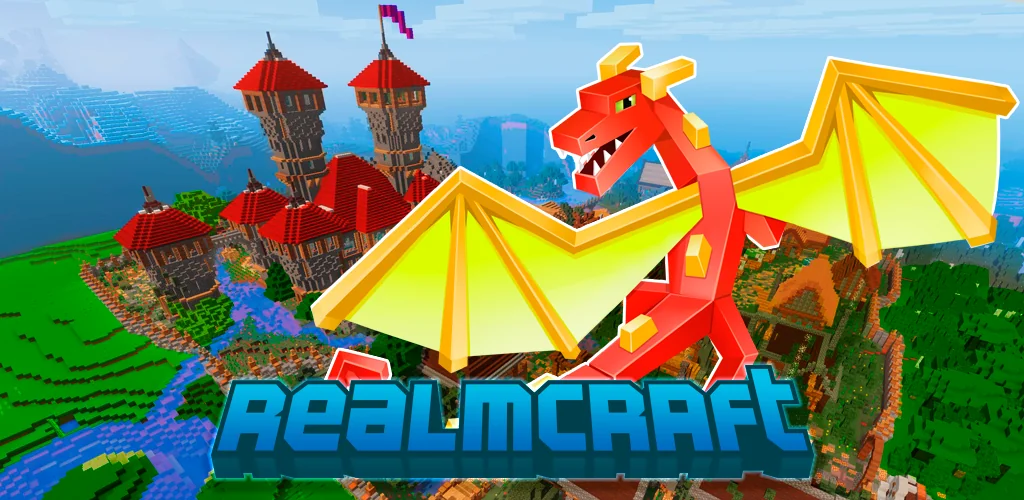
RealmCraft: Mine & Craft World game cover art for Android
RealmCraft: Mine & Craft World Icon

RealmCraft: Mine & Craft World APK for Android

159M+
Free
Jan 27, 2026

Craft building in mine game & create block house, start survive in mini 3D world

Download RealmCraft: Mine & Craft World APK 6.5.6 209MB Old versions

What is RealmCraft: Mine & Craft World?

RealmCraft is a free sandbox game in which the game universe automatically generates locations, objects and events using procedural programming algorithms – this gives the game exceptional dynamism.

Gameplay. Multiplayer game. Players from all over the world work together on the same tasks – build houses, protect their living space, and fight against teams of other players. Players communicate with each other in the format of text and voice chat.

Playful activity requires resources from players. In order to take possession of the resources, players explore the ground and underground game world. In order to move quickly through the sandbox, players can fly freely over the surface of the game environment, which has five climate zones: 1) continental, 2) tropical, 3) equatorial, 4) oceanic, and 5) polar. Owning resources is a prerequisite, fulfilling which you can live and develop.

Another condition of life is the presence of weapons, without which you will not be able to defend yourself and your allies, or capture the living spaces of other players.

You can play in two modes:

  1. Construction is a format of creation in which players first build shelters, which, as the players develop, turn into full-fledged fortresses, and as the players cooperate mutually, a certain number of fortresses and houses turn into cities that, depending on the potential of allies, become able to dictate their terms to the inhabitants of these cities – other, less organized players.
  2. Survival mode – its internal logic is that the players play an aggressive game; players explore the game world in order to find resources from which to create weapons that can effectively destroy the structures of other players. In survival mode, players also hunt – this is another prerequisite, doing which you can keep your character alive.

Outcome. Look for resources and allies. Build houses and cities, and destroy buildings of other players.

Build your own universe and do it with your friends. Become a leader for the inhabitants of the sandbox RealmCraft , and for yourself – a center for making collective decisions.

Also known as: RealmCraft: Block Craft World, RealmCraft
Screenshot RealmCraft: Mine & Craft World 1
Screenshot RealmCraft: Mine & Craft World 2
Screenshot RealmCraft: Mine & Craft World 3
Screenshot RealmCraft: Mine & Craft World 4
Screenshot RealmCraft: Mine & Craft World 5
Screenshot RealmCraft: Mine & Craft World 6
Screenshot RealmCraft: Mine & Craft World 7
Screenshot RealmCraft: Mine & Craft World 8

Download RealmCraft: Mine & Craft World APK for Android

What's New in Version 6.5.6

Get ready for an update with new mobs, tools, and improvements!
- The Silverfish now creeps in the shadows — watch your step!
- Summon the Snow Golem and bring snowy justice to your enemies.
- Use the Grindstone to repair and sharpen your tools.
- The Stonecutter is here — craft stone blocks like a pro!
- Switching between Creative and Survival is now smoother and more convenient for players.
- Various optimizations and fixes — improved Nether lighting, animated XP bar, and much more!

Other versions

System Requirements

OS Version
Android 8.0 (OREO) or higher
Architecture
Varies by file (Which one do I need?)
Disk Space
~300 MB free space required
RAM
2 GB
Internet
Required
Google Services
Required
Permissions (22)
  • Internet
  • Access Network State
  • Read External Storage
  • Write External Storage
  • Vibrate

APK File Details

Package ID com.tellurionmobile.realmcraft
Available on Google Play
Developer Tellurion mobile
License Free
Monetization Contains Ads   In-App Purchases
Age Rating Teen (Violence, Blood)
Interface Language
English +74

English, Arabic, Bulgarian, Czech, German, Spanish, French, Hindi, Hungarian, Italian, Japanese, Korean, Polish, Portuguese, Romanian, Russian, Thai, Turkish, Ukrainian, Vietnamese, Chinese, + 54 localizations

APK Verification & Virus Scan Results

No Virus Signature Verified Safe & Original

Virus scan: Clean (0/53) View report. This APK is free of malware and its signature matches the official developer release.

Show File Details (SHA-256, SHA-1, MD5)

SHA-1 Signature:

a485fb90907d4451f1010cc3e7e57ad6dc7fb507

SHA-256 Hash:

8028e7133cd4791f851b3bce7dceac3889f6602a07a0ac31528d252d9f2b7507

MD5 Checksum:

9ef77d6559249b815a06e92e45d7d03e

Frequently Asked Questions

Is RealmCraft: Mine & Craft World safe to download?

Yes, RealmCraft: Mine & Craft World is safe to download. The APK is scanned on every update — no malware or viruses detected. You can verify the full scan report in the Security section above.

How to install XAPK file?

XAPK is a split APK package. Standard Android installer cannot open it directly. Use 'SAI' or 'XAPK Installer' — they handle XAPK files automatically. Download the installer, open the XAPK file with it, and follow the on-screen steps. Read more

What Android version does RealmCraft: Mine & Craft World require?

RealmCraft: Mine & Craft World requires Android 8.0 (API 26) or higher. Optimized for Android 15 (API 35).

Is RealmCraft: Mine & Craft World free?

Yes, it is free to download and use, but it contains ads and offers in-app purchases.

How to update RealmCraft: Mine & Craft World to the latest version?

Download the latest APK from this page and install it over your existing version — no need to uninstall first. Your data and settings will be preserved. We update the file as soon as a new version is released.

What processor architecture does RealmCraft: Mine & Craft World support?

RealmCraft: Mine & Craft World supports arm64-v8a, armeabi-v7a. This build does not support x86/x86_64 processors, so it will not run on most PC emulators. If you are unsure about your device architecture, check the Device Info section on this page.

How to enable installation from unknown sources on Android?

Go to Settings → Security (or Settings → Apps → Special access on Android 8+) and enable "Install unknown apps" for your browser or file manager. On Android 8 and above this setting is per-app, not global. Read more

If you have found any issue or are having difficulty with this page, please .

User Reviews & Ratings

Global rating(Play Store): 3.89(635.3K)
Site Rating: 5(1)
Rate this app

5.00

12345

1

Share your experience with other users.