Cryptogram - puzzle quotes game cover art for Android
Cryptogram - puzzle quotes Icon

Cryptogram - puzzle quotes APK for Android

3M+
Free
Sep 10, 2023

Collection of sayings of famous people, which are filed in coded form

Download Cryptogram - puzzle quotes APK 1.18.0 13MB

What is Cryptogram?

Cryptogram is a catalog of motivating quotes presented in encrypted form. The user will have to establish the regularity of the arrangement of letters and bring the phrases to their original state with the original content. The cryptograms offered by the puzzle are a primitive form of information encryption, so tasks can be solved by anyone who knows how to correctly build logical chains.

To compose encoded messages, the symmetrical encryption method is used, that is, the player needs to put the correct letter on the selected empty position in the word using the keypad. Understanding the decryption algorithm is difficult to explain in theory, but easy to master in practice. A tricky puzzle is allowed to be skipped in order to return to it later.

Features:

  • laconic design without clutter of distractions;
  • put together the pieces of the encrypted word puzzle;
  • a difficult test for real intellectuals;
  • global leaderboard.

For turning hidden messages into readable text, the user is rewarded with points – try to outperform other decoders in the global ranking. The Cryptogram puzzle has been designed with an emphasis on minimalism, in the application settings you can choose any of the four themes (white, black, blue and green), as well as adjust the size and style of the letters.
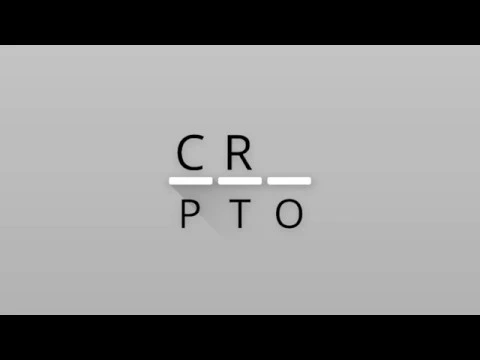
Video of Cryptogram - puzzle quotes
Screenshot Cryptogram - puzzle quotes 1
Screenshot Cryptogram - puzzle quotes 2
Screenshot Cryptogram - puzzle quotes 3
Screenshot Cryptogram - puzzle quotes 4
Screenshot Cryptogram - puzzle quotes 5
Screenshot Cryptogram - puzzle quotes 6
Screenshot Cryptogram - puzzle quotes 7
Screenshot Cryptogram - puzzle quotes 8

Download Cryptogram - puzzle quotes APK for Android

What's New in Version 1.18.0

Bug fix for purchase restoration

Available Files

System Requirements

OS Version
Android 5.0 (Lollipop) or higher
Architecture
Varies by file (Which one do I need?)
Disk Space
~20 MB free space required
RAM
2 GB
Internet
Not required (Offline playable)
Permissions (11)
  • Internet
  • Access Network State
  • Wake Lock
  • Post Notifications
  • Receive

APK File Details

Package ID com.pixplicity.cryptogram
Available on Google Play
Developer Paul Lammertsma
License Free
Monetization Contains Ads   In-App Purchases
Age Rating Everyone
Interface Language
1 language

+ 1 localization

APK Verification & Virus Scan Results

No Virus Signature Verified Safe & Original

Virus scan: Clean (0/63) View report. This APK is free of malware and its signature matches the official developer release.

Show File Details (SHA-256, SHA-1, MD5)

SHA-1 Signature:

c8bbcb3b0e678aa6d9b13a7f045345132800ecc1

SHA-256 Hash:

696298219f5816b4e62bb80bb5266ab0a18c17201f204d12e6bd3e18a8c25001

MD5 Checksum:

5f77e37523bff504087ffbffd5f78cd7

Frequently Asked Questions

Is Cryptogram safe to download?

Yes, Cryptogram is safe to download. The APK is scanned on every update — no malware or viruses detected. You can verify the full scan report in the Security section above.

How to install Cryptogram APK on Android?

Download the APK using the button above. Then open the file and tap Install. If prompted, enable "Install from unknown sources" in Settings → Security. The process takes under a minute. Read more

What Android version does Cryptogram require?

Cryptogram requires Android 5.0 (API 21) or higher. Optimized for Android 13 (API 33).

Is Cryptogram free?

Yes, it is free to download and use, but it contains ads and offers in-app purchases.

How to update Cryptogram to the latest version?

Download the latest APK from this page and install it over your existing version — no need to uninstall first. Your data and settings will be preserved. We update the file as soon as a new version is released.

What processor architecture does Cryptogram support?

Cryptogram supports universal. If you are unsure about your device architecture, check the Device Info section on this page.

How to enable installation from unknown sources on Android?

Go to Settings → Security (or Settings → Apps → Special access on Android 8+) and enable "Install unknown apps" for your browser or file manager. On Android 8 and above this setting is per-app, not global. Read more

If you have found any issue or are having difficulty with this page, please .

User Reviews & Ratings

Global rating(Play Store): 4.69(26.4K)
Rate this app

0.00

12345

not yet rated

Share your experience with other users.