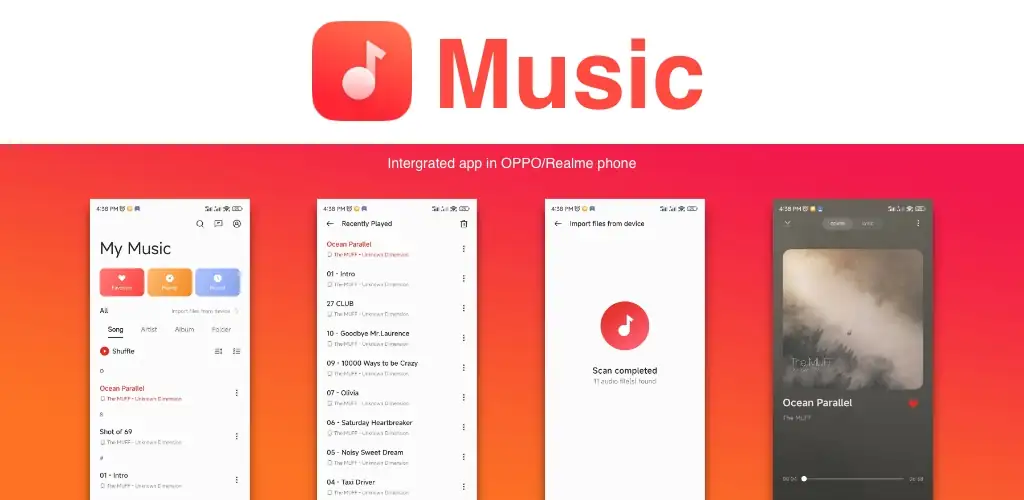

Music (Realme) app cover art for Android
Music (Realme) Icon

Music (Realme) APK for Android

185M+
Free
Aug 3, 2026

Offline player for local MP3, FLAC, and AAC files with playlists and lyrics

Download Music (Realme) APK 68.15.8.53.2 135MB

What is Music?

Music (Realme) is a local audio player built into Realme phones, made for playing whatever is already sitting on the device rather than streaming anything. No account, no login screen, no data connection required to hit play.

The app scans local storage and sorts everything into four views: Songs, Playlists, Albums, and Artists. Picking a track from any of these drops you into a standard now-playing screen with the usual transport controls, plus an equalizer for shaping the sound and a sleep timer for winding down at night. Lyrics scroll automatically on supported tracks, synced to playback position, which is a small touch but a genuinely useful one if you keep a lot of local files with embedded lyric data. Playback controls also surface on the lock screen and in the notification shade, so skipping a track or checking what's playing doesn't require unlocking the phone first.

Key Features:

  • Local files play back in formats including MP3, AAC, FLAC, and WAV, all without needing a network connection.
  • Tracks get organized automatically by songs, artists, albums, and custom playlists.
  • An equalizer lets you adjust frequencies and switch between sound presets.
  • Synced lyrics scroll on-screen for tracks that carry lyric data.
  • A sleep timer shuts playback off after a set interval so it doesn't run all night.
  • Lock screen and notification controls show track info without unlocking the device.

Who actually needs a local Music (Realme) player like this

Anyone with an existing library of MP3s or FLAC files copied over from a computer, an old phone, or a memory card is the target audience here. It's also a fit for people who want Music (Realme) to keep working on a flight or in a spot with no signal, since nothing in the app depends on a connection. What it doesn't do is stream anything: no online catalog, no cloud sync, no account tying your library to a service. If your collection lives entirely in Spotify or YouTube Music (Realme), this app has nothing for you.

Alternatives to the built-in Realme Music (Realme) app

Musicolet covers similar ground with deeper tag editing and multiple playback queues, and it asks for zero internet permissions, which matters if you want a player that genuinely never phones home. Poweramp goes further on the audio side with a more advanced processing engine and a deeper graphic equalizer for people who care about sound tuning. VLC for Android is worth a look too, since it plays video as well as audio and can pull media from a local network, something this app doesn't attempt.

This is for Realme owners who want their existing Music (Realme) library organized and playable without extra setup, and for anyone who prefers offline playback by default. The equalizer and sound tools here are basic next to dedicated players like Poweramp, so audiophiles chasing fine-grained control will likely outgrow it fast.
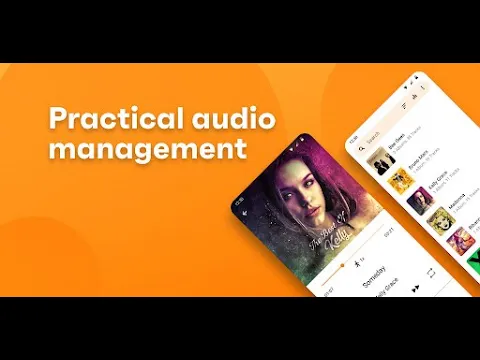
Music (Realme) video
Music (Realme) screenshot 1
Music (Realme) screenshot 2
Music (Realme) screenshot 3
Music (Realme) screenshot 4
Music (Realme) screenshot 5
Music (Realme) screenshot 6
Music (Realme) screenshot 7
Music (Realme) screenshot 8

Download Music (Realme) APK for Android

What's New in Version 68.15.8.53.2

No official changelog provided for Music (Realme) version 68.15.8.53.2_2c7f2c1_260401. This update likely includes general stability improvements and bug fixes.

Available Files

System Requirements

OS Version
Android 6.0 (Marshmallow) or higher
Architecture
Varies by file (Which one do I need?)
Disk Space
~200 MB free space required
RAM
2 GB
Internet
Not required
Google Services
Required
Permissions (36)
  • Internet
  • Record Audio
  • Access Network State
  • Read External Storage
  • Write External Storage

APK File Details

Package ID com.realme.as.music
Available on Google Play
Developer VanSound - HeyTap
License Free ( No Ads)
Content Rating Everyone
Interface Language
English +116

English, Arabic, Bulgarian, Czech, German, Spanish, French, Hindi, Hungarian, Indonesian, Italian, Japanese, Korean, Polish, Portuguese, Romanian, Russian, Thai, Turkish, Ukrainian, Vietnamese, Chinese, + 95 localizations

APK Verification & Virus Scan Results

No Virus Signature Verified Safe & unmodified

Virus scan: Verified safe (0/55) View report. This APK is free of malware and its signature matches the official developer release.

Show File Details (SHA-256, SHA-1, MD5)

SHA-1 Signature:

7717b233c8646ee418ea7784ee7cde0239e55f82

SHA-256 Hash:

7eb7354f4236375d906782e4491fc43e59362b375d5d423625b63483c19611e0

MD5 Checksum:

13c2ac65d4f24848d135ecf997120f06

Frequently Asked Questions

Is Music safe to download?

Yes, Music is safe to download. The APK is scanned on every update — no malware or viruses detected. You can verify the full scan report in the Security section above.

How to install XAPK file?

XAPK is a split APK package. Standard Android installer cannot open it directly. Use 'SAI' or 'XAPK Installer' — they handle XAPK files automatically. Download the installer, open the XAPK file with it, and follow the on-screen steps. Read more

What Android version does Music require?

Music requires Android 6.0 (API 23) or higher. Optimized for Android 15 (API 35).

Is Music free?

Yes, this app is completely free to download and use.

How to update Music to the latest version?

Download the latest APK from this page and install it over your existing version — no need to uninstall first. Your data and settings will be preserved. We update the file as soon as a new version is released.

What processor architecture does Music support?

Music supports arm64-v8a. This build does not support x86/x86_64 processors, so it will not run on most PC emulators. If you are unsure about your device architecture, check the Device Info section on this page.

How to enable installation from unknown sources on Android?

Go to Settings → Security (or Settings → Apps → Special access on Android 8+) and enable "Install unknown apps" for your browser or file manager. On Android 8 and above this setting is per-app, not global. Read more

Found a problem on this page?

User Reviews & Ratings

Global rating (Play Store): 4.42(28.4K)
Site Rating: 5(1)
Rate this app

5.00

12345

1

Share your experience with other users.