
Zendesk Support app cover art for Android
Zendesk Support Icon

Zendesk Support APK for Android

958K+
Free
Nov 12, 2025

Stay connected, resolve issues, and empower your team, wherever you are.

Download Zendesk Support APK 2.70.0 78MB

What is Zendesk Support?

Got customers who need help while you’re out and about? With the Zendesk Support app, your Zendesk Support tools come right to your Android – handle requests on the go, pull up client details anytime, or keep an eye on how your crew’s doing, no matter where you are.

Imagine being able to respond to urgent customer requests while commuting, or checking in on your team’s workload during a meeting. Zendesk Support makes it possible. It’s a fast and secure way to stay connected and productive, ensuring that nothing falls through the cracks.

Here’s what you can do with Zendesk Support:

  • Ticket Views Snapshot: Get an instant overview of ticket volume and demand to prioritize your day.
  • Customer Context: View customer profiles, tags, notes, and requests for better insights on the move.
  • Seamless Communication: Create new tickets, update assignees, add followers, and use @mentions to keep everyone in the loop.
  • Real-Time Alerts: Receive push notifications for critical customer updates, customized to your preferences.
  • Field Operations: Upload photos and attachments, access customer details, and keep your business running smoothly while in the field.
  • Team Performance Tracking: Managers can monitor workload and team performance directly from their phones.

Zendesk Support keeps you connected to your customers and team, no matter where you are. Ready to boost your mobile productivity and improve customer relationships? Download Zendesk Support today and experience the freedom of managing your support workflow on the go!
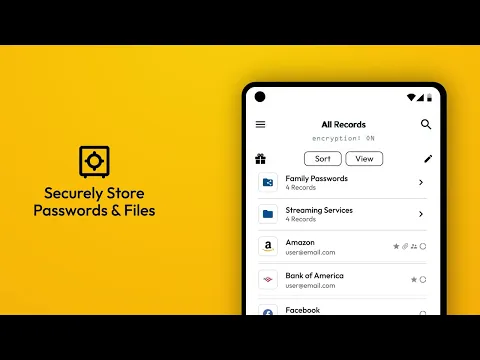
Video of Zendesk Support
Screenshot Zendesk Support 1
Screenshot Zendesk Support 2
Screenshot Zendesk Support 3
Screenshot Zendesk Support 4
Screenshot Zendesk Support 5

Download Zendesk Support APK for Android

What's New in Version 2.70.0

‧ Please share your feedback via the in-app feedback feature.
‧ We're excited to add side conversations support to the Android app.
‧ In the upcoming updates, we'll add the ability to reply and create side conversations in the app.
‧ You can now view side conversations associated with a ticket. A dedicated button will appear in the top bar when you open a ticket.

Available Files

System Requirements

OS Version
Android 8.0 (OREO) or higher
Architecture
Varies by file (Which one do I need?)
Disk Space
~100 MB free space required
RAM
1 GB
Internet
Not required
Google Services
Required
Permissions (15)
  • Internet
  • Access Network State
  • Read External Storage
  • Write External Storage
  • Vibrate

APK File Details

Package ID com.zendesk.android
Available on Google Play
Developer Zendesk Mobile
License Free ( No Ads)
Content Rating Everyone
Interface Language
English +0

English

APK Verification & Virus Scan Results

Scan In Queue Signature Verified Safe & Original

Antivirus scan in queue, will be scanned soon. This APK is free of malware and its signature matches the official developer release.

Show File Details (SHA-256, SHA-1, MD5)

SHA-1 Signature:

b66f775b75ad449082f0d7913c777e60cdc8d8e3

SHA-256 Hash:

46226336e887032d308e65f6caf50585746f0a5435f54d9fa040647ce0d9d96f

MD5 Checksum:

8d70b38c3fa942f45e905710bb2d15d1

Frequently Asked Questions

Is Zendesk Support safe to download?

Zendesk Support has passed a basic integrity check. A full antivirus scan is pending. You can check the current scan status in the Security section above.

How to install XAPK file?

XAPK is a split APK package. Standard Android installer cannot open it directly. Use 'SAI' or 'XAPK Installer' — they handle XAPK files automatically. Download the installer, open the XAPK file with it, and follow the on-screen steps. Read more

What Android version does Zendesk Support require?

Zendesk Support requires Android 8.0 (API 26) or higher. Optimized for Android 15 (API 35).

Is Zendesk Support free?

Yes, this app is completely free to download and use.

How to update Zendesk Support to the latest version?

Download the latest APK from this page and install it over your existing version — no need to uninstall first. Your data and settings will be preserved. We update the file as soon as a new version is released.

What processor architecture does Zendesk Support support?

Zendesk Support supports arm64-v8a. This build does not support x86/x86_64 processors, so it will not run on most PC emulators. If you are unsure about your device architecture, check the Device Info section on this page.

How to enable installation from unknown sources on Android?

Go to Settings → Security (or Settings → Apps → Special access on Android 8+) and enable "Install unknown apps" for your browser or file manager. On Android 8 and above this setting is per-app, not global. Read more

If you have found any issue or are having difficulty with this page, please .

User Reviews & Ratings

Global rating(Play Store): 3.48(7.7K)
Site Rating: 5(1)
Rate this app

5.00

12345

1

Share your experience with other users.