
Video Editor & Maker - InShot app cover art for Android
Video Editor & Maker - InShot Icon

Video Editor & Maker - InShot APK for Android

920M+
Free
May 1, 2026

The All-in-One Video Editor for Social Media

Download Video Editor & Maker - InShot APK 2.201.1531 84MB Old versions

What is Video Editor & Maker?

Video Editor & Maker - InShot, formerly known as InstaShot, has evolved from a simple utility into a powerful, all-in-one content creation tool designed for the modern social media user. While its original claim to fame was solving Instagram’s square-crop problem, today it stands as a top-tier video editor, photo editor, and collage maker for platforms like TikTok, Instagram Reels, and YouTube Shorts.

Core Functionality: Beyond the “No Crop” Feature

The initial genius of Video Editor & Maker - InShot was its “no crop” solution. Instead of forcing you to crop your vertical or horizontal photos and videos into a square, the app cleverly added a background—often a blur or a solid color—to fit the required aspect ratio. This feature remains, but it’s now just one piece of a much larger puzzle.

Today, Video Editor & Maker - InShot is a complete mobile editing suite that empowers users to:

  • Create Professional-Looking Videos: Easily trim, cut, merge, and split video clips. Adjust video speed for slow-motion or time-lapse effects.
  • Add Music and Sound: Choose from a vast library of royalty-free music and sound effects, or import your own audio. The intuitive timeline makes it easy to sync audio with video.
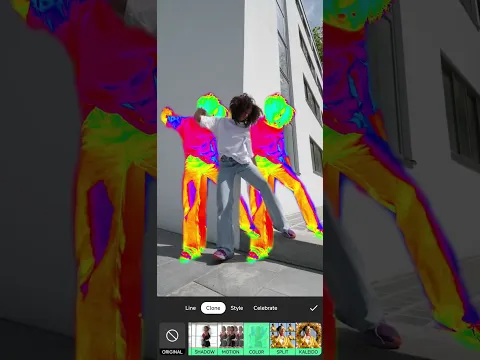
  • Enhance with Text, Stickers, and Effects: Add animated text, trendy stickers, stylish filters, and dynamic effects like Glitch or VHS to make your content stand-p.
  • Optimize for Any Platform: With built-in aspect ratio presets (9:16 for TikTok/Reels, 1:1 for Instagram posts, 16:9 for YouTube), your content will always look perfect, no matter where you share it.
  • Edit Photos and Create Collages: Video Editor & Maker - InShot isn’t just for video. It includes a robust photo editor for quick touch-ups and a versatile collage maker to combine your favorite moments.

Key Features:

  • All-in-One Editor: A single app for video editing, photo enhancement, and collage creation.
  • Social Media Ready: The ultimate editor for TikTok, Instagram Reels, and YouTube Shorts.
  • User-Friendly Interface: Intuitive controls make it the perfect video editor for beginners.
  • Rich Media Library: Access to a wide selection of music, sound effects, fonts, and stickers.
  • Advanced Tools Made Simple: Features like Picture-in-Picture (PIP), chroma key (green screen), and keyframe animations are available in a simplified, accessible way.
  • High-Quality Export: Save and share your videos in HD or 4K resolution.

Conclusion: From a Simple Tool to a Content Creator’s Essential

Video Editor & Maker - InShot has successfully transitioned from a single-purpose “Instagram video editor” to an indispensable, intuitive tool for anyone creating content on their phone. Whether you’re a professional SMM manager crafting a campaign, an aspiring influencer making your next viral TikTok video, or just someone who wants to create fun, engaging Instagram Stories and Reels, Video Editor & Maker - InShot provides all the tools you need in one convenient package. It’s the perfect balance of power and simplicity
Also known as: InShot, instaShot
Video of Video Editor & Maker - InShot
Screenshot Video Editor & Maker - InShot 1
Screenshot Video Editor & Maker - InShot 2
Screenshot Video Editor & Maker - InShot 3
Screenshot Video Editor & Maker - InShot 4
Screenshot Video Editor & Maker - InShot 5
Screenshot Video Editor & Maker - InShot 6
Screenshot Video Editor & Maker - InShot 7
Screenshot Video Editor & Maker - InShot 8

Download Video Editor & Maker - InShot APK for Android

What's New in Version 2.201.1531

- Auto Captions with bilingual support
- AI Light for photo illumination
- New transition pack: Geometric
- Bug fixes and other improvements
Any ideas or suggestions? Don't hesitate to contact us anytime at [email protected] !

For more new feature tutorials and advanced video editing tips, please subscribe to our YouTube channel: https://www.youtube.com/@InShotApp

Other versions

  • 2.201.1531 (latest) 84MB Android 7.0+ arm64-v8aarmeabi-v7a Download
  • 2.184.1522 81MB Android 7.0+ arm64-v8aarmeabi-v7a Download
  • 2.155.1507 84MB Android 7.0+ arm64-v8aarmeabi-v7a Download
  • 2.080.1466 84MB Android 7.0+ arm64-v8aarmeabi-v7a Download

System Requirements

OS Version
Android 7.0 (Nougat) or higher
Architecture
Varies by file (Which one do I need?)
Disk Space
~150 MB free space required
RAM
1 GB
Internet
Not required
Permissions (27)
  • Internet
  • Record Audio
  • Access Network State
  • Read External Storage
  • Write External Storage

APK File Details

Package ID com.camerasideas.instashot
Available on Google Play
Developer InShot Video Editor
License Free
Monetization Contains Ads   In-App Purchases
Content Rating Everyone
Interface Language
English +36

English, Japanese, German, Bulgarian, Thai, Hindi, Vietnamese, Ukrainian, Polish, Korean, Romanian, Arabic, French, Turkish, Czech, Spanish, Italian, Portuguese, Hungarian, Russian, Chinese, + 16 localizations

APK Verification & Virus Scan Results

No Virus Signature Verified Safe & Original

Virus scan: Clean (0/61) View report. This APK is free of malware and its signature matches the official developer release.

Show File Details (SHA-256, SHA-1, MD5)

SHA-1 Signature:

1965c6bccfbdf28dbe977e5460f386a1db9e7366

SHA-256 Hash:

71ab7b42fdd88671a671a7e81e09dccf56ba7e0de287a3ed42933f5364913085

MD5 Checksum:

b4408ee602553b019d5d416cf87f2fd2

Frequently Asked Questions

Is Video Editor & Maker safe to download?

Yes, Video Editor & Maker is safe to download. The APK is scanned on every update — no malware or viruses detected. You can verify the full scan report in the Security section above.

How to install Video Editor & Maker APK on Android?

Download the APK using the button above. Then open the file and tap Install. If prompted, enable "Install from unknown sources" in Settings → Security. The process takes under a minute. Read more

What Android version does Video Editor & Maker require?

Video Editor & Maker requires Android 7.0 (API 24) or higher. Optimized for Android 15 (API 35).

Is Video Editor & Maker free?

Yes, it is free to download and use, but it contains ads and offers in-app purchases.

How to update Video Editor & Maker to the latest version?

Download the latest APK from this page and install it over your existing version — no need to uninstall first. Your data and settings will be preserved. We update the file as soon as a new version is released.

What processor architecture does Video Editor & Maker support?

Video Editor & Maker supports arm64-v8a, armeabi-v7a. This build does not support x86/x86_64 processors, so it will not run on most PC emulators. If you are unsure about your device architecture, check the Device Info section on this page.

How to enable installation from unknown sources on Android?

Go to Settings → Security (or Settings → Apps → Special access on Android 8+) and enable "Install unknown apps" for your browser or file manager. On Android 8 and above this setting is per-app, not global. Read more

If you have found any issue or are having difficulty with this page, please .

User Reviews & Ratings

Global rating(Play Store): 4.83(16.5M)
Site Rating: 4.83(67)
Rate this app

4.36

12345

67

Share your experience with other users.

Nguyễn hữu Phước:
Tôi muốn tải về Biugo
Jah khalifa:
Its great
اسم المستخدم:
حلو
gusbelkis:
Bien✌
jhefferson:
Esta bien