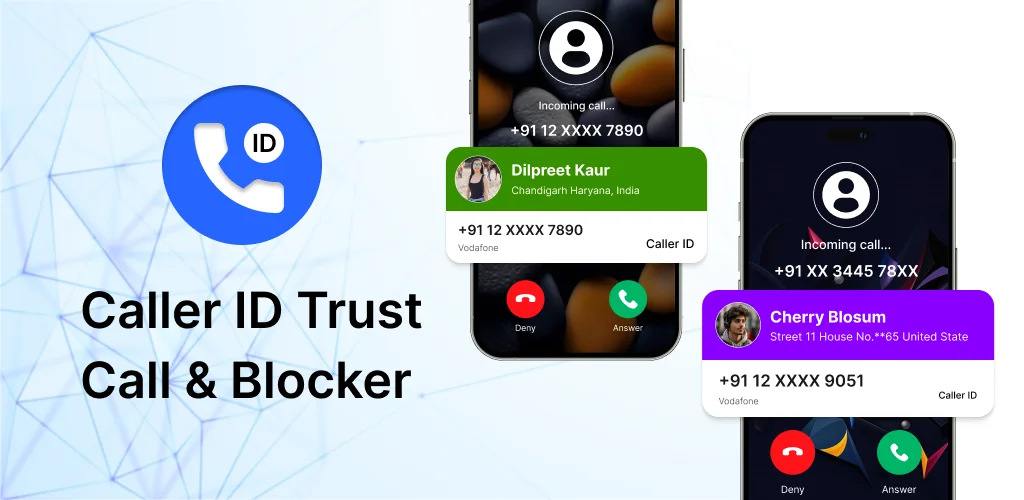
Caller ID Trust Call & Blocker app cover art for Android
Caller ID Trust Call & Blocker Icon

Caller ID Trust Call & Blocker APK for Android

Also known as: Caller ID Trust Call & Blocker
5M+
Free
Oct 1, 2026

Local spam filtering and T9 search without uploading your contacts.

Download Caller ID Trust Call & Blocker APK 1.1.7 73MB

What is Caller ID Trust Call & Blocker?

Tired of spam calls breaking through your contacts list every time your phone rings? Caller ID Trust Call & Blocker is a caller ID and spam blocker that replaces your default dialer with a cleaner interface, built-in spam detection, and T9 search that actually works. The app processes everything locally so your contacts and call logs stay on your device, not someone else's server.

The core mechanic is simple: the app takes over as your primary dialer, reads your contacts and call history, and filters incoming calls through a spam recognition system that flags telemarketers before you pick up. You get a notification when a suspicious number calls, and you can block it or let it through. The T9 keypad lets you search contacts by typing a few digits instead of scrolling through a long list, and speed dial pins your frequent contacts at the top for one-tap calling.

Key Features:

  • The T9 keypad searches contacts by name or number as you type, cutting search time to seconds.
  • Spam caller ID recognizes unknown numbers and sends instant alerts when a telemarketer or scam call comes through.
  • Speed dial and favorites let you pin important contacts for one-tap calling without searching.
  • Call logs display incoming, outgoing, and missed calls in one organized list instead of separate tabs.
  • All contact and call log data is processed locally on your device, with no uploads to external servers.

T9 dialing and spam filtering

T9 dialing maps letters to keypad numbers so you can type "5646" to find "John" without opening your contacts app. The spam detection system cross-references incoming numbers against a database and flags suspicious calls before they reach you. Speed dial works by pinning contacts to a favorites list, and the call log consolidates all activity into a single scrollable feed instead of splitting it across multiple screens.

Other caller ID apps

Truecaller uses a community-based database to identify incoming calls and block spam, but it requires uploading your contacts to their servers. Google Phone provides a stock interface with verified business caller identification, but it's tied to Google's ecosystem. Caller ID Trust Call & Blocker processes everything locally and works without a network connection, which keeps your contact list private. It suits users who want spam protection without sharing their address book.

The app requires extensive system permissions including overlay access and phone state monitoring to function as your primary dialer, and it contains ads with in-app purchases ranging from $1.99 to $19.99 per item. Works best for users who take enough unknown calls to justify the permission trade-off.

Caller ID Trust Call & Blocker screenshot 1
Caller ID Trust Call & Blocker screenshot 2
Caller ID Trust Call & Blocker screenshot 3
Caller ID Trust Call & Blocker screenshot 4
Caller ID Trust Call & Blocker screenshot 5
Caller ID Trust Call & Blocker screenshot 6
Caller ID Trust Call & Blocker screenshot 7
Caller ID Trust Call & Blocker screenshot 8

Caller ID Trust Call & Blocker APK Download

What's New in Version 1.1.7

We’re excited to announce the first release of the Caller ID Trust Call & Blocker App!

🚀 Key Features
🔎 Real-time Caller Identification – Instantly see who’s calling, even for unknown numbers
🚫 Spam Call Detection – Identify and avoid unwanted or suspicious calls
📇 Smart Contact Management – Quickly access and organize your contacts

Thank you for downloading Caller ID App! We’re continuously working to improve your experience — stay tuned for updates.

Download Link:

System Requirements

OS Version
Android 7.0 (Nougat) or higher
Architecture
Varies by file (Which one do I need?)
Disk Space
~90 MB free space required
RAM
1 GB
Internet
Required
Google Services
Required   GMS dependent

APK File Details

Package ID com.callerid.trustedcall.sms.spamblocker
Available on Google Play
Developer ES Solutions Global
License Free
Monetization Contains Ads   In-App Purchases
Content Rating Everyone
Interface Language
English +76

English, Arabic, Bulgarian, Czech, German, Spanish, French, Hindi, Hungarian, Indonesian, Italian, Japanese, Korean, Polish, Portuguese, Romanian, Russian, Thai, Turkish, Ukrainian, Vietnamese, Chinese, + 55 localizations

Required Permissions (28)
  • Requires Google Play Services to launch:
    Note: This is an original file. Unlike modded versions with no verification, it validates via your store account. Details
  • Internet
  • Access Network State
  • Read Contacts
  • Read Phone State
  • Vibrate

APK Verification & Virus Scan Results

Scan In Queue Signature Verified Safe & unmodified

Full antivirus scan in queue; report will appear here shortly. Signature matches the official developer release.

Show File Details (SHA-256, SHA-1, MD5)

SHA-1 Signature:

ba5400f157bf40bdf2d499f23564ad181db2ccc0

SHA-256 Hash:

c0d554a6a26997f296c03843937e3fdc2b9b491bc89f5a78ef4fd77980a7b64b

MD5 Checksum:

f2769ba2135793fe0b94b6ef5007adaf

Frequently Asked Questions

Is Caller ID Trust Call & Blocker safe to download?

Caller ID Trust Call & Blocker has passed a basic integrity check. A full antivirus scan is pending. You can check the current scan status in the Security section above.

How to install XAPK file?

XAPK is a split APK package. Standard Android installer cannot open it directly. Use 'SAI' or 'XAPK Installer' — they handle XAPK files automatically. Download the installer, open the XAPK file with it, and follow the on-screen steps. Read more

What Android version does Caller ID Trust Call & Blocker require?

Caller ID Trust Call & Blocker requires Android 7.0 (API 24) or higher. Optimized for Android 16 (API 36).

Is Caller ID Trust Call & Blocker free?

Yes, it is free to download and use, but it contains ads and offers in-app purchases.

Does Caller ID Trust Call & Blocker require a license check?

Yes, this app performs a license check. You may need to have the Google Play Store installed and be logged in to verify the license.

How to update Caller ID Trust Call & Blocker to the latest version?

Download the latest APK from this page and install it over your existing version — no need to uninstall first. Your data and settings will be preserved. We update the file as soon as a new version is released.

What processor architecture does Caller ID Trust Call & Blocker support?

Caller ID Trust Call & Blocker supports arm64-v8a. This build does not support x86/x86_64 processors, so it will not run on most PC emulators. If you are unsure about your device architecture, check the Device Info section on this page.

Found a problem on this page?

User Reviews & Ratings

Site Rating: 5★ (1)
Rate this app

5.00

12345

1

Share your experience with other users.

Download Caller ID Trust Call & Blocker APK - Latest version

Get the official APK file for your Android device. Fast, safe, and free. Download APK